AI Sky Replacement for Real Estate:
Best Practices & Common Pitfalls
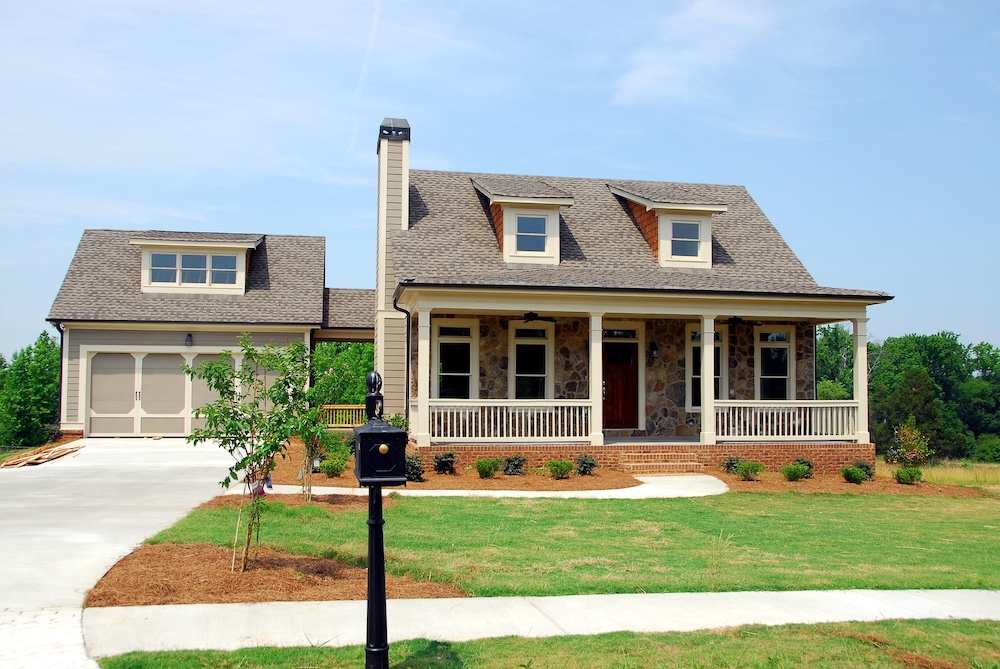
First impressions in real estate are almost exclusively digital. When a potential buyer scrolls through a listing portal, the primary thumbnail image—typically the front exterior hero shot—bears the heavy responsibility of stopping the scroll. An overcast, dreary gray sky drops conversion click-through metrics instantly.
Because scheduling shoots around perfect golden hour windows is logistically impossible for high-volume agencies, sky replacements have transitioned from an occasional retouching trick to an absolute production standard. However, automated sky tools have created a surge of highly artificial, ungrounded imagery. Elevating your production pipeline means looking past simple masking scripts and understanding how to apply algorithmic restraint.
The Sky Swap Shift: From Choice to Expectation
Listing agents now expect clear skies or soft twilight transitions as a baseline deliverable across all marketing packages. The days of delivering flat, featureless white cloud cover are gone.
But when automation handles this task carelessly, it distracts from the property asset itself. A sky that feels disconnected from its surroundings hurts the credibility of the entire listing. True architectural quality demands that your background swaps blend seamlessly into the building's physical footprint, matching light directions and color properties.
The Three Mistakes That Reveal an Artificial Sky
To protect the premium presentation style of your imagery, your processing pipeline must identify and actively eliminate these three common editing tell-tales:
1. Conflicting Light and Shadow Trajectories
The most common failure occurs when an editing application drops a bright, dramatic sunset sky containing a hard westerly sun angle behind a property structure that was captured with midday, overhead northern ambient light. The building's shadow profiles run forward, while the sky background indicates the sun is directly behind the roofline. This directional conflict creates immediate subconscious cognitive dissonance for the viewer.
2. Micro-Masking Halo Fringes
Look closely at complex boundaries: fine tree branches, chimney lines, television antennae, and complex roof ridge venting. Rudimentary background algorithms fail to blend these high-frequency transition zones cleanly, leaving a thin, ghostly fringe of original white or gray overcast pixels bordering the structure.
3. The Radioactive Horizon Contrast
In nature, skies are highly gradient. They are deepest overhead and naturally fade into a soft, hazy white or light blue as they approach the horizon. Dropping a sky asset that maintains intense saturation all the way down to the roofline or fence boundary looks flat, cutting the image into hard, stylized slices.
Best Practices for Seamless Architectural Integration
Achieving clean, high-end exterior presentations requires setting up specific programmatic boundary rules:
- /Prioritize Soft, Gradient AssetsSelect sky templates that feature gentle, scattered cloud cover and realistic, desaturated horizon drops rather than high-contrast, aggressive storm cloud patterns.
- /Force Reflective TransparencyEnsure that glass window panes, facade glass doors, and swimming pool surfaces match the color tones of your newly introduced sky to tie the image together organically.
- /Anchor the Ambient TemperatureAlign the white balance profile of the brickwork, stucco, and lawns to match the newly added background atmosphere.

The Environmental Glow: Beyond Simple Masking
A truly professional sky replacement is much more than a clean clipping mask; it is a complete color relighting problem. When a machine learning engine drops a twilight or soft golden-hour sky behind a structure, it must dynamically spill those specific light frequencies across the entire foreground scene.
This comprehensive scene harmonization is exactly where Stager AI outperforms generic editing applications. Instead of just cutting away the sky background, its specialized model reads the global color landscape. It applies a subtle color-spill wrap across the building's facade, adjusts lawn highlights to reflect the ambient temperature shift, and neutralizes overcast shadows seamlessly. This ensures your sky swaps match the natural light profile of the setting perfectly.
The Exterior Post-Processing Quality Rubric
Audit your exterior image processing pipeline against this strict structural baseline matrix:
| Evaluation Point | Standard Automation Flares | Stager AI Production Quality |
|---|---|---|
| Edge Transition Masking | White ghost fringing around trees or gutters | Sub-pixel semantic separation, razor-sharp edges |
| Foreground Re-lighting | Building keeps cold overcast tones under a warm sky | Dynamic color re-lighting across the facade and lawns |
| Specular Reflections | Glass pane reflections keep original gray colors | Intelligent matching of reflection hues across pools and glass |
| Horizon Gradients | Uniform, flat, heavy color saturation down to borders | Natural light falloff matching organic horizon lines |