AI-powered real estate perspective correction
Tilt the camera up to fit the roof in and the walls lean in. Stager AI straightens converging verticals and levels tilted shots in every HDR edit, so every room and facade stands up straight.
- Straight verticals
- Level horizons
- Safe limits, no stretched rooms
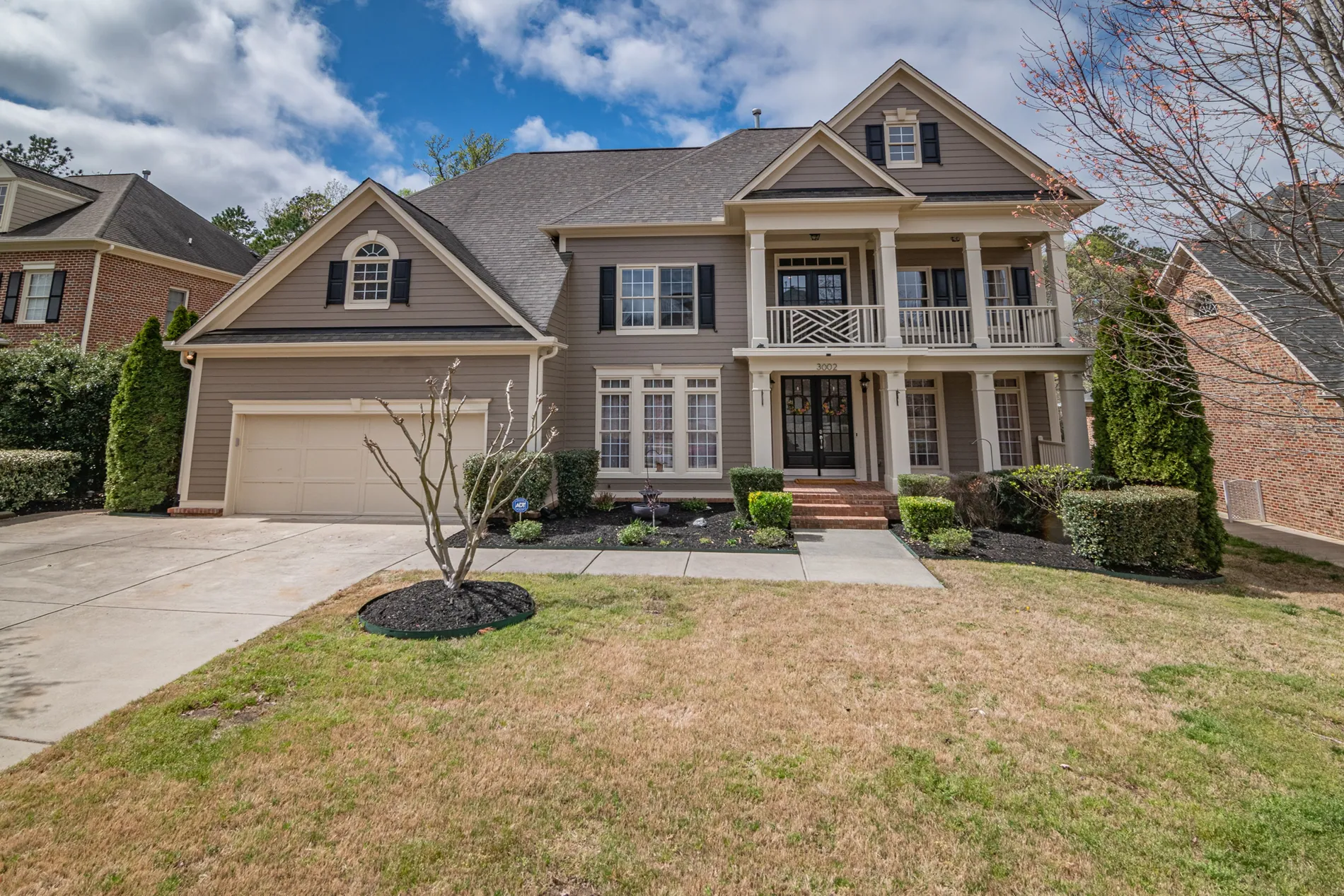
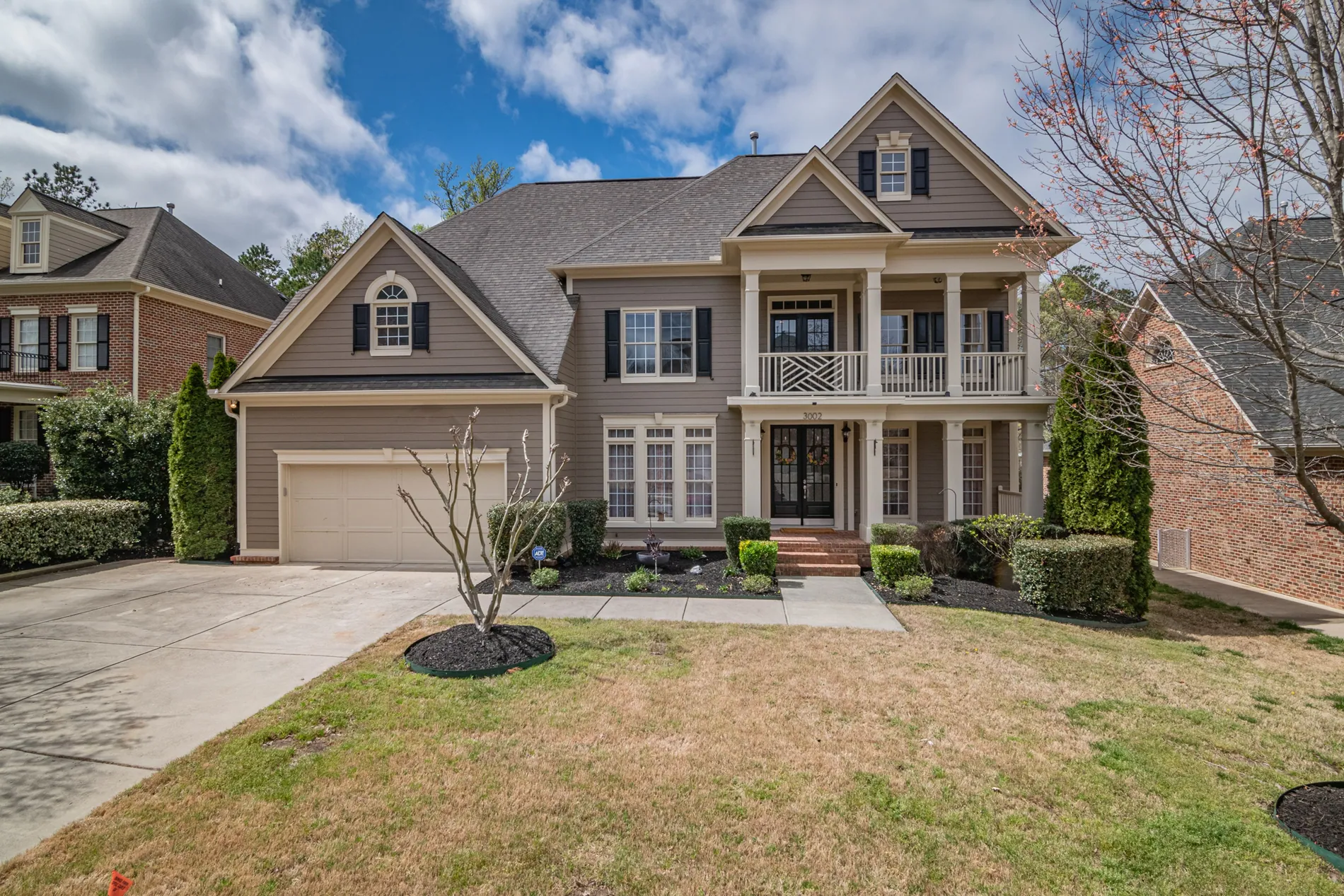
Leaning walls make a room feel wrong
Perspective correction is a standard step in real estate photo editing. Buyers notice crooked walls before they notice the kitchen, and fixing them one by one in Lightroom eats your evening.
Shoot faster on site
No fiddling with tripod height and tilt on every shot. Get the composition right and let the edit fix the lines.
Architectural look
Plumb verticals and level horizons are what make a photo look professional, inside and out.
No Lightroom sliders
No guided upright on every photo. One setting straightens the whole shoot.
Leaning in, straight out
Drag the slider on each photo. Lines become straight, horizons level, and the room keeps its proportions.


01 · Bathroom
Shot from a corner with the camera tilted down: the vanity and door frames are made plumb again.
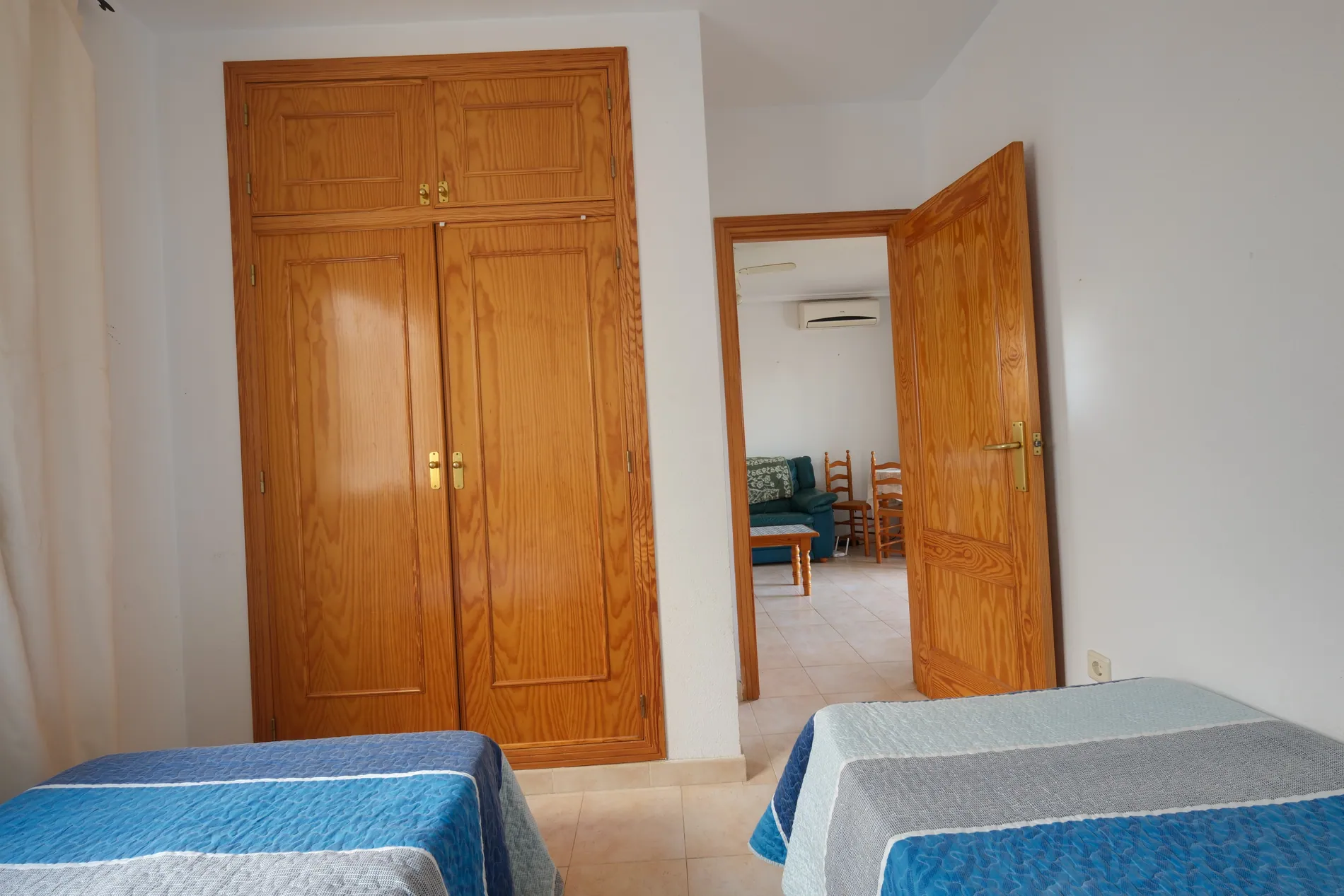
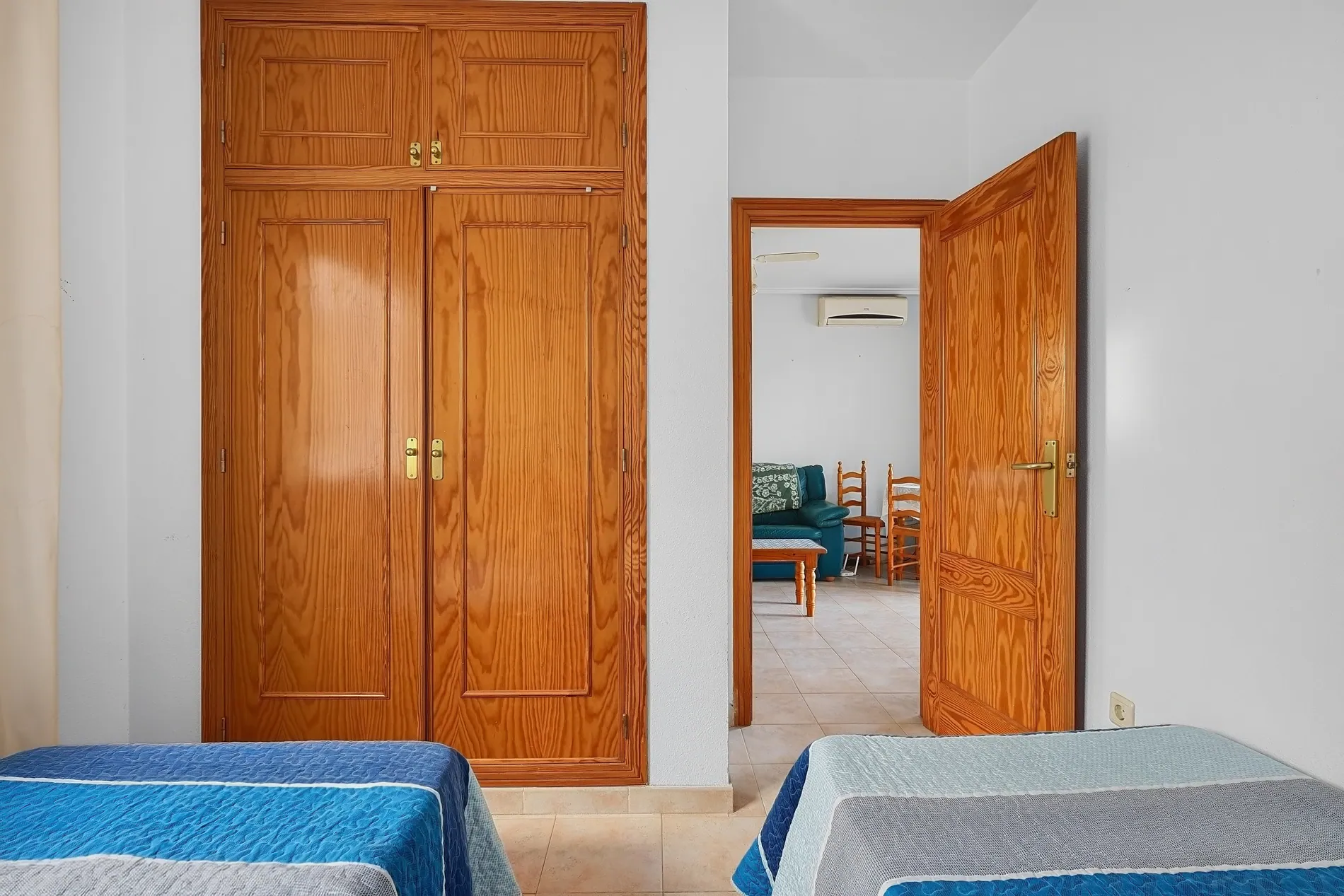
02 · Tilted bedroom
A tripod that wasn't quite level: the horizon is leveled and the edges cropped cleanly.


03 · Dining room
Wide-angle interior with a pool view: the window frames and walls stand straight.


04 · Driveway
Exterior shot from the street: walls, gate posts and the carport are made vertical.
Three steps to straight lines
Perspective correction is a setting of Auto HDR, the Stager AI editor for real estate photographers. It runs as part of your normal edit.
- 01
Turn on perspective correction
In the Auto HDR sidebar, switch on Apply Perspective Correction. Your choice is remembered for the next shoot.
- 02
Upload your shoot
Drop in RAW or JPEG brackets, or let Dropbox auto-import send your shoots in for you.
- 03
Lines are straightened
Lines and vanishing points are found in each photo, then the view is corrected so verticals are plumb and the horizon is level.
Straight lines, real proportions
Aggressive correction makes rooms look stretched. Stager AI corrects within safe limits and crops as little as it can, so the room still looks like the room.
- What's corrected
- Converging verticals, camera tilt and roll. In one-point shots, the back wall is squared too.
- Safe limits
- Strong tilts are corrected partially, never stretched. Aerial shots and extreme angles are left as they are.
- Crop
- The correction crops the empty edges, with a small, capped zoom so no corners go missing.
- Lens distortion
- Wide-angle lens correction can be set up for your camera and lenses. Ask us in the chat.
For everyone who delivers listing photos
Real estate photographers
Spend less time leveling the tripod and none fixing lines at your desk.
Real estate media companies
Straight lines from every photographer on the team, through the web app, Dropbox or the API.
Real estate agents
Shooting with a phone or a wide lens? Get rooms that stand up straight in your listing.
Corrects the camera, not the building
Perspective correction changes the angle of view and crops the edges. It doesn't move walls, resize rooms or change the architecture.
Part of every Auto HDR edit
Perspective correction is a setting of Auto HDR and costs nothing extra. Each edited photo uses 1 photo credit. Plans start at 10 photos a month, and unused photos roll over.
No subscription? Ask us in the chat for a pay-per-photo deal, as low as $0.25 per photo depending on volume.
Questions about perspective correction
It straightens lines that lean because the camera was tilted. Walls, door frames and building edges become vertical again, and the horizon becomes level, so the photo looks like it was shot with a perfectly leveled camera.
In Auto HDR, switch on Apply Perspective Correction in the sidebar before you click Enhance Now. You can also turn it on when you reprocess photos you've already edited.
Yes. The same step fixes camera roll, so a photo taken with a slightly crooked tripod comes back level.
No. Strong tilts are only corrected partly, and the crop is capped, so rooms keep their proportions. Aerial shots and extreme angles are left uncorrected.
Lens correction uses profiles for your camera and lens, and we set it up for your account. Ask us in the chat with the cameras and lenses you shoot with.
Yes. Turn it on in your Dropbox settings to apply it to every shoot, or send perspectiveCorrection: true on each HDR request in the API.
Nothing extra. It's part of your Auto HDR edit: each edited photo uses 1 photo credit. Plans start at 10 photos a month and unused photos roll over. For high volumes without a subscription, ask us in the chat for a pay-per-photo deal, as low as $0.25 per photo.
Straight lines on your next shoot
Turn on perspective correction, upload your brackets and get rooms that stand up straight. Your first photos are on us.