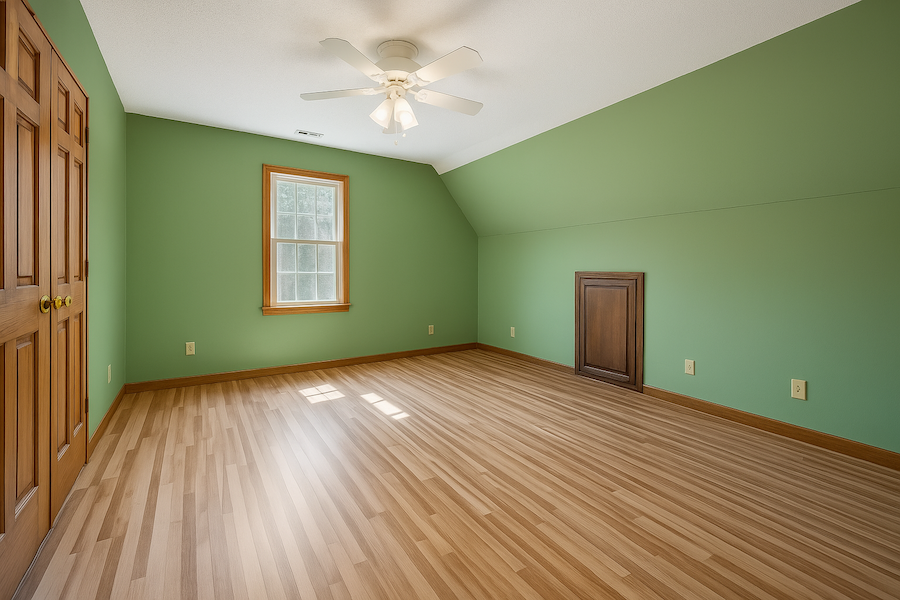
Virtual wall painting for real estate, any color, in seconds
A bold accent wall or a dated color can distract buyers from a good room. Pick a color, and Stager AI repaints the walls in your listing photo.
Paint is the cheapest change, and the easiest to picture
Neutralize bold colors
A dark or bright wall can dominate a photo. A soft neutral lets buyers see the space.
Refresh dated colors
Yellowed whites and tired beiges look fresh again in a clean, light tone.
Show options before painting
Try several colors on the same photo before the seller calls the painters.
Colors that tend to work in listing photos
There's no single right color, but these families are easy on buyers and photograph well.
Warm white
#F3EFE6
Bright and clean without looking clinical
Greige
#CFC6B8
A soft mix of grey and beige that suits most floors
Pale sage
#C9D3C0
Calm and natural, good for bedrooms
Soft blue
#C7D7E2
Light and airy, good for bathrooms
Light taupe
#BFB3A6
Warm and cozy for living rooms
Choose exactly what gets painted
- Any color
- Pick any color from the full color picker, not just a preset palette.
- Walls and ceiling
- Paint the walls only, or tick one box to paint the ceiling as well.
- Adjoining rooms
- Visible walls of adjoining rooms are painted too, so the color stays consistent.
- Two AI models
- Choose the model that gives the best result for your photo, and re-render for free.
Three steps to new walls
- 1
Upload a room photo
Any interior where the walls are visible.
- 2
Pick the color
Choose any color and decide whether the ceiling is painted too.
- 3
Paint and compare
Click Paint Walls Now, compare with the original and download.
A new color, not a different room
Virtual paint shows how a room could look. Keep the original photo in the listing where you can, label edited photos where your portal asks for it, and never use it to hide stains, cracks or damp.
Change more than the walls
One credit per photo
Each photo uses 1 credit and includes 9 free re-renders, so you can try several colors. Plans start at 10 photos a month and unused photos roll over.
Questions about virtual wall painting
Upload the photo to Stager AI, open Wall Painting, pick a color and click Paint Walls Now. The walls are repainted in seconds.
Yes. Use the full color picker to choose any color, including a specific shade you've been given.
Yes. Tick the ceiling option and the ceiling is painted in the same color as the walls.
Stager AI is told to repaint only the walls. AI can still change a detail now and then, so check the result and re-render if needed. Every photo includes 9 free re-renders.
Use it to show a room's potential, ideally next to the original photo, and label edited photos where your portal asks for it. Don't use it to hide damage.
Each photo uses 1 credit and includes 9 free re-renders. Plans start at 10 photos a month, unused photos roll over, and you can try 10 renders free first, with no credit card.
Try a new color on your next listing
Upload a room photo, pick a color and see it repainted in seconds. Your first photos are on us.