Remove furniture from photos, and show the room itself
A seller's furniture, boxes and personal items can hide how big and bright a room really is. Stager AI removes them in one click, so buyers see the space.
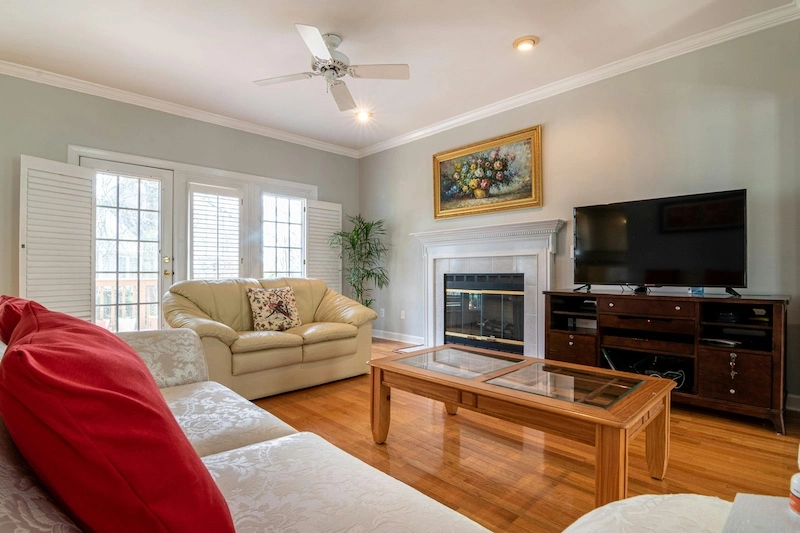
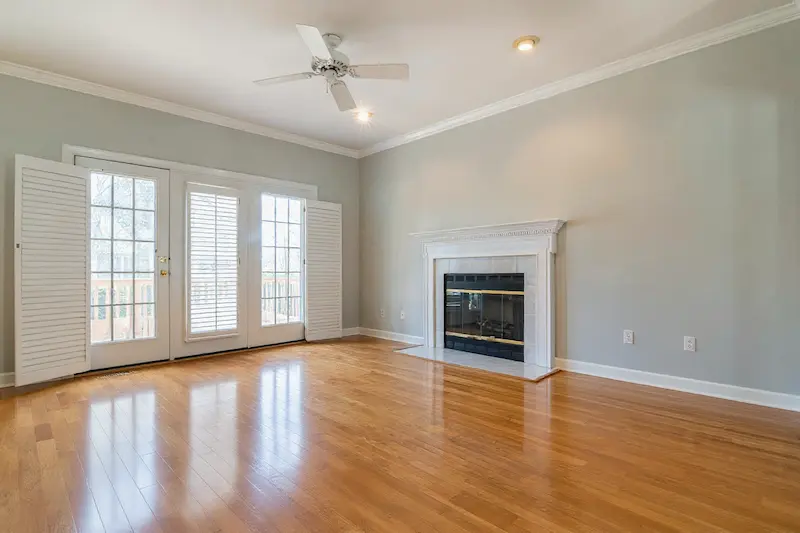
- Sofas and armchairs
- Coffee table
- TV and TV stand
- Painting
- Plant
- Cushions and throws
An empty room tells buyers more than a full one
Rooms look bigger
Without bulky furniture, buyers can see the real size and shape of the room.
No personal items
Family photos, toys and paperwork disappear, so buyers can picture their own life there.
A clean start for staging
Empty the room first, then stage it in the style that suits the listing.
Remove everything, or keep what matters
By default Stager AI removes all furniture and objects. Add a short instruction to change that.
- “Keep the TV”
- “Keep the rug”
- “Remove the TV too”
- “Keep the curtains”
Instructions are optional and written in plain words.
Declutter many photos at once
In the HDR editor, select the photos you want and declutter them together from the Declutter panel, instead of one at a time.
After decluttering
Show it empty
Use the empty room as it is, to show the space.
Stage it again
Furnish the empty room in any of 11 styles with virtual staging.
Renovate it
Show the empty room with new finishes using virtual renovation.
Three steps to an empty room
- 1.
Upload a room photo
Any furnished or cluttered interior.
- 2.
Add instructions if you want
For example, keep the TV or the rug.
- 3.
Declutter and compare
Click De-Clutter Now, hold to compare with the original and download.
Show the room, not a different one
Decluttering removes furniture and objects. Stager AI is told to keep the walls, floors and windows as they are; check each result and re-render if something changes. Label edited photos where your portal asks for it.
One credit per photo
Each photo uses 1 credit and includes 9 free re-renders. Plans start at 10 photos a month and unused photos roll over.
Questions about decluttering
Upload the photo to Stager AI, open Decluttering and click De-Clutter Now. Furniture and objects are removed in seconds.
Yes. Add an instruction such as “keep the TV” or “keep the rug”, and those items stay.
Yes. In the HDR editor, select several photos and declutter them together from the Declutter panel.
Stager AI is told to remove only furniture and objects. AI can still change a detail now and then, so check the result and re-render if needed. Every photo includes 9 free re-renders.
Yes. Use the empty photo with virtual staging to furnish it in a new style.
Each photo uses 1 credit and includes 9 free re-renders. Plans start at 10 photos a month, unused photos roll over, and you can try 10 renders free first, with no credit card.
Let buyers see the space
Upload a furnished room and see it empty in seconds. Your first photos are on us.