AI swimming pool enhancer, clear blue water in one click
A green, murky or empty pool can turn a backyard into a to-do list. Stager AI makes the water clear and blue, fills the pool and clears the leaves, so buyers see the pool they'd swim in.
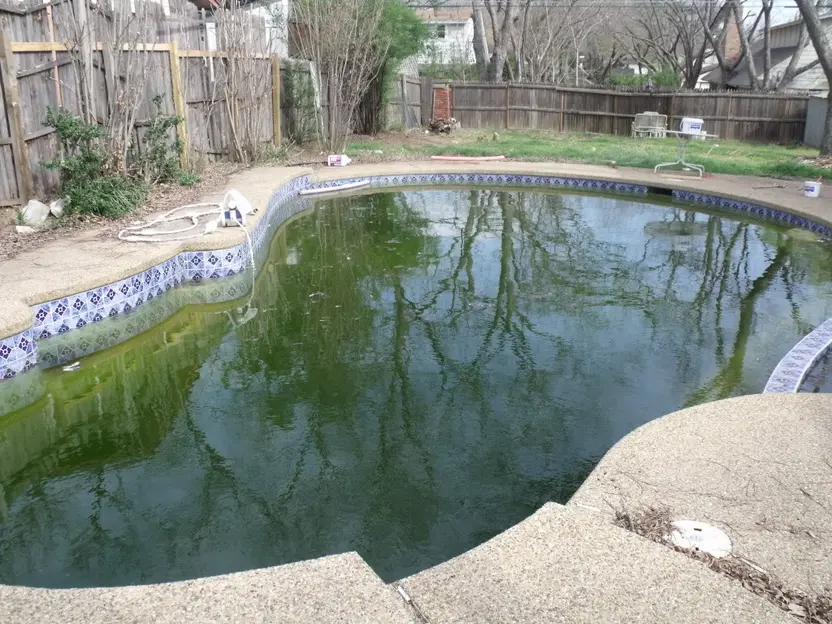
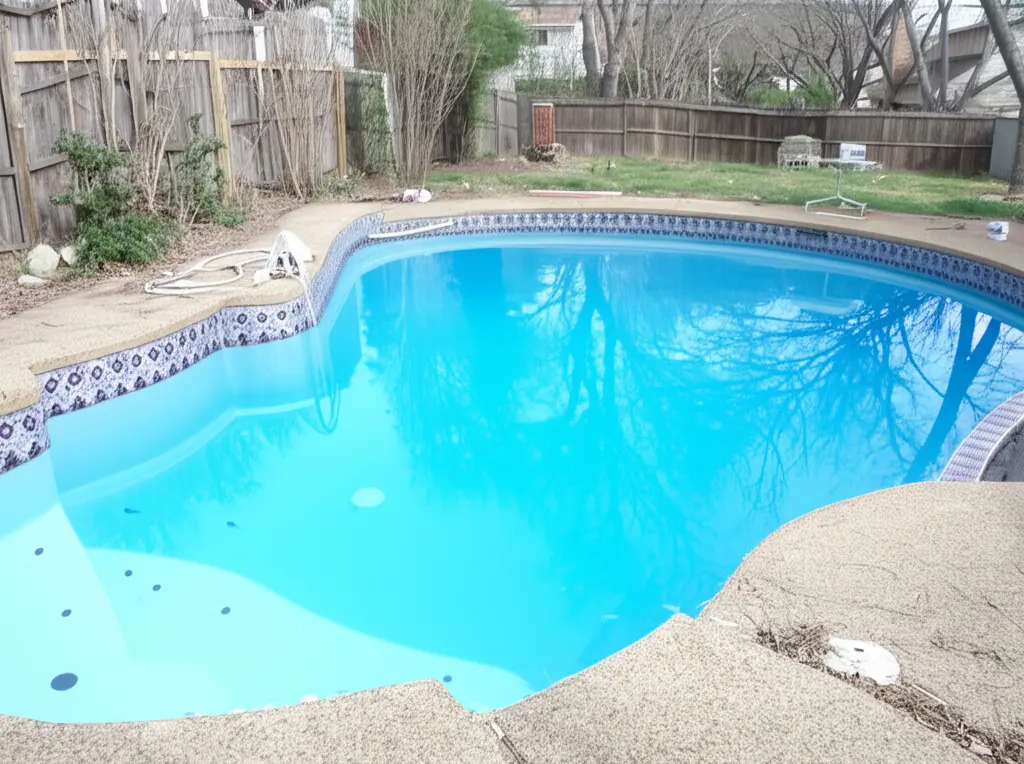
Three pool problems, one click
Green or cloudy water
Algae-green or murky water becomes clean, clear blue.
Empty or half-empty pools
Drained pools are shown filled with water, the way they look in use.
Leaves and debris
Leaves and dirt in the pool and around the deck are cleared away.
Sell the summer pool, even in winter
Homes don't only go on the market in July. When a pool is covered, drained or out of season, the enhancer shows what it looks like when it's ready to swim in.
- Listings photographed in autumn and winter
- Pools waiting for their first clean of the season
- Rentals where the pool is a key feature
The pool changes. The backyard stays.
The rest of the scene
Stager AI is told to change only the pool and keep the house, deck and garden as they are.
Realistic water
The result is tuned to look like real water, with natural color and reflections.
Free re-renders
If something isn't right, re-render: every photo includes 9 free re-renders.
Three steps to a clear pool
- 01
Upload the photo
Any exterior or aerial photo where the pool is visible.
- 02
Click Enhance Pool Now
No masking or settings needed.
- 03
Compare and download
Check the result against the original and download it.
Show the pool at its best, honestly
Use the enhancer to show a pool as it looks when it's maintained, not to hide damage, leaks or a pool that doesn't work. Label edited photos where your portal asks for it.
Finish the whole backyard
Questions about the pool enhancer
Upload the photo to Stager AI, open the Swimming Pool Enhancer and click Enhance Pool Now. Green or murky water becomes clear blue in seconds.
Yes. Empty or half-empty pools are shown filled with water.
Yes. Leaves, dirt and debris in the pool and on the surrounding deck are removed.
Stager AI is told to change only the pool and keep the rest of the scene as it is. AI can still change a detail now and then, so check the result and re-render if needed.
Yes, to show the pool as it looks when it's maintained. Don't use it to hide damage or a pool that doesn't work, and label edited photos where your portal asks for it.
Each photo uses 1 credit and includes 9 free re-renders. Plans start at 10 photos a month, unused photos roll over, and you can try 10 renders free first, with no credit card.
One credit per photo
Each photo uses 1 credit and includes 9 free re-renders. Plans start at 10 photos a month and unused photos roll over.
Give your next listing a pool buyers want to swim in
Upload an exterior photo and see the pool clear and blue in seconds. Your first photos are on us.