Real estate photo color correction for mixed lighting
Warm lamps, cool daylight and a dull grey cast, all in one room. Stager AI evens out the color in every HDR edit, so whites look white and the room looks the way it does in person.
- Automatic in every HDR edit
- Clean whites, natural wood
- Full-resolution results
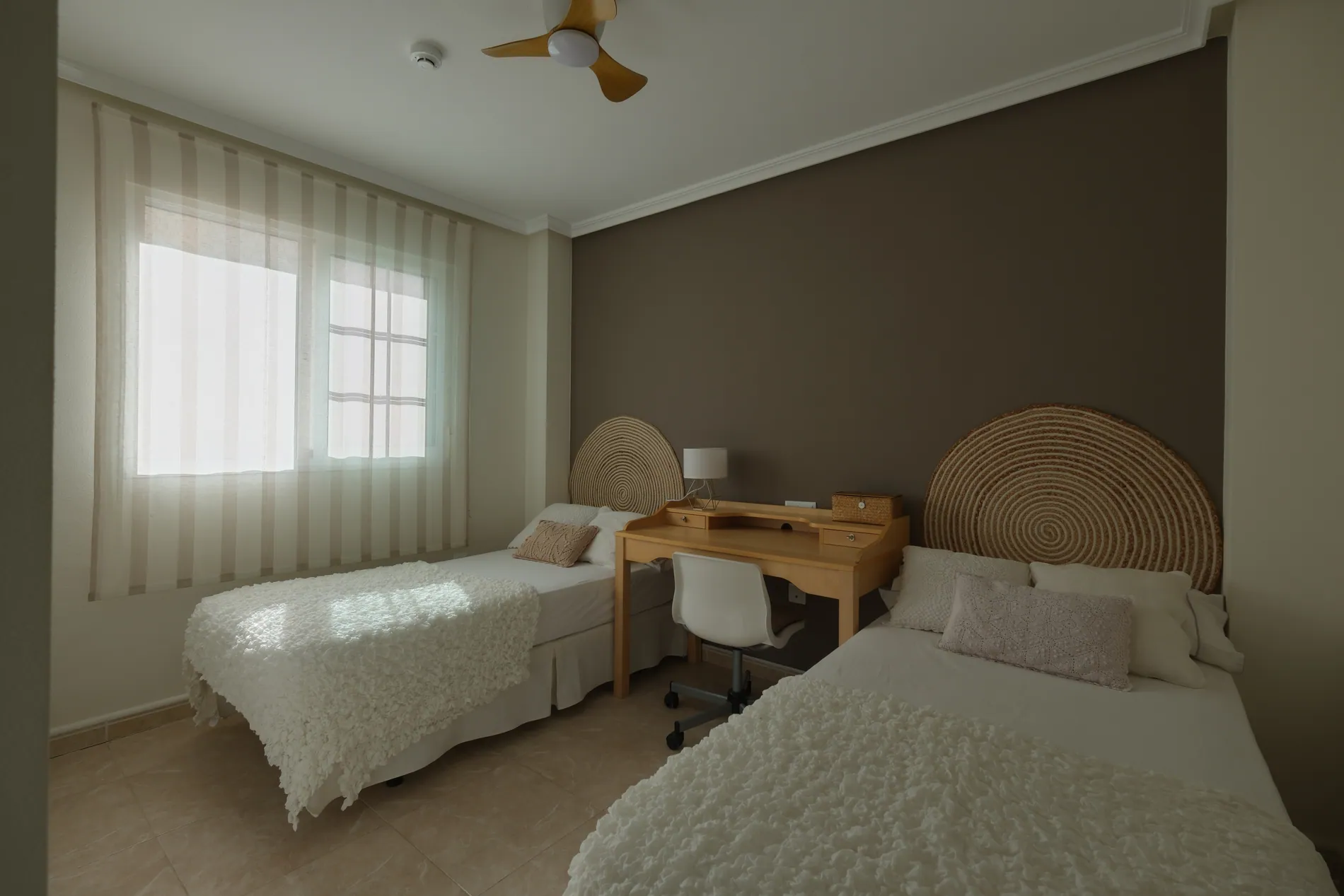
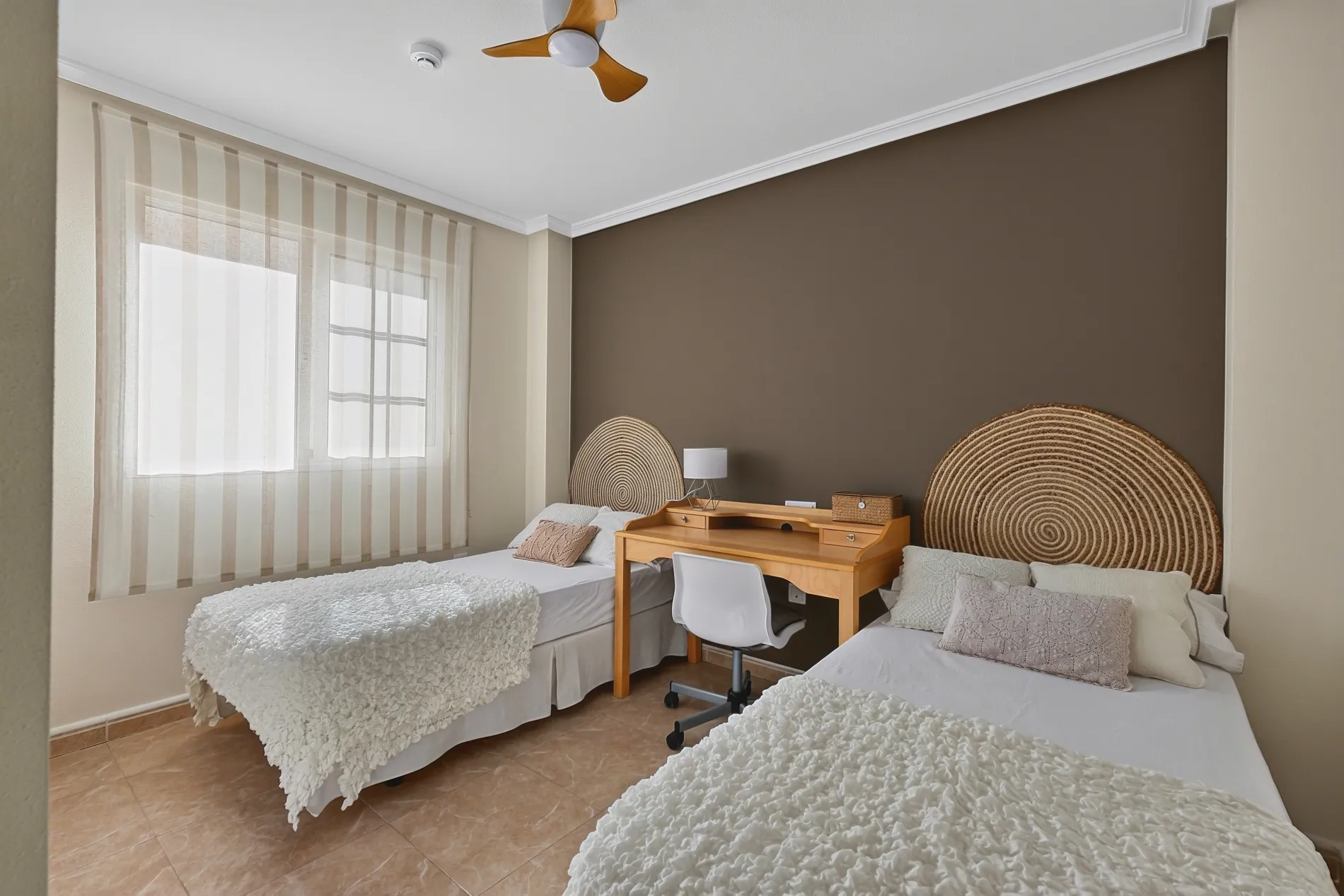
Color casts make a clean room look tired
Color correction is the slowest part of real estate photo editing. Daylight, bulbs and colored walls all tint the room differently, and one global white balance never fixes all of it.
Mixed light, evened out
Window light and lamps are balanced together, not one at the expense of the other.
Walls keep their paint
Colored walls stay the color the owner chose. Turn on extra wall color accuracy for tricky rooms.
Galleries that match
Every room of the shoot gets the same treatment, so the gallery looks like one set of photos.
Clean color, same textures
Zoom in and the wall, the headboard and the wood keep their texture. Only the color changes: the grey cast is gone and the materials look like themselves again.
Three steps to color-correct a shoot
Color correction is built into Auto HDR, the Stager AI editor for real estate photographers. It runs on every photo as part of your normal edit.
- 01
Upload your shoot
Drop in RAW or JPEG brackets. RAW files start from your camera's white balance.
- 02
Color is evened out
Casts from mixed lighting are removed while your exposures are merged. For colored walls, switch on Extra wall color accuracy.
- 03
Download true-to-life photos
Every room comes back with clean whites and natural materials, ready to deliver.
Color from the edit, detail from your photo
Stager AI corrects the color of the room, then rebuilds the final image with the fine detail from your own exposures. You get clean color without losing sharpness.
- What changes
- Color casts from daylight, bulbs and reflected light are evened out across the room.
- Wall colors
- Extra wall color accuracy (beta) keeps the saturation of colored paint in interiors. White walls are left as they are.
- Resolution
- Full resolution, the same size as your original files, in JPG or PNG.
- Workflow
- Runs inside every Auto HDR edit, in the web app, through the API or on Dropbox shoots.
For everyone who delivers listing photos
Real estate photographers
Stop fighting white balance room by room. Every photo comes back with clean, consistent color.
Real estate media companies
One color look across every photographer and every shoot, without an editor checking each gallery.
Real estate agents
Show buyers the real colors of the home, without the yellow tint of the evening lamps.
Correct the light, not the home
Color correction removes the tint of the light. It isn't meant to repaint walls or change materials, so buyers see the colors they'll find on the visit.
Part of every Auto HDR edit
Color correction is built into Auto HDR and costs nothing extra. Each edited photo uses 1 photo credit. Plans start at 10 photos a month, and unused photos roll over.
No subscription? Ask us in the chat for a pay-per-photo deal, as low as $0.25 per photo depending on volume.
Questions about color correction
Upload your shoot to Auto HDR. Casts from mixed lighting, like warm bulbs next to cool window light, are evened out on every photo while your exposures are merged.
No. Color correction runs on every Auto HDR edit. Extra wall color accuracy is an optional setting for interiors with colored walls.
Color correction can mute colored paint a little. This beta setting finds the walls in interior photos and keeps their original saturation. White walls and everything else are left as they are.
Yes. RAW files start from your camera's white balance and keep more color information, which gives the edit more to work with.
No. The final image is rebuilt with the fine detail from your own exposures, at the full resolution of your files.
Run AI QA on the project. It scores every finished photo and notes issues like color casts, so you know which ones to look at first.
Nothing extra. It's part of your Auto HDR edit: each edited photo uses 1 photo credit. Plans start at 10 photos a month and unused photos roll over. For high volumes without a subscription, ask us in the chat for a pay-per-photo deal, as low as $0.25 per photo.
Clean color on your next shoot
Upload your brackets and see every room in its real colors. Your first photos are on us.