Day to dusk photo editing without the twilight shoot
Turn a daytime exterior into a twilight photo with a dusk sky and warm evening light. Your photo comes back at full resolution, with every detail of the house intact.
- Full-resolution results
- Subtle, middle or dramatic
- Whole shoots at once
Afternoon in, twilight out
Drag the slider on each photo. The sky and the light change, the house stays the house.
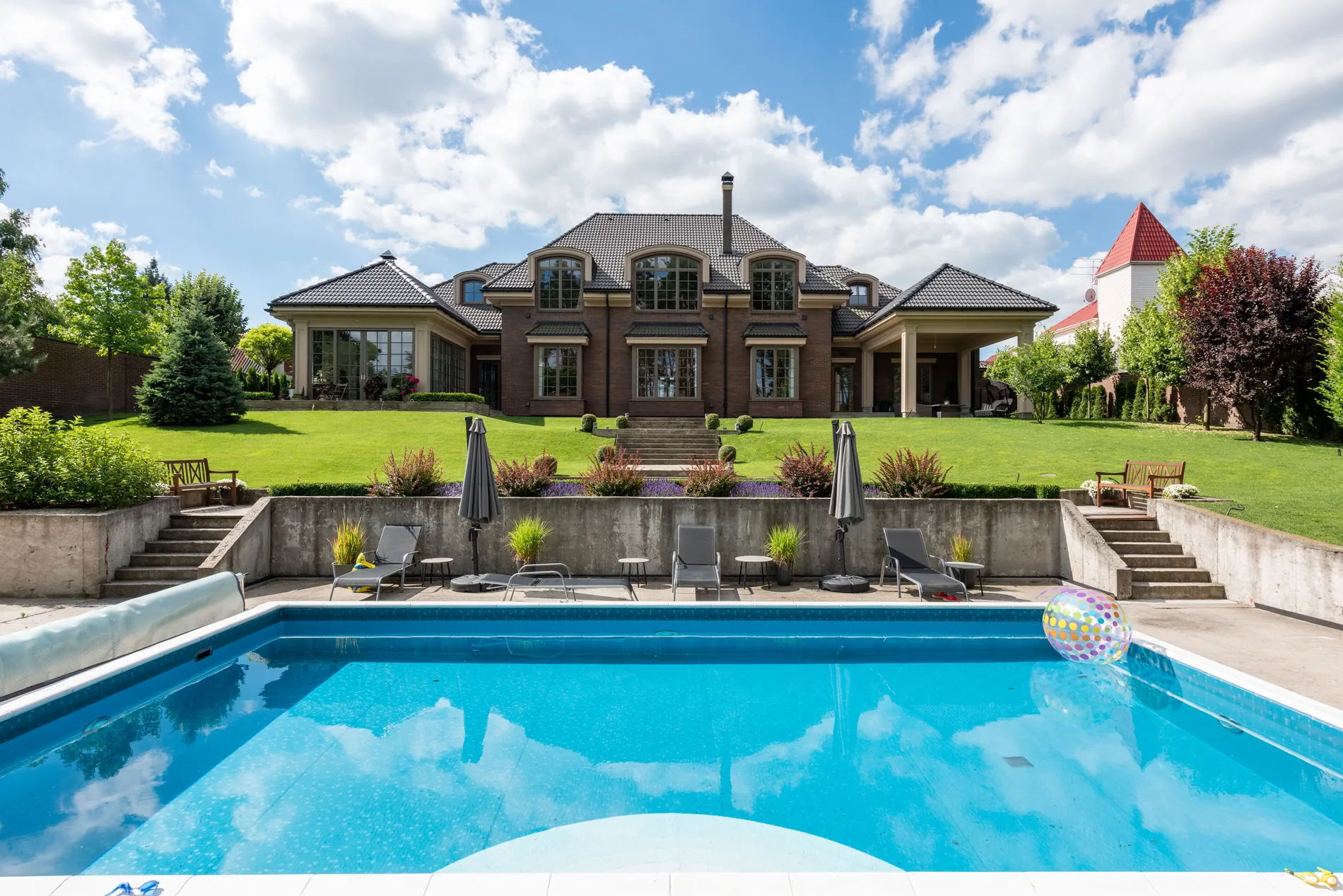
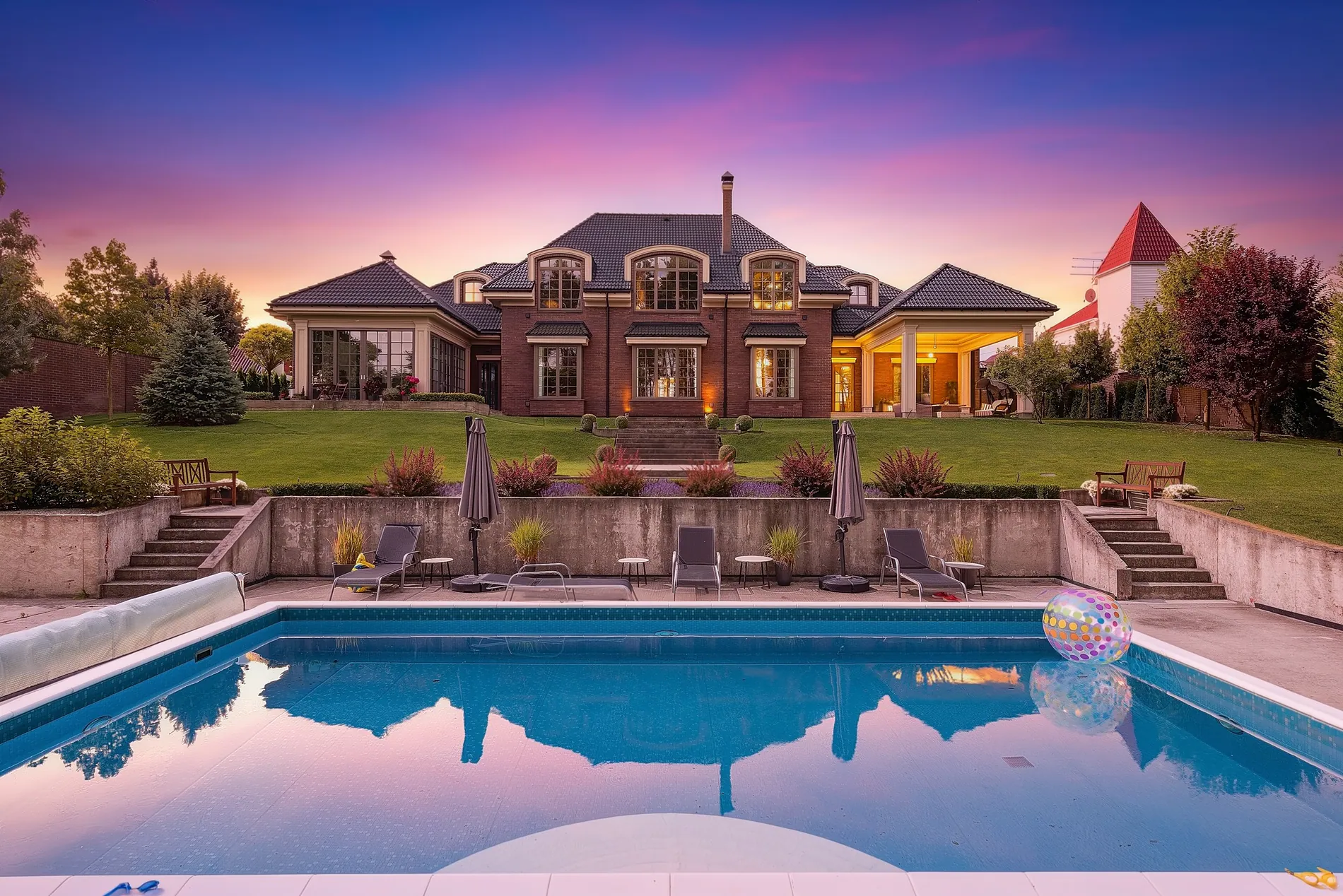
01 · Pool at dusk
A bright afternoon pool shot becomes a pink and violet dusk, with the sky reflected in the water and warm light in the windows.
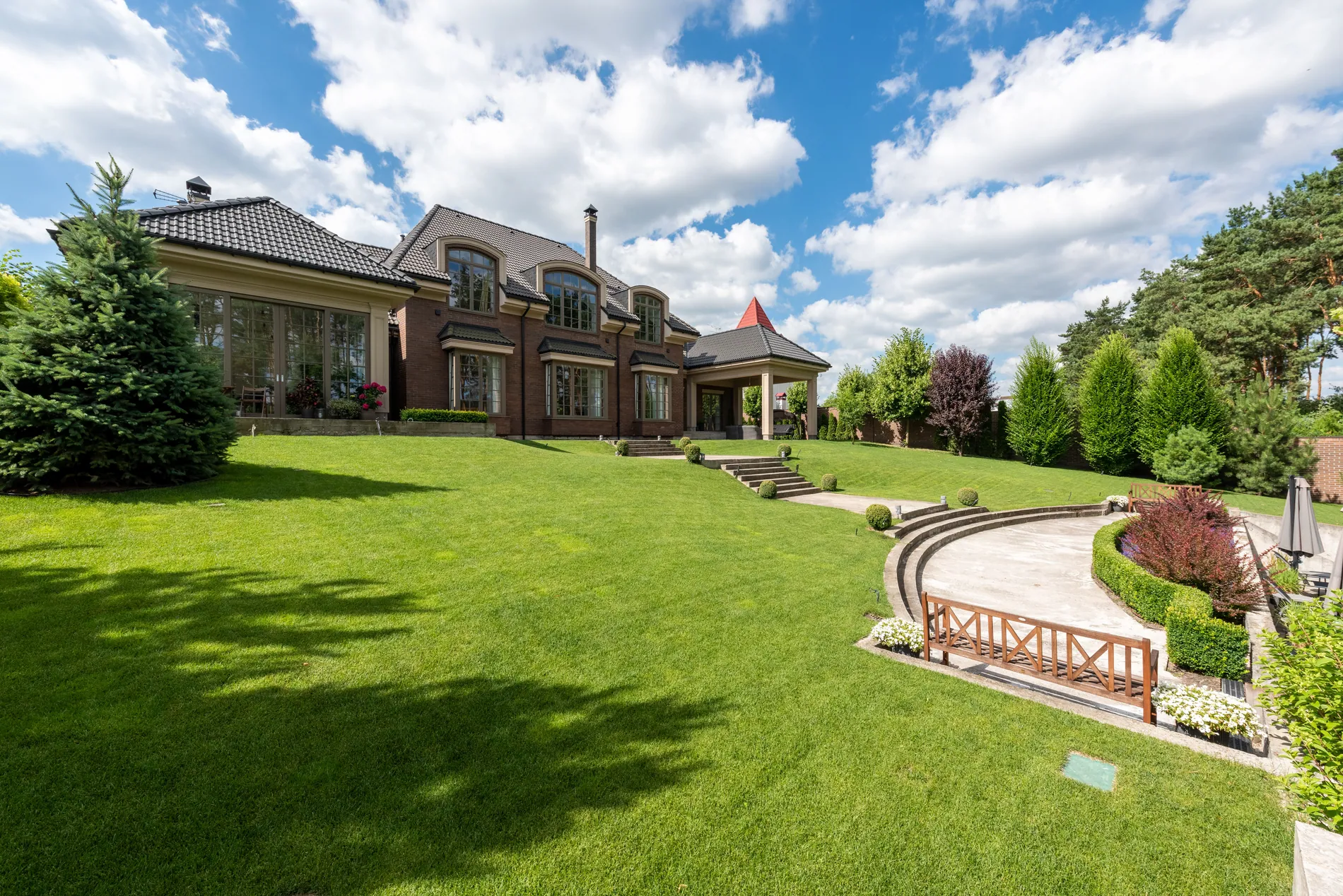
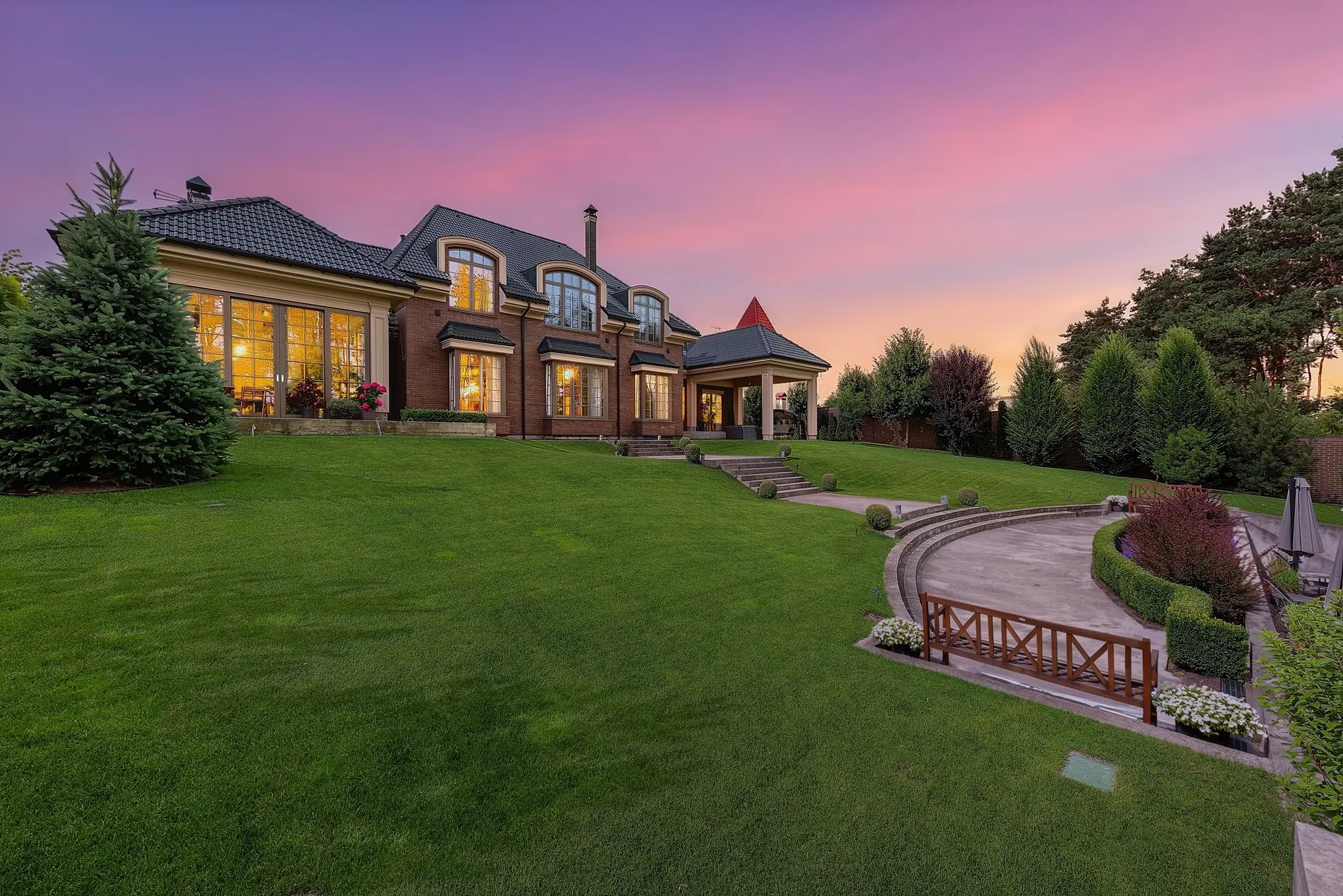
02 · Garden facade
A sunny garden view turns into an evening shot, with a soft dusk sky and a warm glow from the house.
The shot every listing wants, without the second visit
A real twilight shoot means coming back for the right twenty minutes of the evening and hoping the weather plays along. Day to dusk gives you that mood from the photos you already took.
No return trip
Shoot exteriors in daylight and add the twilight later, from your desk.
Any weather
Even a plain daytime sky becomes a soft dusk with evening light on the house.
A premium add-on
Offer twilight photos in your packages without extra time on site.
Every tile and window frame stays sharp
Zoom into a finished twilight photo and the small things are still there: roof tiles, brick joints, window bars and the edges of the railings.
Twilight you can deliver to clients
Day to dusk is built for real estate photographers and the people they shoot for. The result is ready for the MLS, portals and print, without a second pass in another editor.
- Resolution
- Your photo comes back at its full resolution: the same pixel size you uploaded.
- Fine detail
- Detail from your original photo is carried into the result, so roof tiles, brick, railings and window frames stay crisp.
- What changes
- The sky becomes a twilight sky and the scene takes on evening light. The architecture, garden and pool keep their shape.
- Control
- Pick subtle, middle or dramatic twilight, and re-render until it looks right.
Three steps from day to dusk
- 01
Upload a daytime exterior
Any daylight photo of the outside of the property: front facades, gardens, pools.
- 02
Choose the twilight
Subtle, middle or dramatic. Middle suits most listings.
- 03
Download at full resolution
Click Convert to Dusk Now, compare day and dusk, re-render if you want a different mood, and download.
From a hint of evening to deep dusk
One tool for everyone behind the listing
Real estate photographers
Offer twilight as a paid add-on and skip the evening return trip.
Real estate media companies
Apply twilight to every exterior of a shoot at once from the HDR editor.
Real estate agents
Give your hero exterior the evening look that stands out in the listing feed.
Twilight shows a mood, not a different property
Day to dusk changes the time of day and the light. Use it to show a home's evening atmosphere, not to hide its condition, and label edited photos where your MLS or portal asks for it.
One credit per photo
Each photo uses 1 credit and includes 9 free re-renders, so you can try every intensity. Plans start at 10 photos a month, and unused photos roll over.
No subscription? Ask us in the chat for a pay-per-photo deal, as low as $0.25 per photo depending on volume.
Questions about day to dusk
Day to dusk, also called virtual twilight, turns a daytime exterior into an evening photo: a twilight sky and warm evening light on the house, without coming back for a twilight shoot.
No. Your photo comes back at its full resolution, the same pixel size you uploaded, so it's ready for the MLS, portals and print.
Yes. The sky and the light change; the architecture, garden and pool keep their shape. Fine detail from your original photo, like roof tiles and window frames, is carried into the result.
Usually the house takes on a warm evening glow, as in the examples above. How strongly the windows light up depends on the photo, so try a different intensity or re-render if you want more.
Yes. Pick subtle, middle or dramatic. Middle suits most listings; subtle keeps the scene bright, and dramatic gives deep color for hero shots.
Yes. In the HDR editor, the Sky Replacement & Twilight panel applies twilight to every exterior photo of a shoot. For a single photo, use the Twilight tab in Review Images.
Each photo uses 1 credit and includes 9 free re-renders. Plans start at 10 photos a month and unused photos roll over. For high volumes without a subscription, ask us in the chat for a pay-per-photo deal, as low as $0.25 per photo.
Use it to show a home's evening atmosphere, not to hide its condition or show something the property doesn't have. Label edited photos where your MLS or portal asks for it.
Turn your next exterior into a twilight shot
Upload a daytime exterior and see it at dusk, at full resolution. Your first photos are on us.