Real estate sky replacement that looks like a sunny day
Swap a grey, flat or blown-out sky for a clear blue one. Roofs, trees and reflections blend in naturally, and your photo comes back at full resolution.
- Full-resolution results
- Natural edges around roofs and trees
- Automatic in the HDR editor
Grey sky in, blue sky out
Drag the slider on each photo. The sky changes; the house, trees and reflections stay where they are.
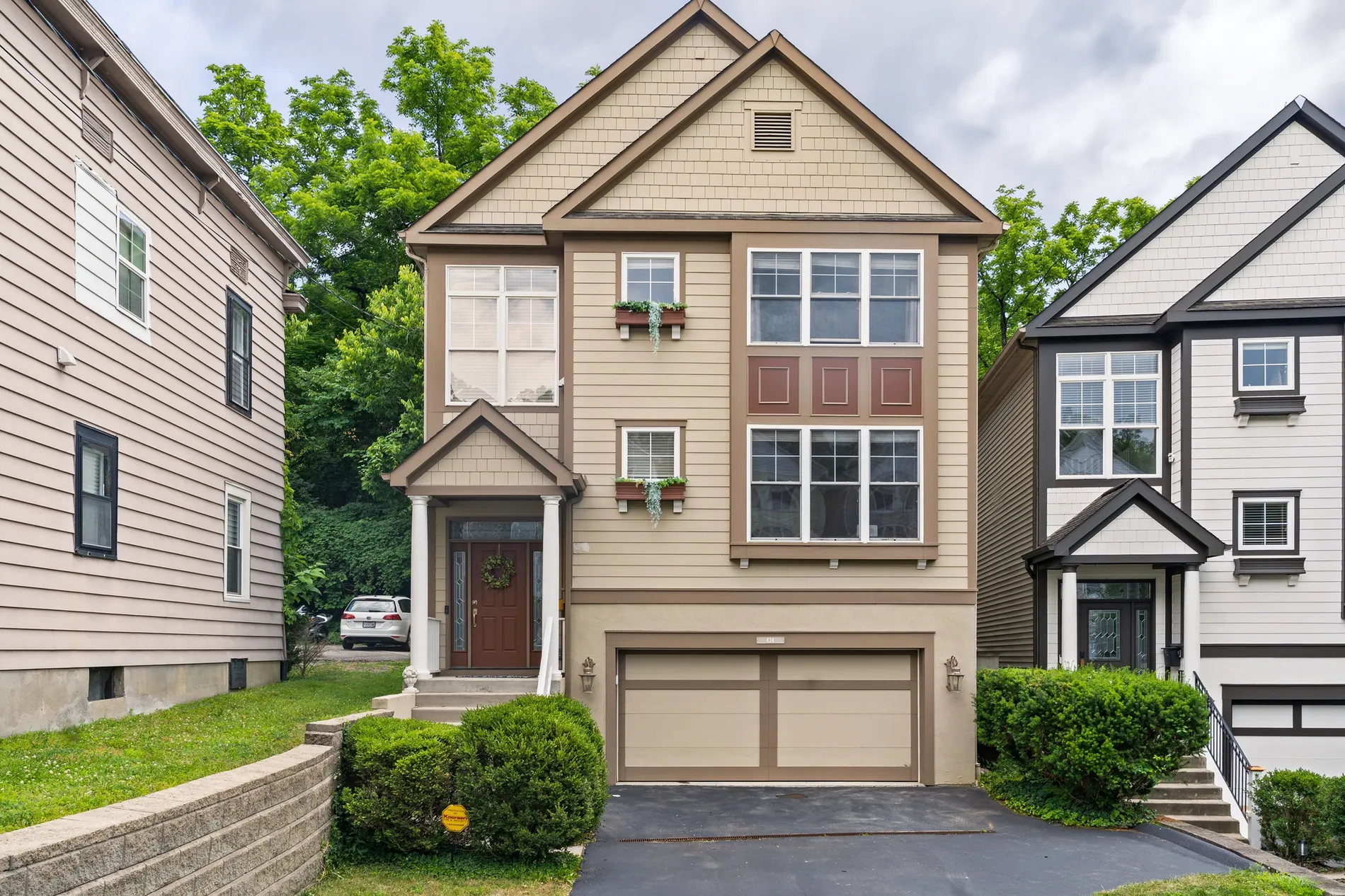
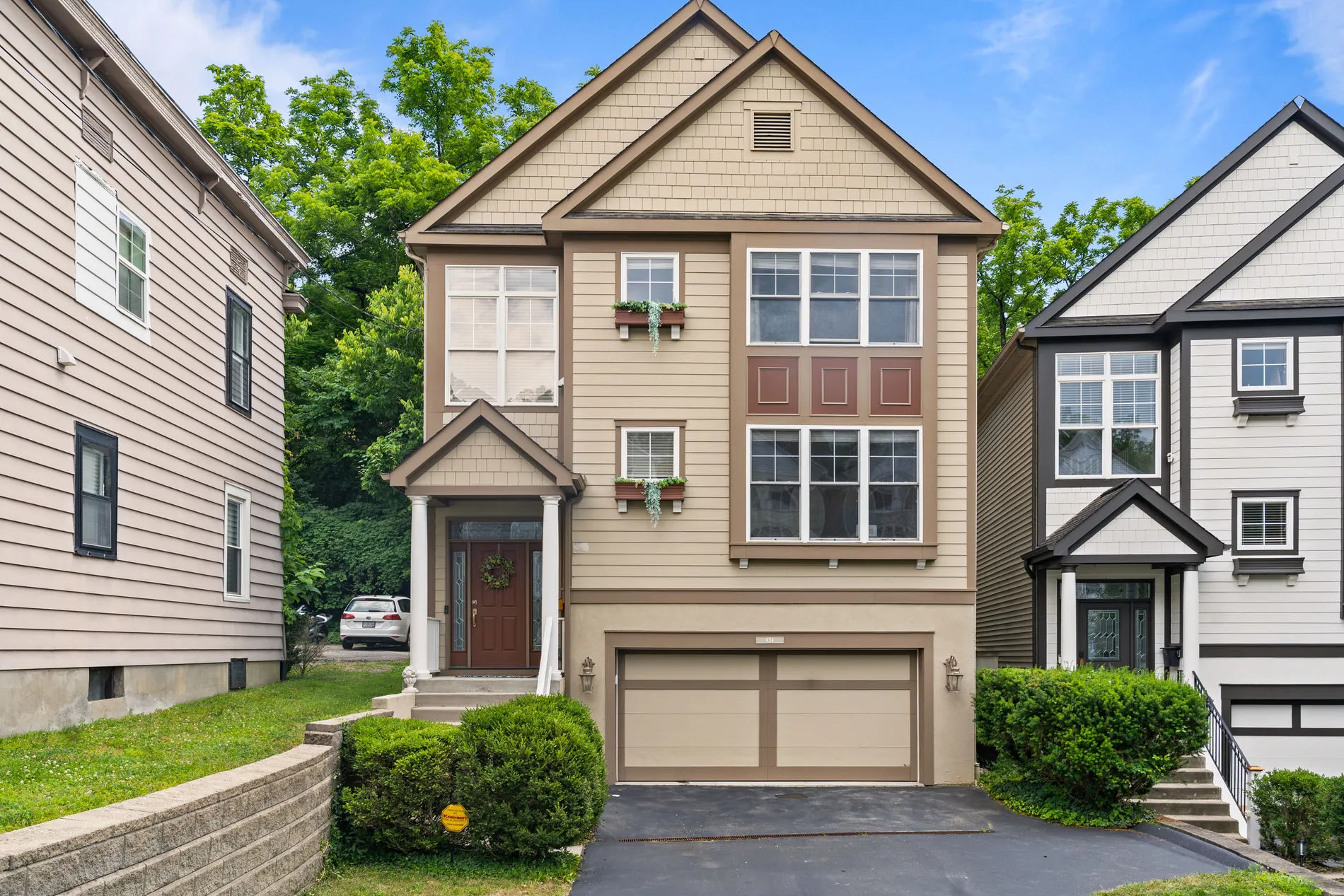
01 · Street facade
A flat white sky behind the house becomes a clear blue, with clean edges around the roofline and the trees.
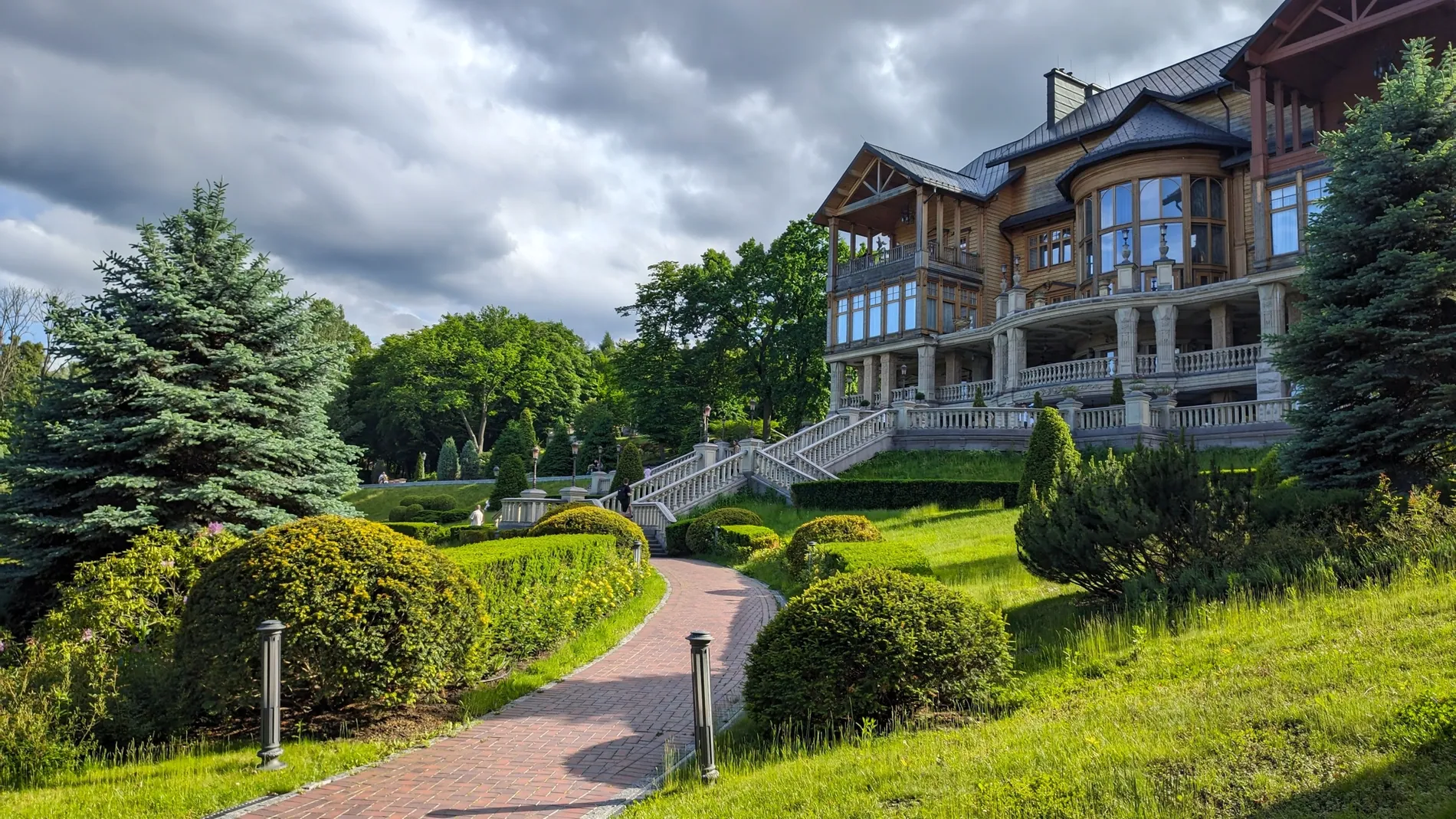
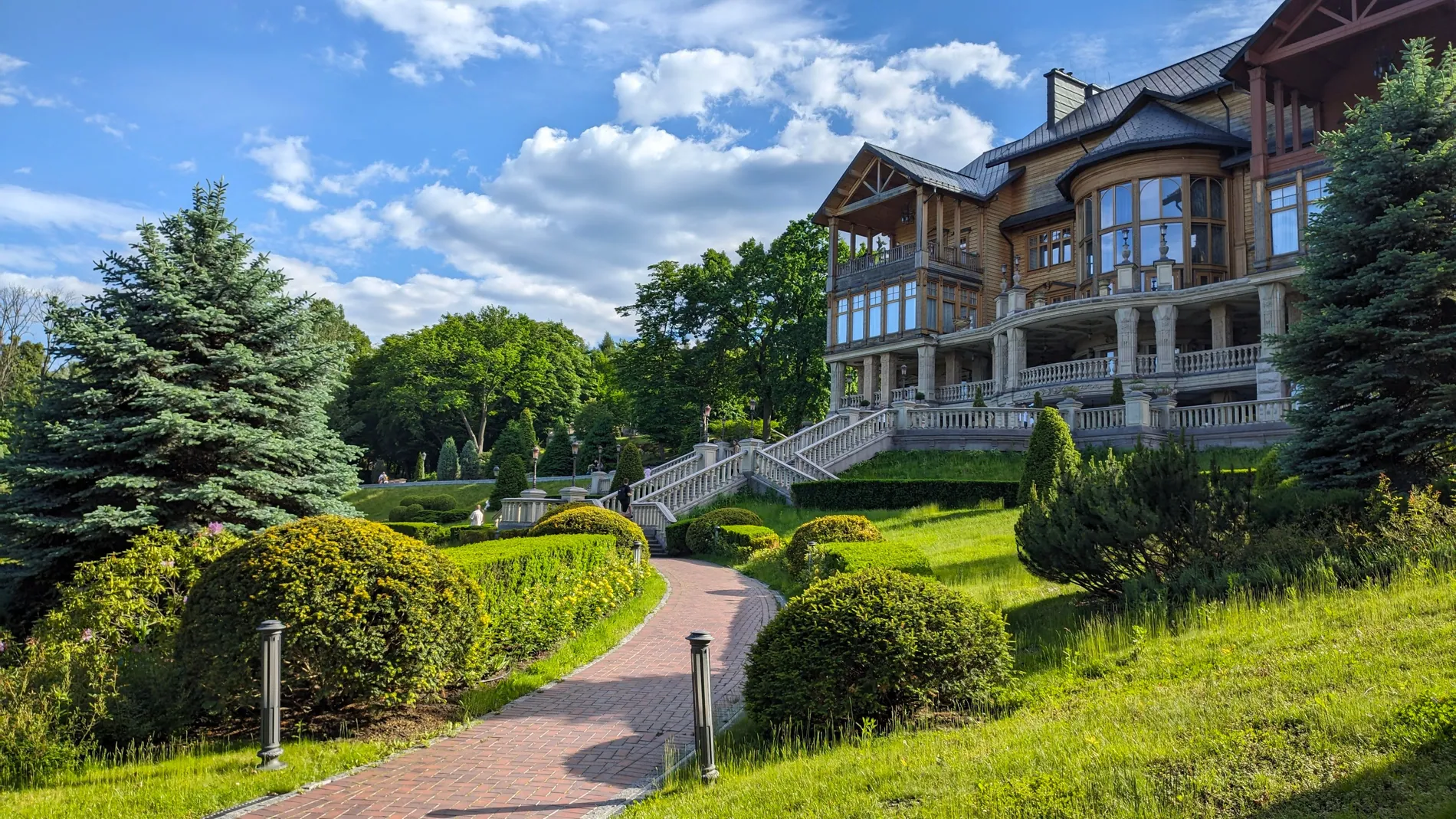
02 · Hillside home
A stormy sky over the house and garden becomes a bright summer sky, right into the gaps between the branches.
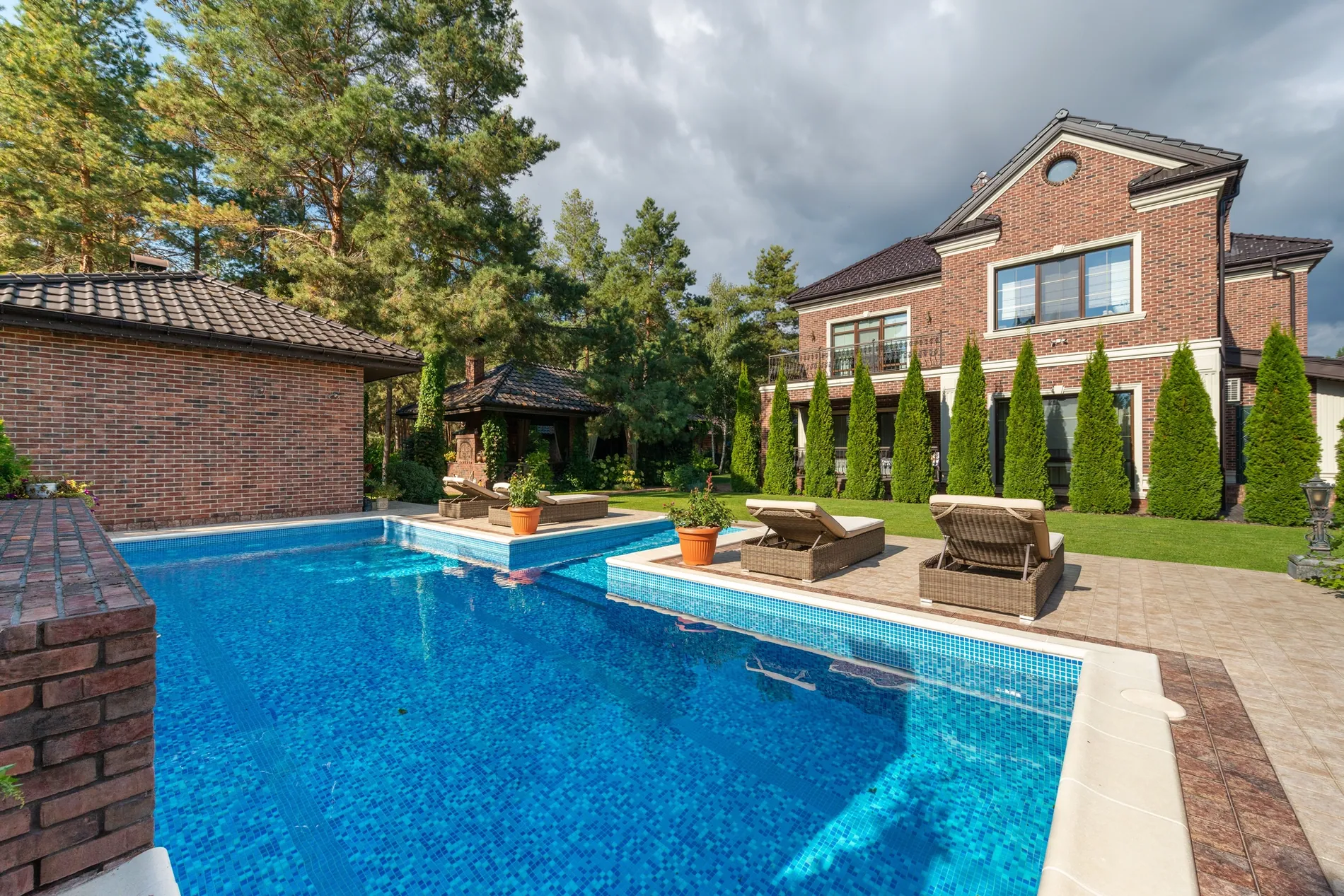
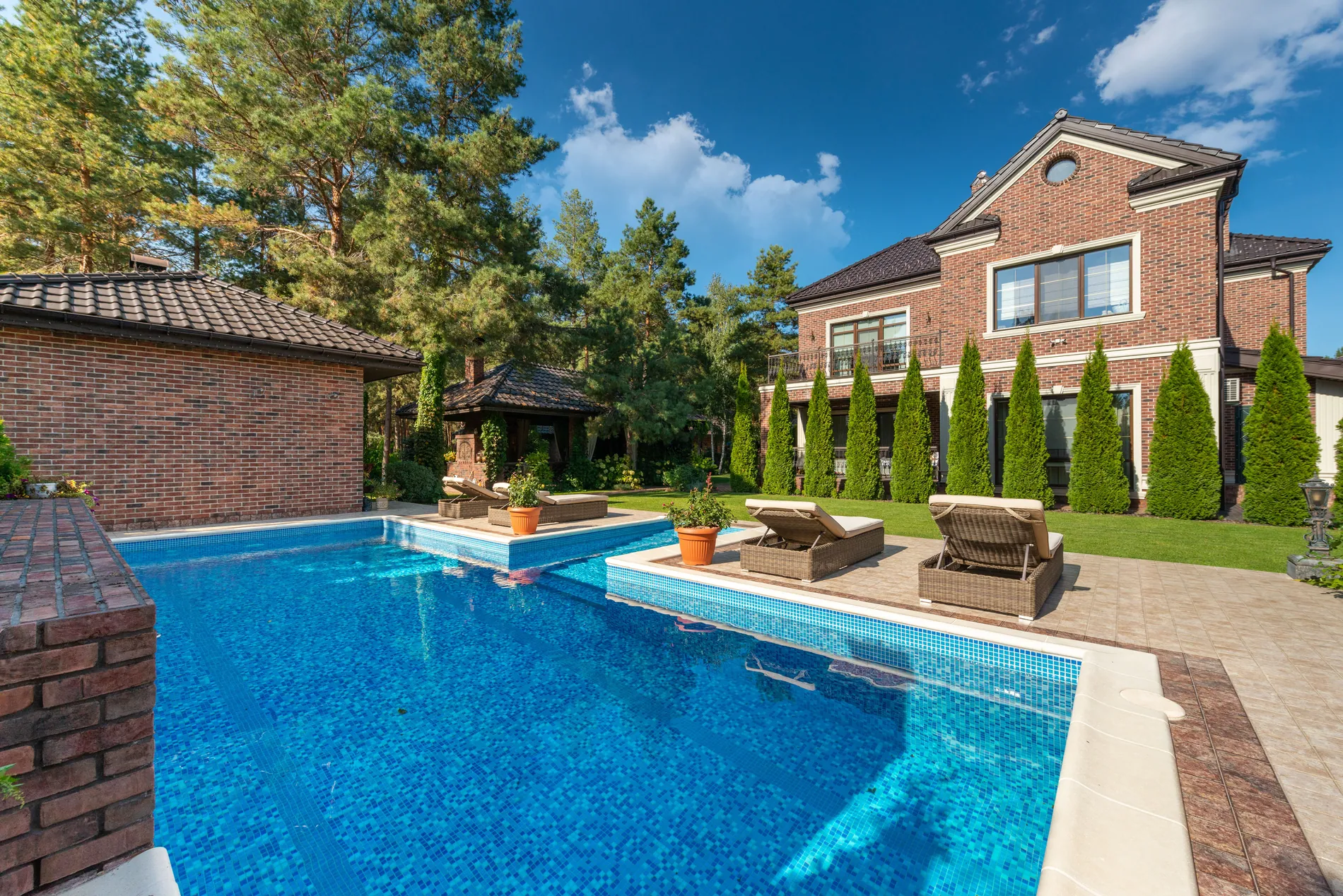
03 · Pool and garden
A heavy grey sky becomes a deep blue with soft clouds, and the pool picks up the brighter light.
The weather shouldn't decide how a listing looks
A grey exterior makes even a great home feel dull. A clear sky makes the first photo bright and inviting, and you don't have to wait for the forecast to get it.
Overcast shoot days
Shoot on schedule and fix the sky later, instead of moving the appointment.
Blown-out skies
White skies from exposing for the house become a natural blue.
Consistent listings
Every exterior of a property gets the same clear sky.
Rooflines and branches stay sharp
Zoom into a finished photo and the edges hold up: the roofline against the sky, the railings, the window frames, the leaves on the trees.
Skies you can deliver to clients
Sky replacement is built for real estate photographers and the people they shoot for. The result is ready for the MLS, portals and print, without a second pass in another editor.
- Resolution
- Your photo comes back at its full resolution: the same pixel size you uploaded.
- Fine detail
- Detail from your original photo is carried into the result, so roof edges, window frames, railings and leaves stay crisp.
- Edges
- Rooflines, chimneys and tree branches blend into the new sky, so the edit doesn't show.
- Light
- The light and white balance adjust slightly to match the new sky, and reflections in windows and pools follow it.
Three steps to a blue sky
- 01
Upload an exterior
Any daylight photo where the sky is visible: facades, gardens, pools.
- 02
Replace the sky
Open AI Sky Replacer and click Replace Sky Now. There's nothing to mask or select.
- 03
Download at full resolution
Compare before and after, re-render if you want a different sky, and download.
One photo, or every shoot automatically
One tool for everyone behind the listing
Real estate photographers
Shoot on schedule whatever the weather, and deliver bright exteriors every time.
Real estate media companies
Keep sky replacement on in your HDR settings and every shoot gets consistent blue skies.
Real estate agents
Make the first photo of your listing bright and inviting, even if it was shot on a grey day.
A better sky, not a different property
Sky replacement changes the weather in the photo, not the property. Don't use it to hide what's around the home, and label edited photos where your MLS or portal asks for it.
One credit per photo
Each photo uses 1 credit and includes 9 free re-renders. Plans start at 10 photos a month, and unused photos roll over.
No subscription? Ask us in the chat for a pay-per-photo deal, as low as $0.25 per photo depending on volume.
Questions about sky replacement
No. Your photo comes back at its full resolution, the same pixel size you uploaded, so it's ready for the MLS, portals and print.
Yes. The new sky is blended around rooflines, chimneys and branches, and fine detail from your original photo is carried into the result, so the edges stay crisp.
The sky is replaced, and the light and white balance shift slightly to suit it. Buildings, trees, gardens and pools keep their shape, and reflections follow the new sky.
Yes. Day to dusk turns a daytime exterior into a twilight shot, with a dusk sky and warm evening light.
Yes. Keep Sky Replacement switched on in your HDR settings and it's applied to your exteriors as part of the edit. You can also give every exterior of a shoot a blue sky at once from the Sky Replacement & Twilight panel.
Each photo uses 1 credit and includes 9 free re-renders. Plans start at 10 photos a month and unused photos roll over. For high volumes without a subscription, ask us in the chat for a pay-per-photo deal, as low as $0.25 per photo.
Use it to show the property on a clear day, not to hide what's around it. Label edited photos where your MLS or portal asks for it.
Daylight exteriors with visible sky: facades, gardens and pools. If an edge isn't perfect, re-render: each photo includes 9 free re-renders.
Give your next listing a clear sky
Upload an exterior and see it under a blue sky, at full resolution. Your first photos are on us.