AI photo retouching for real estate, edited with a sentence
Type what you want to change, like “add a rug under the table” or “replace the bed with a modern one”, and the AI Photo Retoucher edits your listing photo. Every version is kept, so you can always go back.
- Plain-word instructions
- Every version kept
- Fast, Medium or High quality
Finished rooms, one instruction at a time
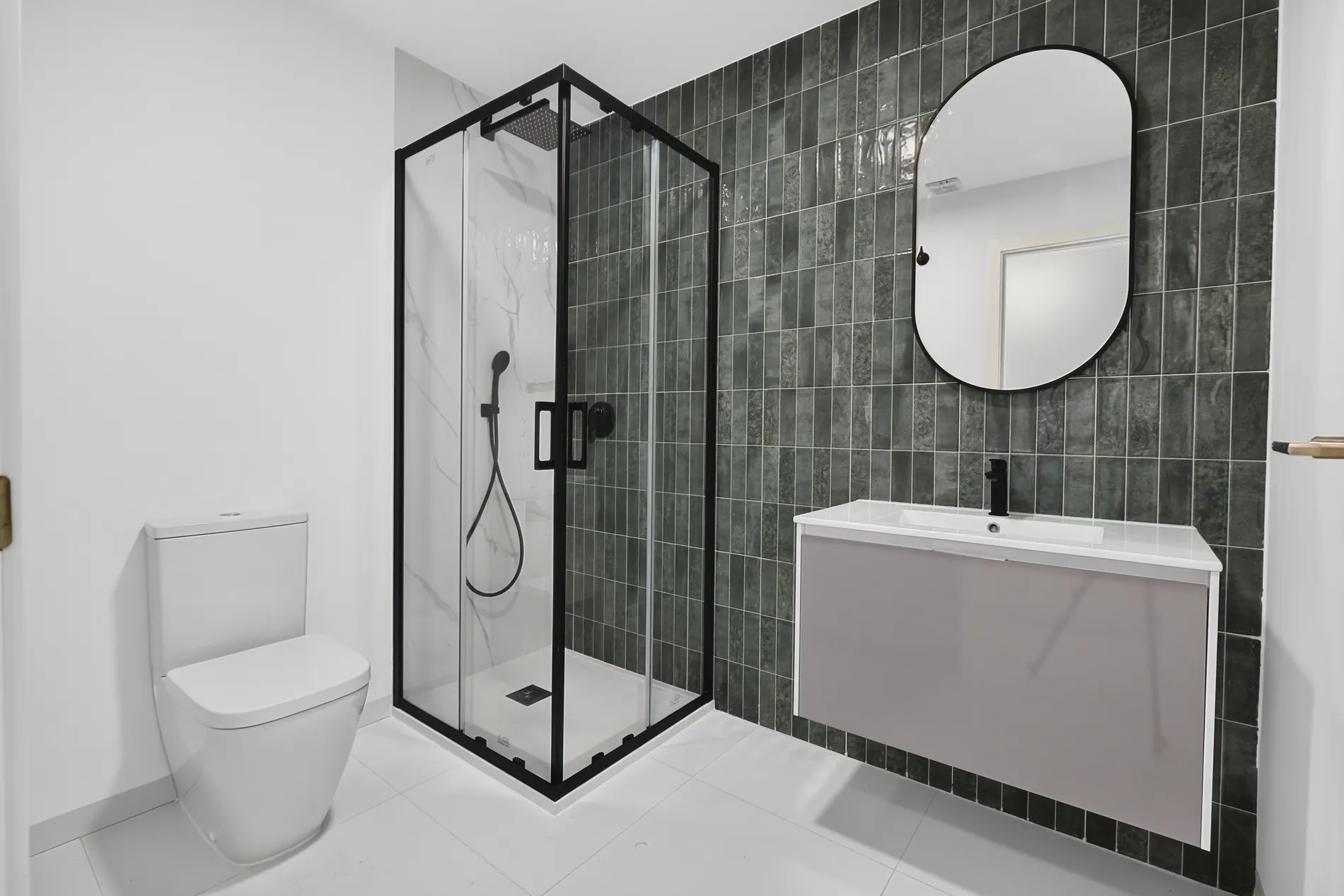
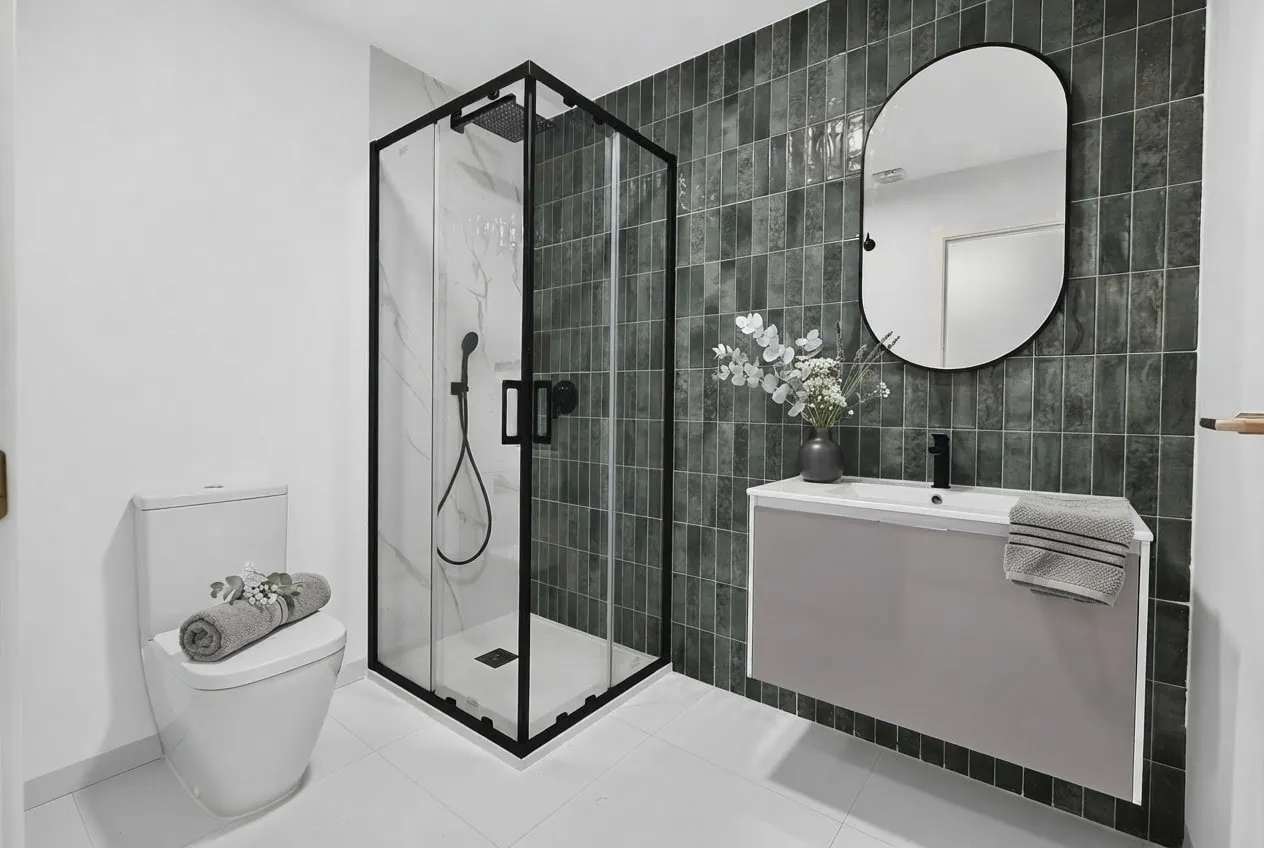
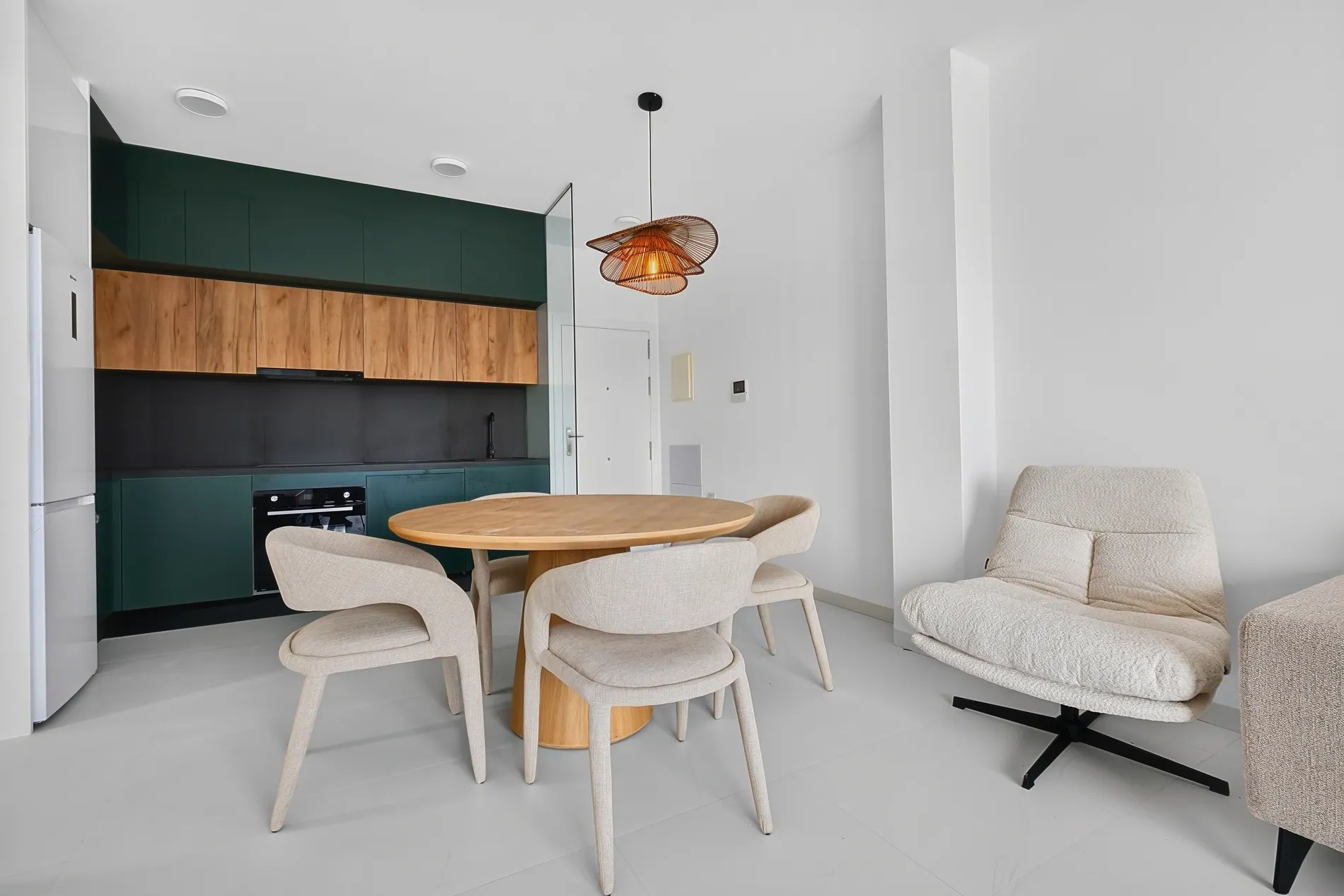
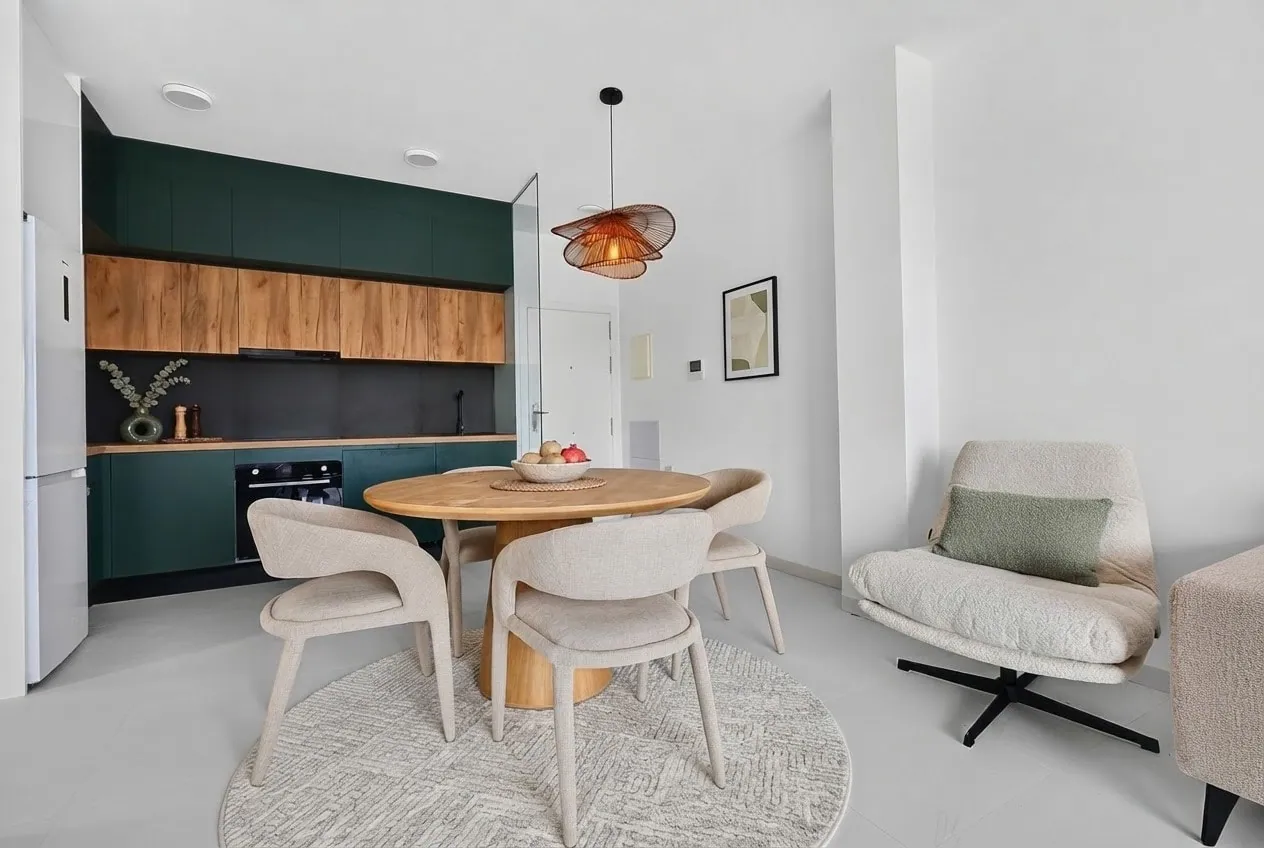
Drag the slider on each photo. The room stays the room; the details you ask for are added.
01 · Bathroom
Rolled towels on the toilet and the vanity, and a vase of eucalyptus by the mirror. Small touches that make a bathroom look cared for.
02 · Kitchen and dining
A round rug under the table, a fruit bowl, a plant on the counter, art on the wall and a cushion on the armchair.
Each edit builds on the last
Short, single instructions work best. Chain them, one version at a time, until the room is finished.
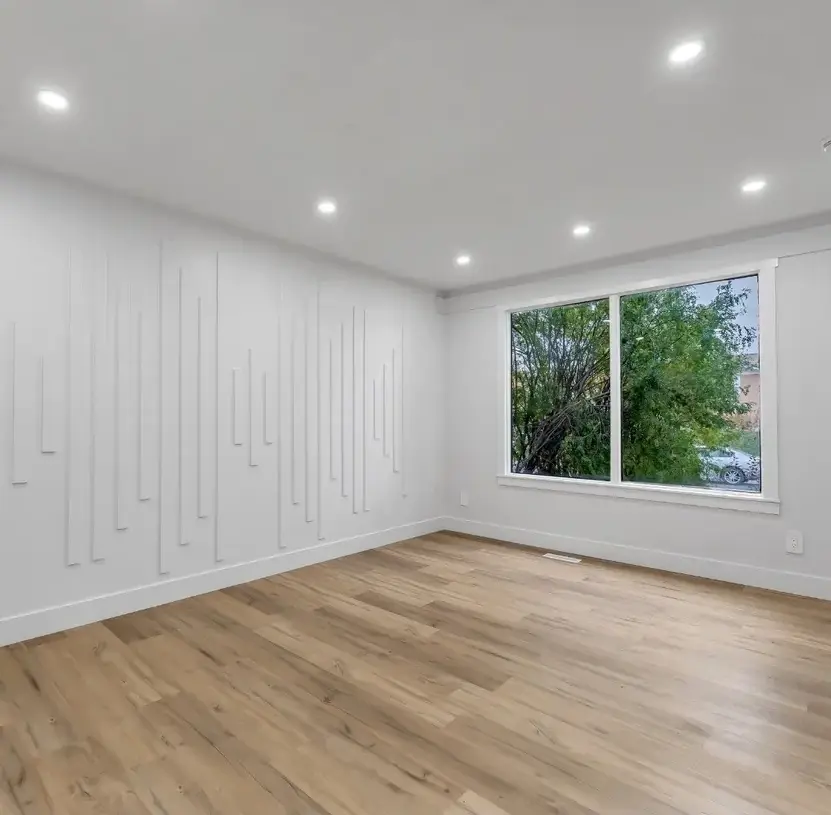 1
Original photo
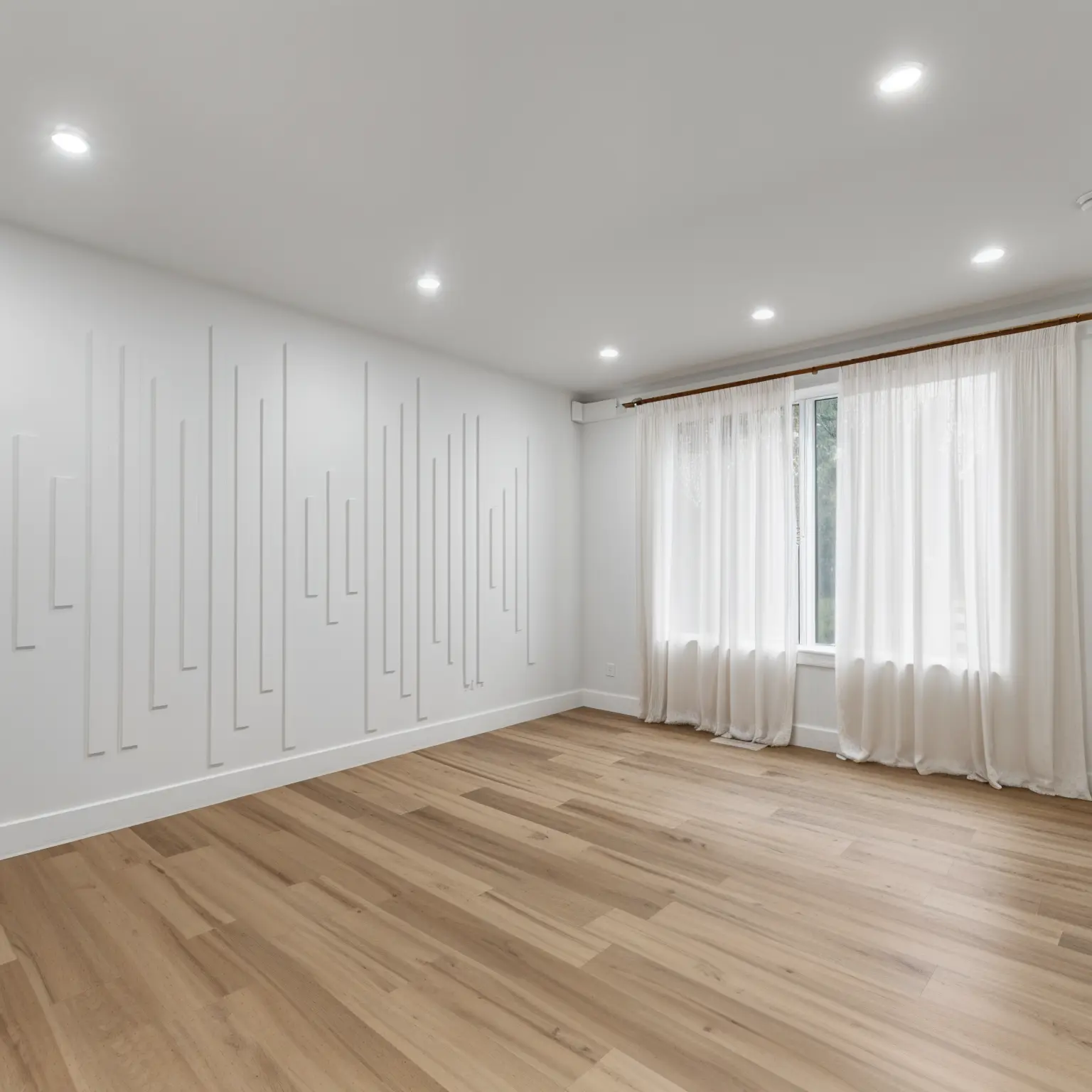 2
“Add sheer white curtains to the window”
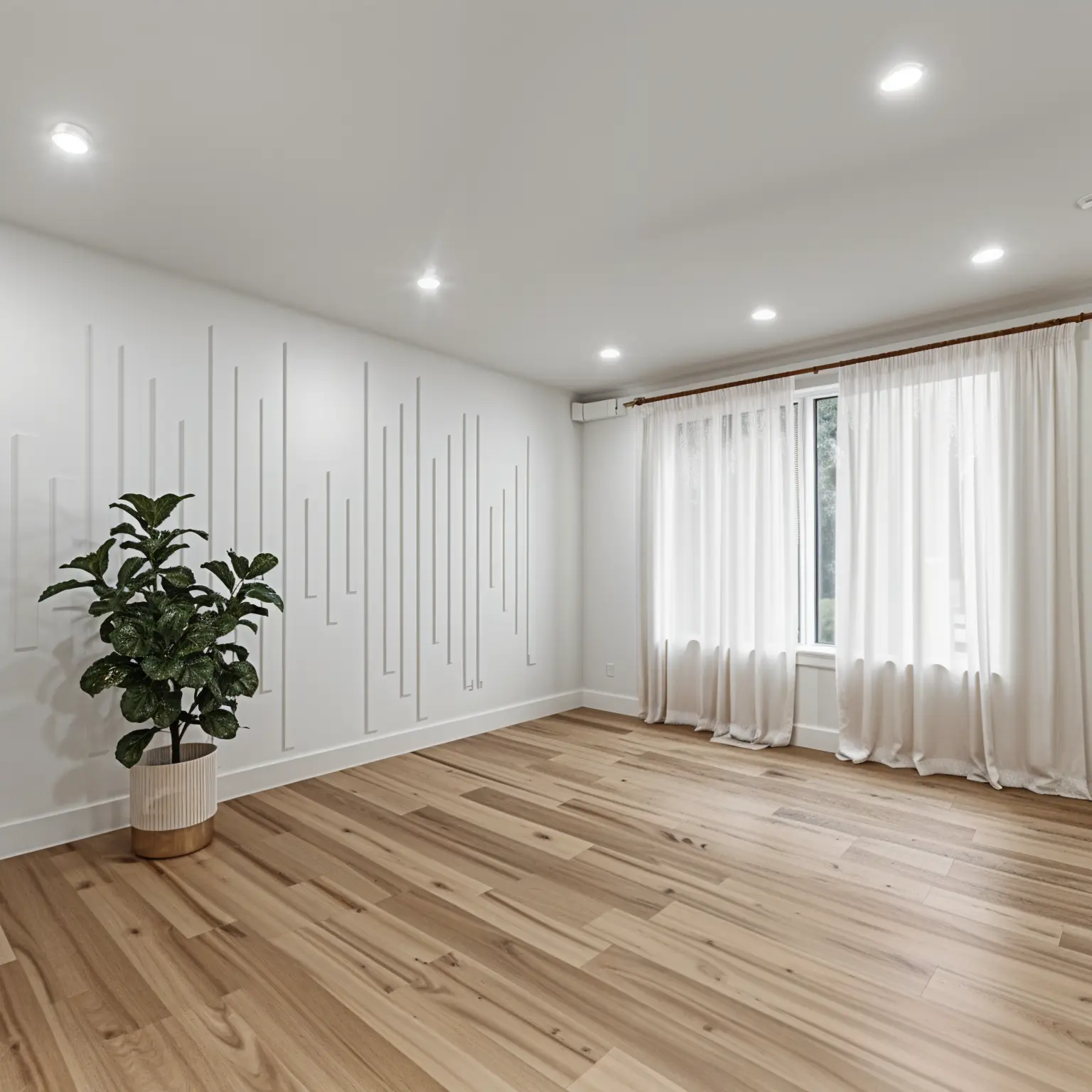 3
“Add a large potted plant in the left corner”
The edits you'd otherwise send to an editor
Add the finishing touches
Towels, plants, rugs, art, cushions and bedding that make a room feel lived in.
Swap furniture
Replace a dated bed, sofa or table with a modern one in the same spot.
Remove what doesn't belong
Boxes, clutter and stray objects, described in words instead of painted out.
Use your own furniture
Add up to 6 reference images and place the pieces where you want them.
Simple to start, with control when you need it
There's nothing to select or mask. Describe the change, then refine.
- Instructions
- Write what to change and where, in your own words, in Custom Instructions.
- Quality
- Fast Editing for quick tests, Medium Quality for most photos and High Quality for your final version.
- Versions
- Every render is kept in a strip under the photo, including the original. Accept a render, or discard it and try again.
- Speed
- Most edits take 10 to 20 seconds. Complex edits can take a few minutes.
Get better results
Be specific
Name the object and where it is: “the lamp on the left side table”, not just “the lamp”.
One change at a time
Short, single instructions work better than long lists. Chain them, one version at a time.
Test fast, finish in high quality
Try ideas with Fast Editing, then run your final instruction with High Quality.
Three steps to a retouched photo
- 01
Upload a photo
Any room, empty or furnished. RAW, JPG and PNG are supported.
- 02
Describe the change
Type your instruction and click Edit Photo Now.
- 03
Review and download
Compare with the slider, accept the render and download it in the resolution and format you need.
One tool for everyone behind the listing
Real estate photographers
Handle the small client requests, like adding a plant or swapping a lamp, without opening another editor.
Real estate media companies
Give your editors a faster way to deliver detail changes on every shoot.
Real estate agents
Fix the details that hold a listing photo back, without waiting for a reshoot or an editor.
Show the property at its best, honestly
Retouch to present a home well, not to hide defects or change the property itself. Label virtually changed photos where your MLS or portal asks for it.
One credit per photo
Each photo uses 1 credit and includes 9 free re-renders, so you can chain edits and try other instructions. Plans start at 10 photos a month, and unused photos roll over.
More tools for interiors
Questions about AI photo retouching
AI photo retouching edits a photo from a written instruction. You describe the change, for example “add a rug under the table”, and the AI Photo Retoucher edits the photo for you.
No. Just describe the change in words. If you prefer to paint over an object to remove it, use the AI Magic Eraser instead.
Usually 10 to 20 seconds. Complex edits can take up to a few minutes.
Yes. Add up to 6 reference images with Custom Furniture Reference, and position items with Manual Placement.
Choose Discard Render, rewrite your instruction and try again. Every photo includes 9 free re-renders.
You don't need one: every version is kept, and you can select the original or any earlier render at any time.
Fast Editing for quick tests, Medium Quality for most photos (the default) and High Quality for your final version.
Yes, to show a home at its best. Don't use it to hide defects or change the property itself, and label virtually changed photos where your MLS or portal asks for it.
Retouch your next listing photo with a sentence
Upload a photo, type what you want to change and see the result in seconds. Your first photos are on us.