Virtual home staging for furnished real estate listings
The room is furnished, but it looks flat. Subtle staging keeps the seller's furniture and adds the finishing touches a stager would bring: bedding, cushions, art, plants and rugs.
10 free renders, no credit card needed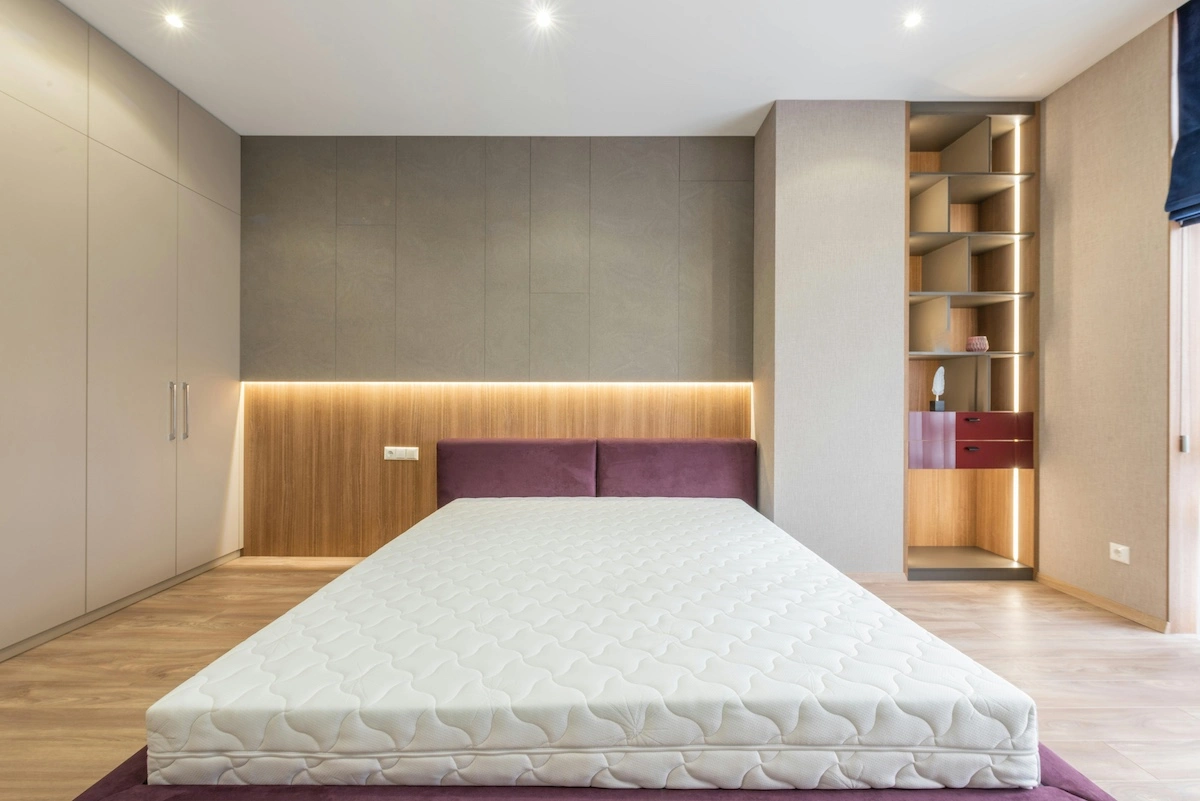
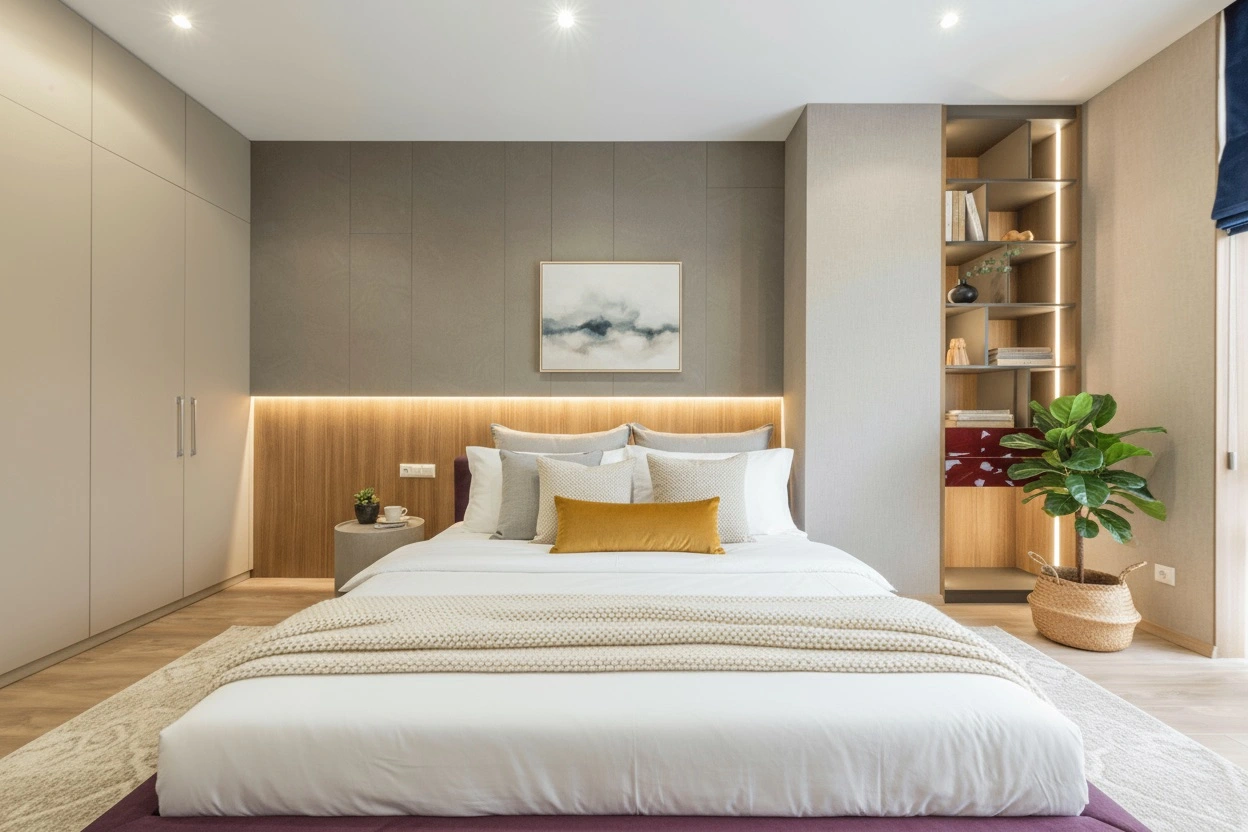

Drag to fade the decor in and out
Same furniture, a finished room
Subtle staging works on the decor, not the furniture. Stager AI is told to leave the main pieces, the walls, floors and windows as they are.
Stays as it is
- The seller's furniture
- Walls, floors and windows
- The layout and the view
Added or refreshed
- Bedding and throws
- Cushions
- Art on the walls
- Plants
- Rugs
- Lamps and small decor
Subtle, full or empty first?
- This pageFurnished, but flat
Subtle staging
Keep the furniture and add decor. Made for occupied homes and furnished rentals.
- Empty room
Virtual staging
Furnish an empty room from scratch in the style you choose.
- Cluttered or dated
Decluttering
Remove the furniture first, then stage the empty room again.
For occupied homes, and the people who photograph them
Real estate agents
Sellers often still live in the home. Lift the listing photos without asking them to move a thing, and without hiring a stager.
Real estate photographers and media companies
Offer subtle staging as an add-on to your shoots. In the HDR editor, select the photos and stage them together.
Three steps to a finished room
- 01
Upload a furnished room
Any real estate photo of a bedroom, living room or other furnished space.
- 02
Choose subtle staging
In the staging panel, pick Subtle Staging, then the room type and style. Add colors or a short note if you like.
- 03
Stage and download
Check the result, re-render if you want another look, and download it for your listing.
Enhance, don't deceive
Subtle staging adds decor. It doesn't hide damage or change the room itself. AI can still alter a small detail, so check each photo before it goes live, and label virtually staged photos where your portal or MLS asks for it.
Questions about subtle staging
It's virtual home staging for rooms that are already furnished. Stager AI keeps the furniture and adds or refreshes the decor, like bedding, cushions, art, plants and rugs.
Full virtual staging furnishes a room with new furniture. Subtle staging keeps the furniture that's there and works only on the decor.
Yes. Pick the room type and a style, and add colors or a short note to steer the decor.
Yes. In the HDR editor, select the photos, choose Subtle Staging in the Virtual Staging panel and stage them together.
Stager AI is told to keep the furniture, walls, floors and windows. AI can still change a small detail now and then, so check the result and re-render if needed. Every photo includes 9 free re-renders.
Yes. Many portals and MLSs ask you to mark virtually staged photos. Label them, and never use staging to hide defects.
Each staged photo counts as one photo from your plan and includes 9 free re-renders. Plans start at 10 photos a month, and unused photos roll over for up to 6 months. Try 10 renders free first, with no credit card.

Give furnished rooms a finished look
Upload a furnished room and see it with fresh decor. Your first renders are on us.
- 10 free renders, no credit card needed
- Plans from 10 photos a month
- 9 free re-renders per photo
- Unused photos roll over for up to 6 months