Interior photo enhancement for real estate, bright, true-to-life rooms in one click
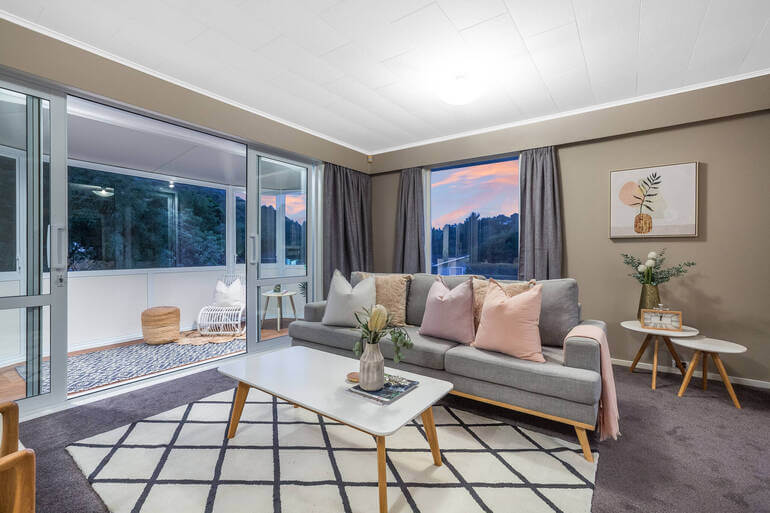
Upload a dark, yellow or flat interior photo and Stager AI turns it into a bright, balanced room with clean white walls and a natural view through the windows. No brackets, no editing skills.
- Works on a single photo
- Full resolution
- Natural window views
Press and hold to see the original
The interior photos that hold a listing back
Interiors are the hardest rooms to photograph well. Mixed light, small windows and quick phone shots all show up in the listing.
Dark, gloomy rooms
Underexposed corners and ceilings are lifted, so the room looks as bright as it feels in person.
Yellow or blue color casts
Warm bulbs and cool daylight are balanced, so white walls look white again.
Blown-out windows
Bright windows are kept under control, so the view outside stays visible.
Flat, grey photos
Contrast and depth come back without the overdone HDR look.
Soft detail
Fine detail from your original photo is kept, so textures and edges stay crisp.
Leaning walls
Turn on perspective correction and verticals stand straight.
Image enhancement or auto HDR
Both give you bright, natural interiors. The difference is what you start with.
Image enhancement
- Phone photos and single exposures
- Photos from a past listing or another photographer
- Quick fixes on a finished photo
Auto HDR
- 3 to 7 bracketed exposures from a camera
- The most detail in windows and shadows
- Whole shoots, merged automatically
What enhancement does for each interior
Living rooms
Large windows and dark sofas in one frame: the room is brightened while the view stays visible.
Kitchens
Under-cabinet lights and daylight mixed: countertops and cabinets get their true color back.
Bedrooms
Often lit by one lamp: shadows are lifted so bedding and walls look clean and fresh.
Bathrooms
Small, tiled and lit from above: tiles look white and the room feels larger and brighter.
Consistent results across a whole listing
Set it up once and every photo you enhance gets the same finish.
Color profile
Create a personal profile with your own exposure, color and tone settings, applied to every photo you enhance.
Perspective
Switch on perspective correction to straighten verticals as the photo is enhanced.
Resolution
Your photo comes back at full resolution, with fine detail from the original kept.
Re-renders
Every photo includes 9 free re-renders, so you can try again with other settings.
- 1
Upload the photo
JPG, PNG or RAW, from a camera or a phone.
- 2
Click Enhance Photo Now
Turn on perspective correction if the walls lean.
- 3
Compare and download
Hold to see the original, then download the enhanced photo.
When a room needs more than light and color
One credit per photo
Each photo uses 1 credit and includes 9 free re-renders. Plans start at 10 photos a month, unused photos roll over, and you can cancel anytime.
Questions about interior photo enhancement
It's an AI edit that makes an interior photo look the way the room looks in person: brighter, with true colors, clean walls and a visible view through the windows. Stager AI does it in one click on a single photo.
No. Image enhancement works on a single photo, including phone photos. If you shoot 3 to 7 brackets per room, Auto HDR gives you even more detail in windows and shadows.
No. The enhancer is tuned for a natural real estate look. Fine detail from your original is kept, and window views stay natural.
Your enhanced photo comes back at full resolution, with fine detail from the original kept.
Yes. Create a color profile with your own exposure, color and tone settings, and it's applied to every photo you enhance.
Yes. Switch on perspective correction before you enhance, and verticals are straightened too.
Yes, but this page focuses on interiors. For exteriors, sky replacement and day to dusk give you more control over the sky.
Each photo uses 1 credit and includes 9 free re-renders. Plans start at 10 photos a month, unused photos roll over, and you can try 10 renders free first, with no credit card.
Make your next interior photo look like the room
Upload a photo and see the enhanced version side by side with the original. Your first photos are on us.