Real estate lawn replacement that keeps every detail
Turn dry, patchy or winter grass into a healthy green lawn. Paths, beds and trees keep their shape, and your photo comes back at full resolution.
- Full-resolution results
- House numbers stay sharp
- Light, medium or dark green
Three yards, one click each
Drag the slider on each photo. The lawn changes, the house stays the house.
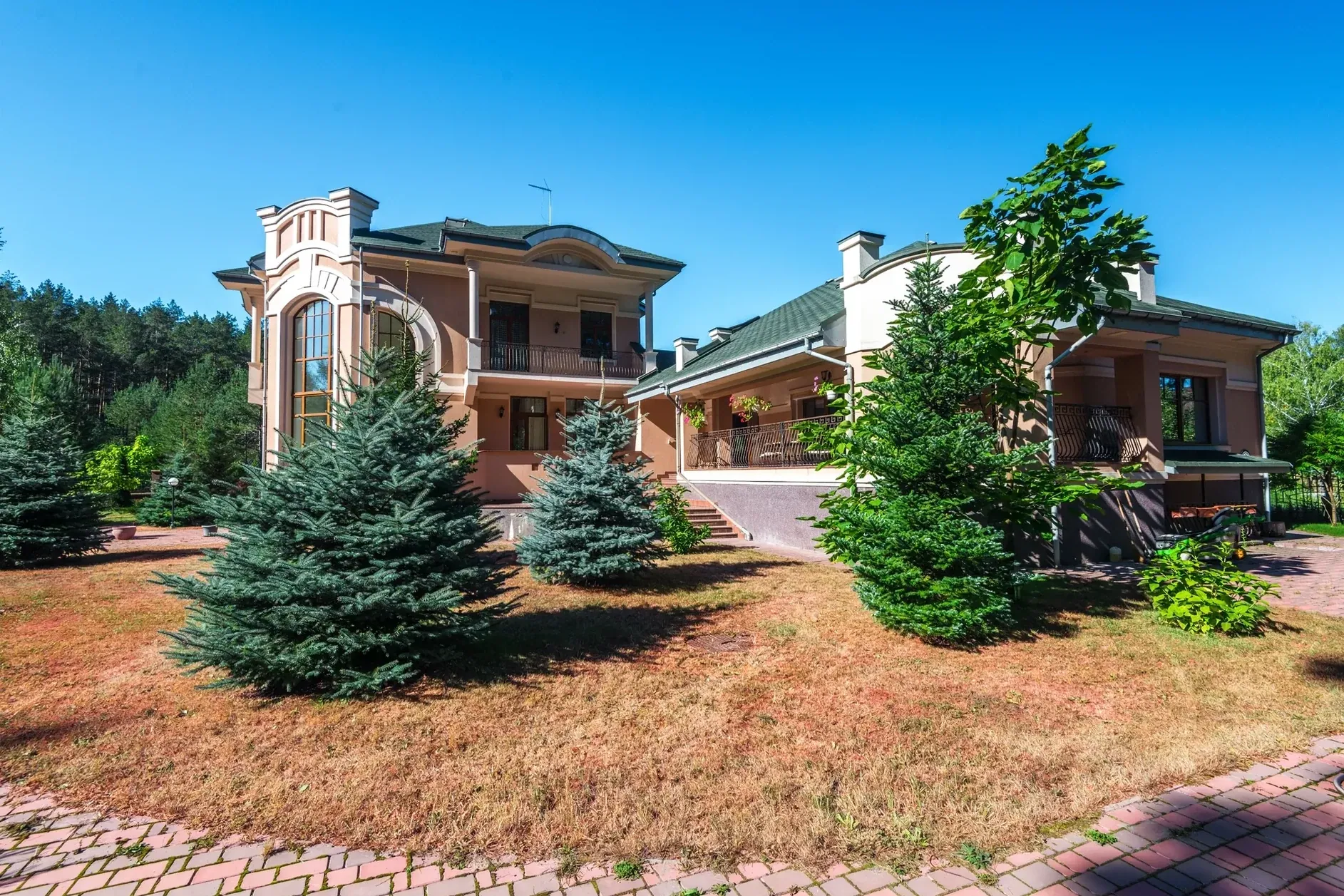
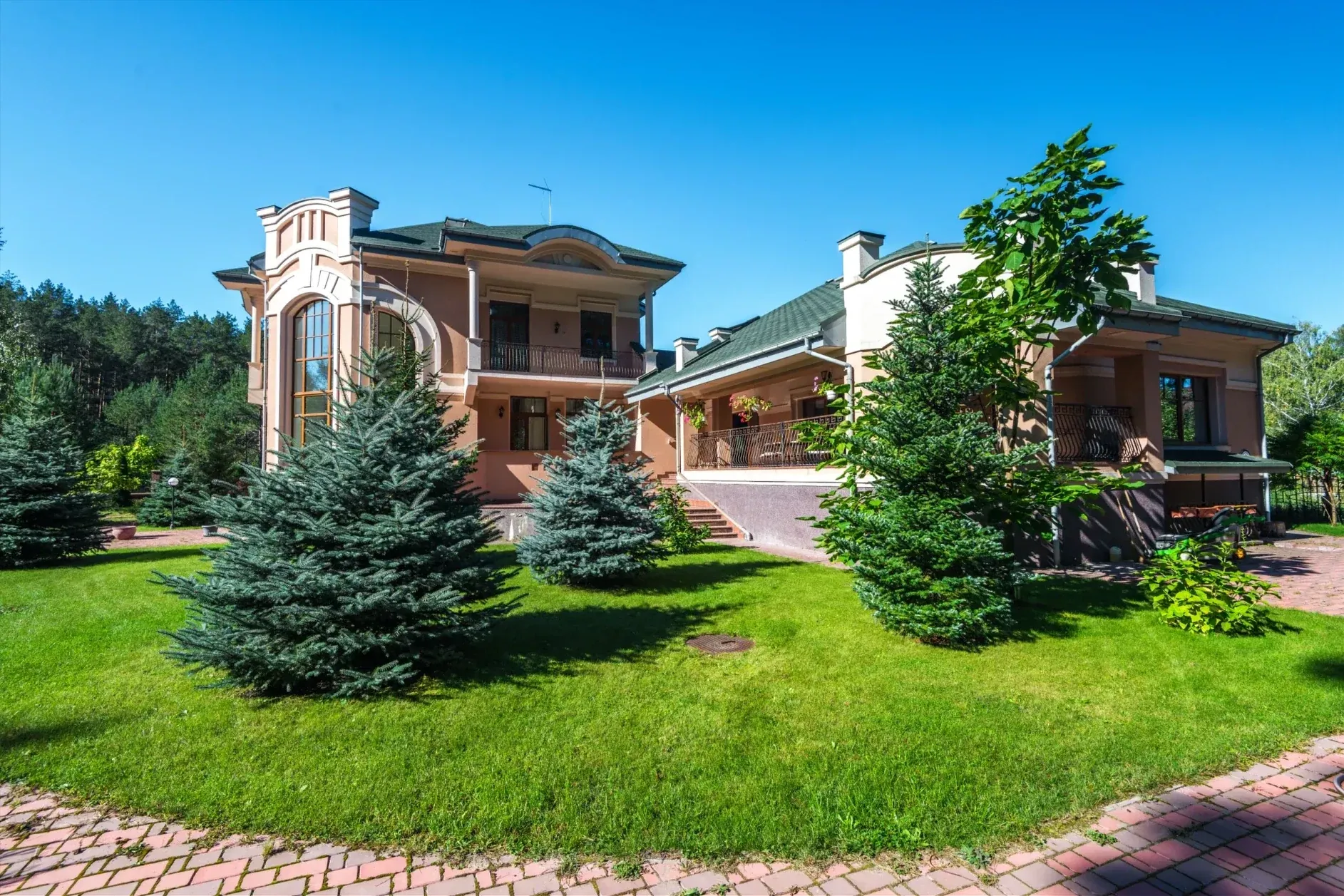
01 · Summer drought
A dry, burnt lawn around the villa becomes thick green grass. The paving, trees and planting keep their shape.
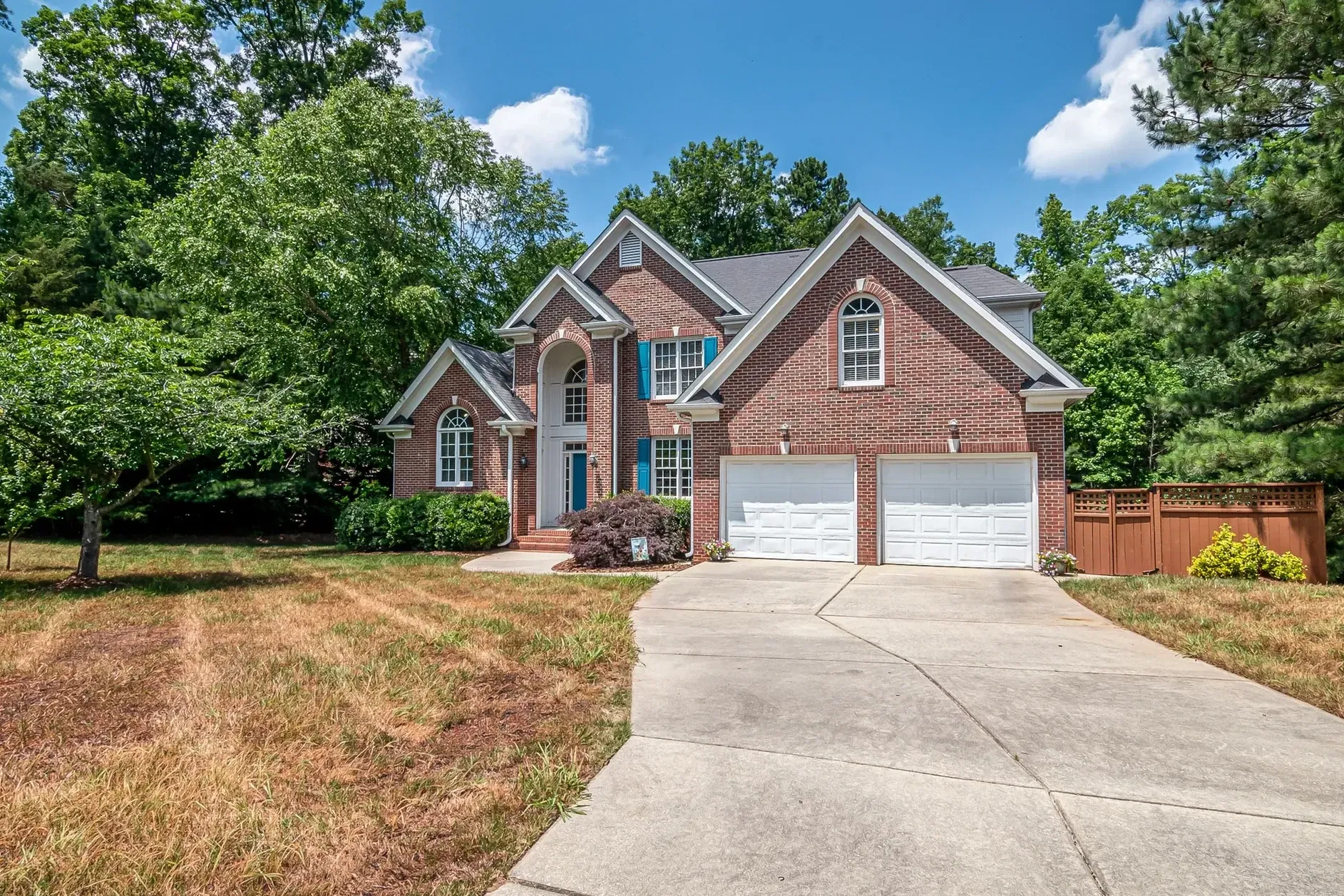
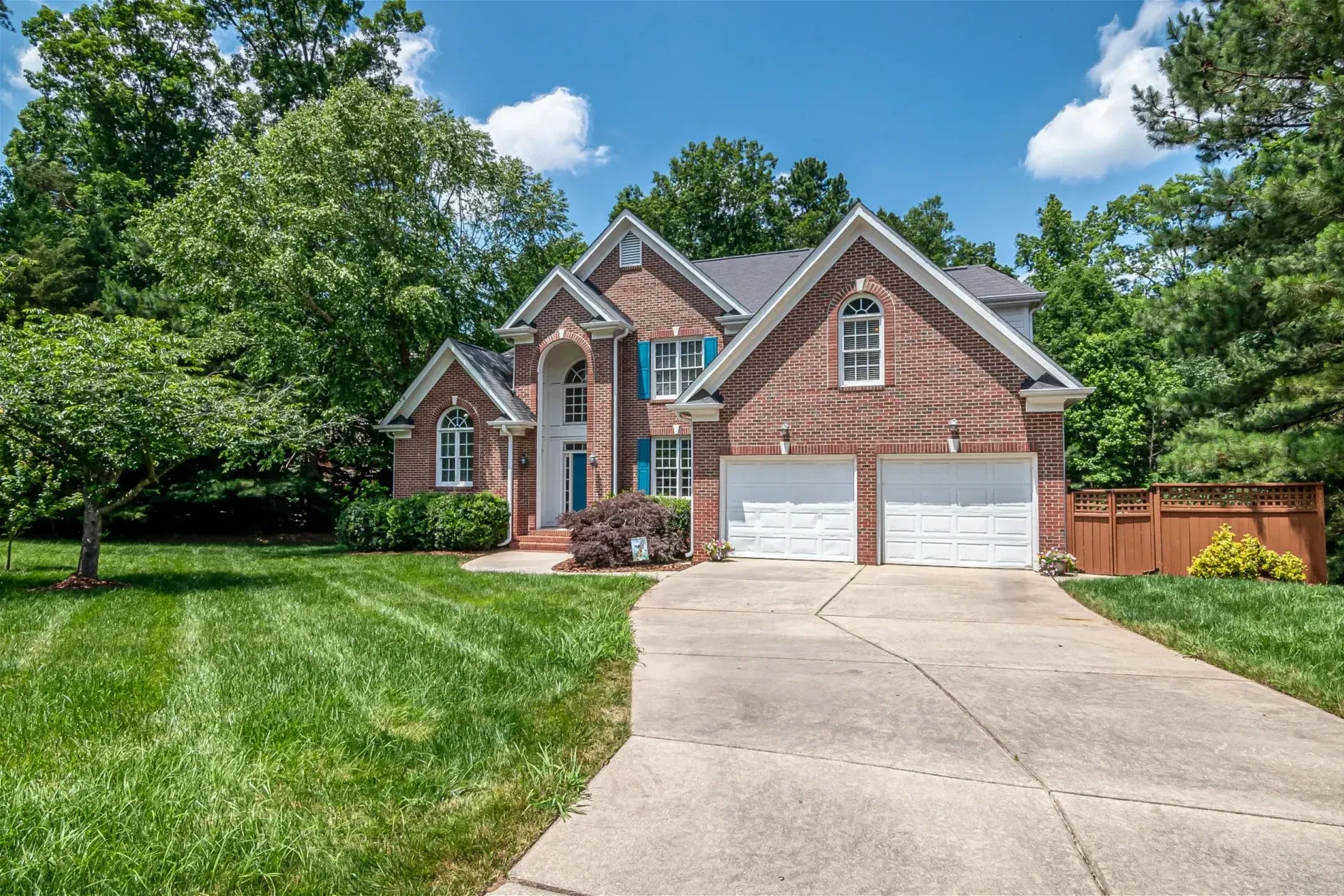
02 · Patchy front yard
Brown patches on both sides of the driveway become an even lawn, mowing stripes included.
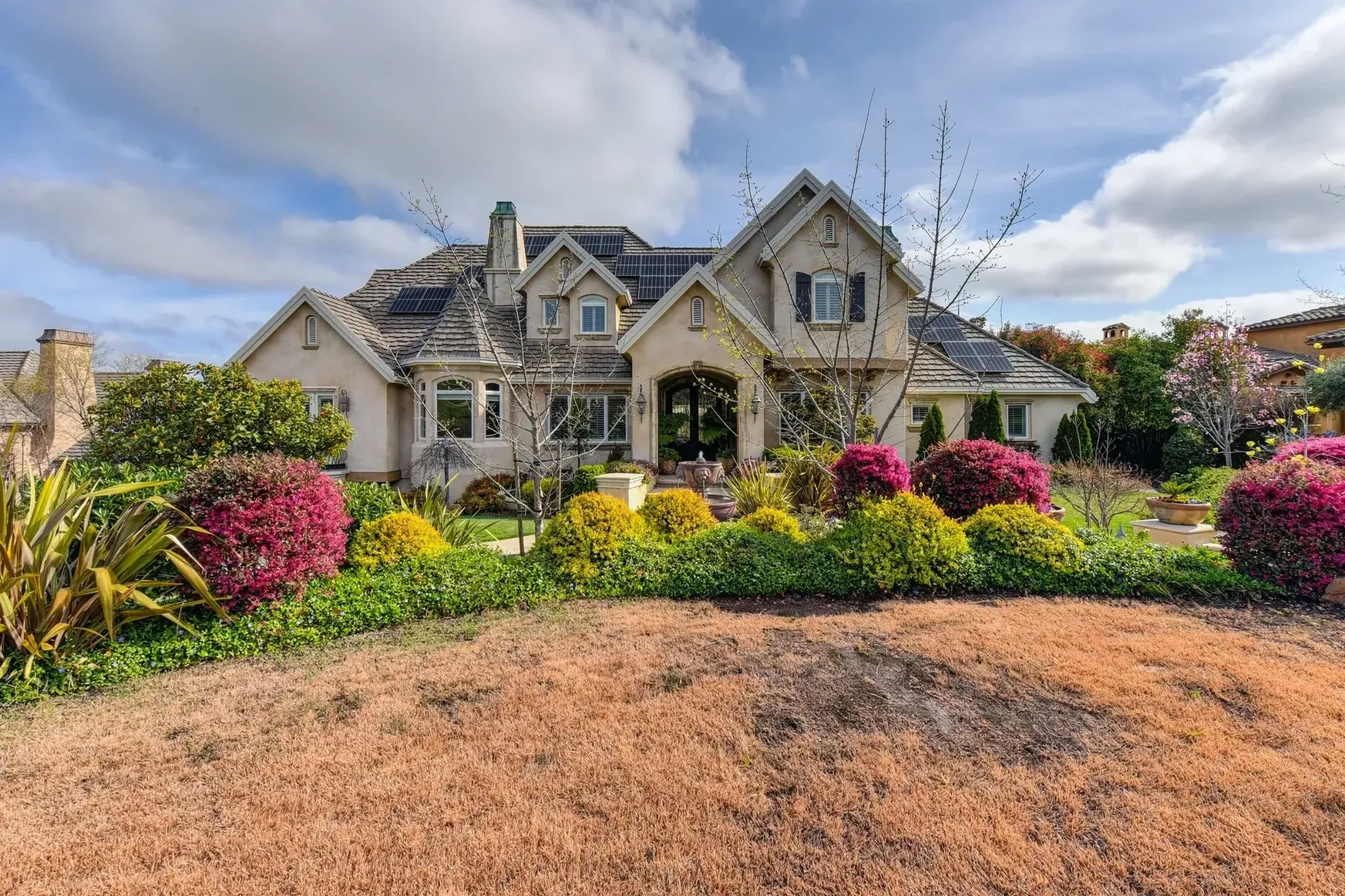
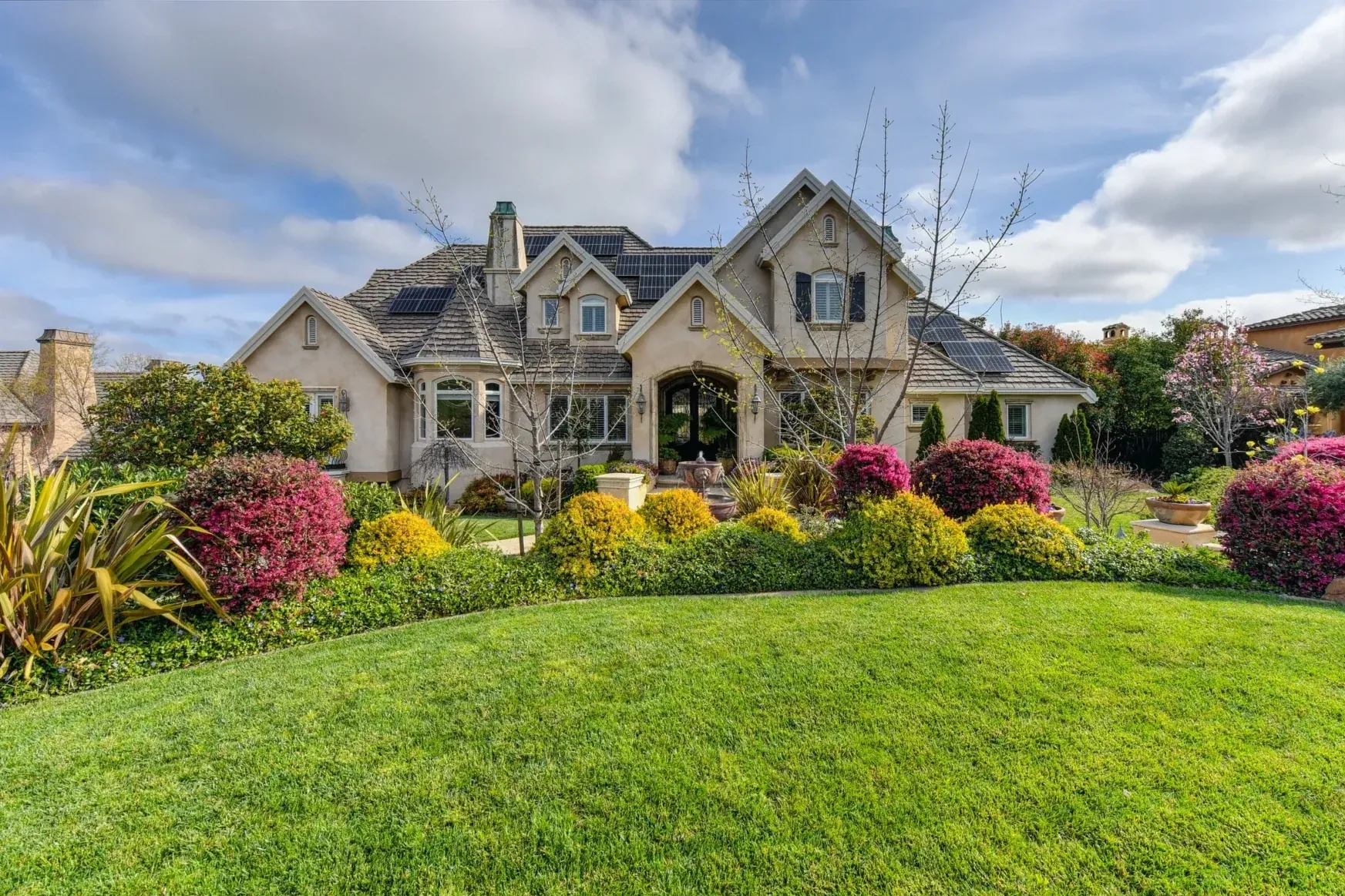
03 · Cracked soil
Cracked, bare ground in front of the flower beds becomes a smooth green lawn.
Made for photos you deliver to clients
Lawn replacement is built for real estate photographers and the people they shoot for. Your result is ready for the MLS, portals and print, without a second pass in another editor.
- Resolution
- Your photo comes back at its full resolution: the same pixel size you uploaded.
- Fine detail
- Detail from your original photo is carried into the result, so house numbers, brick, railings and window bars stay crisp.
- Structure
- Paths, driveways, flower beds, trees and shadows keep their shape and place.
- Control
- Pick light, medium or dark green, and add instructions such as “keep the stone path”.
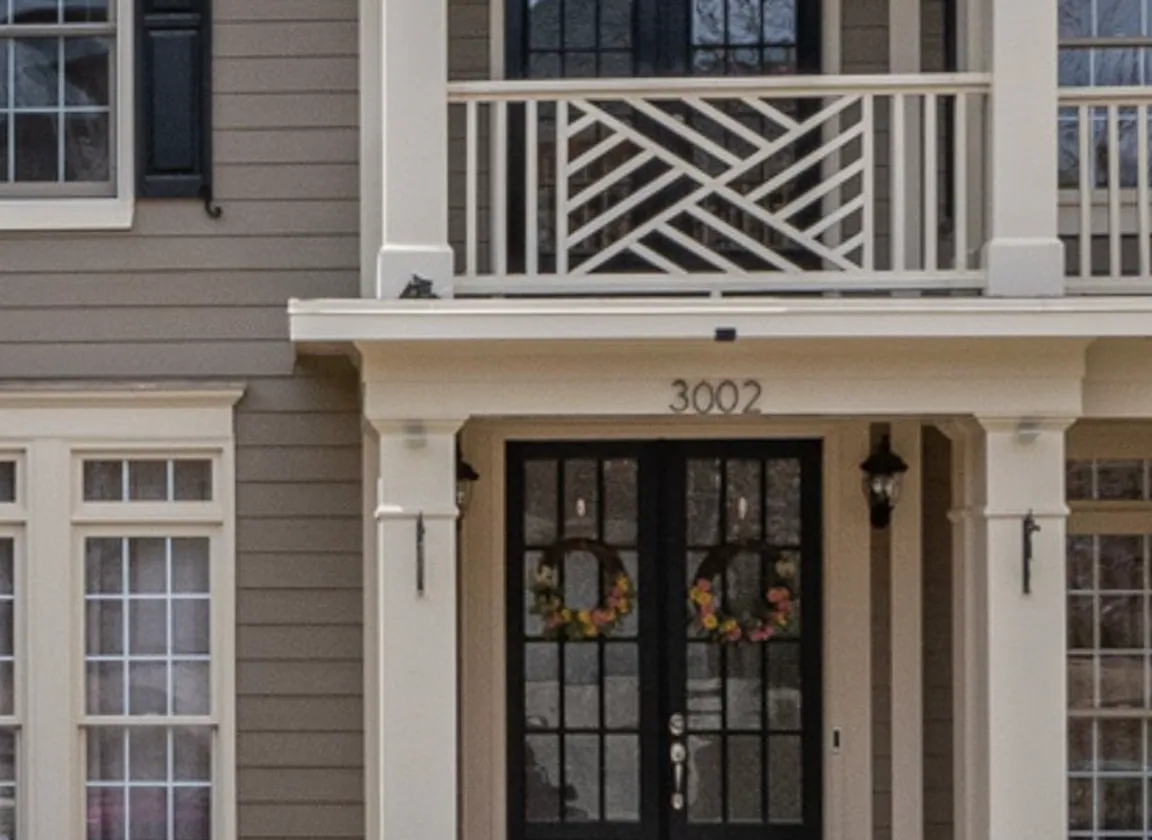
House numbers stay readable
Zoom in on a finished photo and the small things are still there: the numbers above the door, the lines of the brick, the bars in the windows.
Three steps, one finished photo
- 01
Upload your exterior
Any daylight photo where the lawn is visible: front yards, back yards and gardens.
- 02
Choose the green
Light, medium or dark green. Add a short instruction if something must stay exactly as it is.
- 03
Download at full resolution
Compare before and after, re-render if you want a different look, and download.
From natural to lush
One tool for everyone behind the listing
Real estate photographers
Deliver summer-ready exteriors whatever the season, and offer lawn replacement as an add-on in your packages.
Real estate media companies
Fix the lawns of a whole shoot at once from the HDR editor, with the same look on every photo.
Real estate agents
Give listings shot in winter or a dry spell the curb appeal the property has in season.
Show the garden at its best, not something it isn't
Lawn replacement shows what a yard looks like in season. Don't use it to hide damage or to show a garden the property doesn't have, and label edited photos where your MLS or portal asks for it.
One credit per photo
Each photo uses 1 credit and includes 9 free re-renders, so you can try every strength. Plans start at 10 photos a month, and unused photos roll over.
No subscription? Ask us in the chat for a pay-per-photo deal, as low as $0.25 per photo depending on volume.
Questions about lawn replacement
No. Your photo comes back at its full resolution, the same pixel size you uploaded, so it's ready for the MLS, portals and print.
Yes. Fine detail from your original photo is carried into the result, so text, numbers, brick and window bars stay crisp.
Stager AI finds the lawn and replaces the grass. Paths, driveways, beds and trees keep their shape and place. If something must stay exactly as it is, say so in the instructions, for example “keep the stone path”.
Yes. Pick light, medium or dark green. Medium suits most listings; light looks natural in dry climates, and dark gives a lush high-summer look.
Yes. In the HDR editor you can apply lawn replacement to several photos of a shoot in one go.
Each photo uses 1 credit and includes 9 free re-renders. Plans start at 10 photos a month and unused photos roll over. For high volumes without a subscription, ask us in the chat for a pay-per-photo deal, as low as $0.25 per photo.
Use it to show the garden as it looks in season, not to hide damage or show something the property doesn't have. Label edited photos where your MLS or portal asks for it.
Daylight exteriors where the lawn is clearly visible: front yards, back yards and gardens. The clearer the grass area, the cleaner the result.
Give your next listing its best lawn
Upload an exterior and see the result at full resolution. Your first photos are on us.