Add fire to a fireplace in every listing photo
An empty fireplace looks cold. Stager AI adds a warm, realistic fire with a soft glow in every HDR edit, so the living room feels like a place to come home to.
- One switch in your HDR settings
- Realistic flames and glow
- Full-resolution results
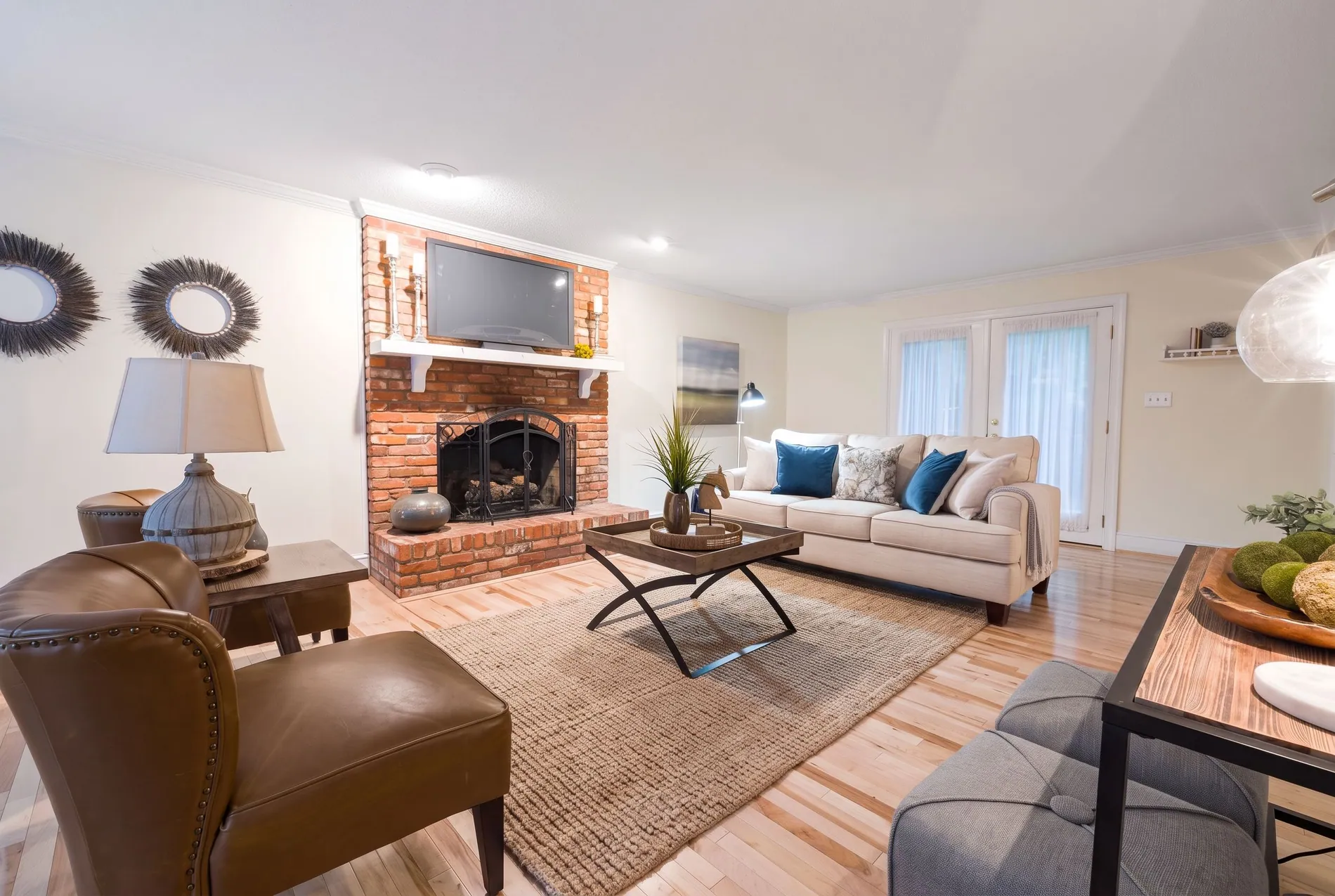
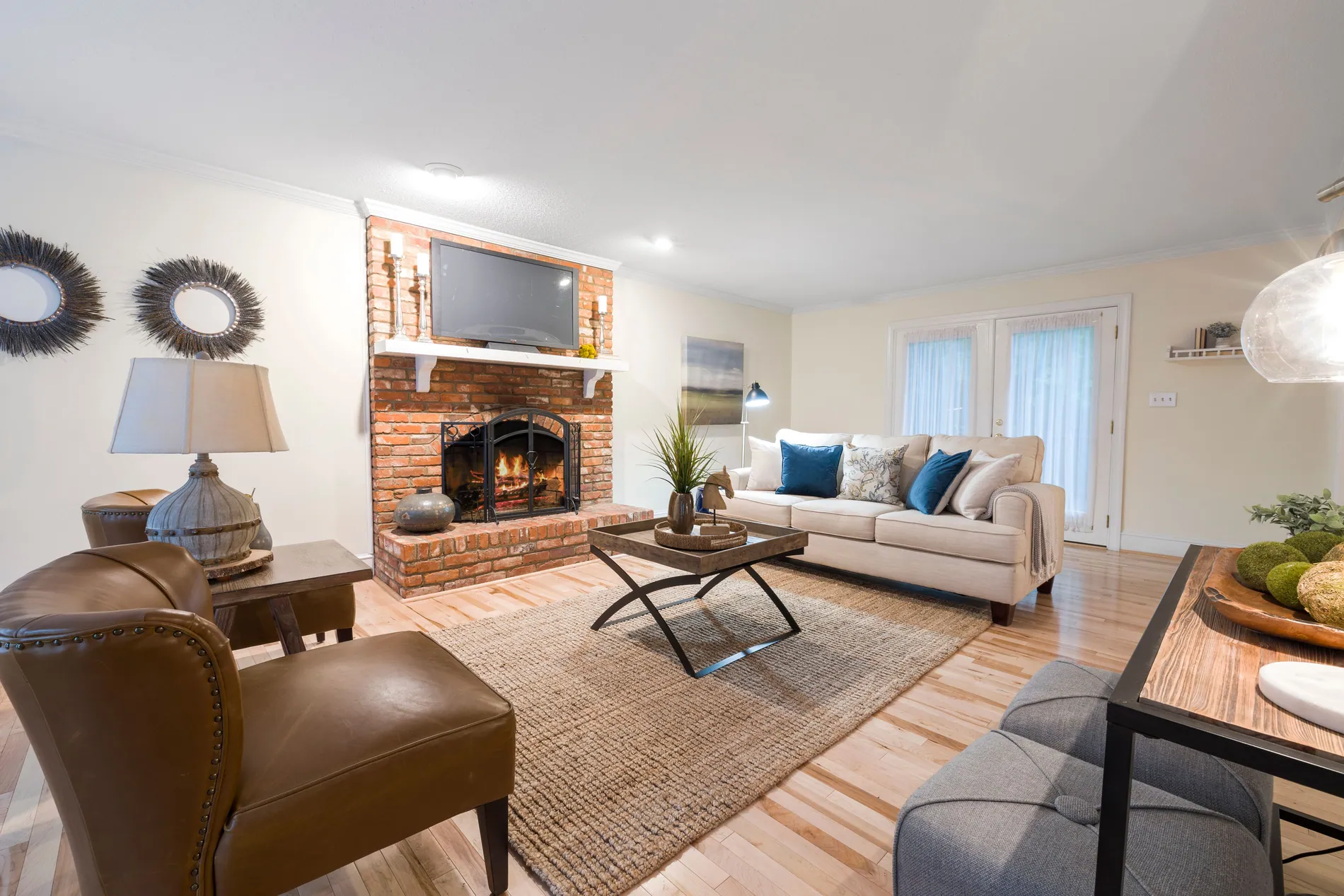
A fire turns a living room into a home
Adding fire to a fireplace is one of the oldest tricks in real estate photography. A lit fireplace gives the room a focal point and a feeling of warmth that an empty hearth can't.
A focal point
Flames draw the eye to the fireplace, often the feature that sells the living room.
No fire on site
No logs, no matches, no smoke and no waiting for the fire to catch while the light changes.
No compositing by hand
No hunting for a fire photo and blending it into the hearth in Photoshop. It's one setting.
A fire that sits in the hearth
Zoom in and the flames sit behind the screen and inside the firebox, with a soft glow on the surround. The brick, the mantel and the rest of the room stay as you shot them.
Three steps to a lit fireplace
Fire in fireplace is a setting of Auto HDR, the Stager AI editor for real estate photographers. It runs as part of your normal edit.
- 01
Turn on Fire in Fireplace
In the Auto HDR sidebar, switch on Fire in Fireplace. Your choice is remembered for the next shoot.
- 02
Upload your shoot
Drop in RAW or JPEG brackets, or let Dropbox auto-import send your shoots in for you.
- 03
Download warm living rooms
Empty fireplaces come back with a fire and a soft glow, merged, color corrected and ready to deliver.
A fire that looks like it was there
The fire is added inside the firebox, with a gentle glow on the surround. No pasted-in flames floating in front of the hearth.
- What changes
- Empty fireplaces get realistic flames and a soft, warm glow.
- What stays
- The surround, the mantel and the rest of the room keep your original pixels.
- Resolution
- Full resolution, the same size as your original files, in JPG or PNG.
- Workflow
- Runs inside your Auto HDR edit, in the web app or through the API, on single photos or whole shoots.
For everyone who delivers listing photos
Real estate photographers
Skip lighting fires on site and compositing them later. Offer the cozy look in every package.
Real estate media companies
Give every fireplace on every shoot the same warm finish, through the web app or the API.
Real estate agents
Show buyers how the living room feels on a winter evening, not just how it looks.
Only light a fireplace that works
Add a fire to a fireplace that can really be used. If a fireplace is decorative or sealed, leave it empty, and label edited photos where your MLS or portal asks for it.
Part of every Auto HDR edit
Fire in fireplace is a setting of Auto HDR, not a separate product. Each edited photo uses 1 photo credit. Plans start at 10 photos a month, and unused photos roll over.
No subscription? Ask us in the chat for a pay-per-photo deal, as low as $0.25 per photo depending on volume.
Questions about fire in the fireplace
With Stager AI, switch on Fire in Fireplace in the Auto HDR sidebar and upload your shoot. Empty fireplaces are detected and a realistic fire with a soft glow is added to each one.
The fire is placed inside the firebox, with a gentle glow on the surround, so it reads as part of the room. Have a look at the before and after above.
Nothing. The setting only acts on empty fireplaces it finds, so you can leave it on for the whole shoot.
Yes. Select the photos, choose Reprocess Enhancement and switch on Fire in Fireplace.
Yes. Your HDR settings apply to shoots that come in through Dropbox, and the API has a fireplaceEnhancement option on every HDR request.
Add a fire only to a fireplace that really works. If it's decorative or sealed, leave it empty. Label edited photos where your MLS or portal asks for it.
It's part of your Auto HDR edit: each edited photo uses 1 photo credit. Plans start at 10 photos a month and unused photos roll over. For high volumes without a subscription, ask us in the chat for a pay-per-photo deal, as low as $0.25 per photo.
Light every fireplace on your next shoot
Turn on Fire in Fireplace, upload your photos and see warm living rooms in minutes. Your first photos are on us.