AI day to dusk: a twilight photo without the twilight shoot
Turn a daytime exterior into a twilight photo with a dusk sky and warm evening light. This guide shows how to choose the intensity, convert one photo or a whole shoot, and get a full-resolution result.
How to turn a day photo into dusk, step by step
- 1
Open AI Day-to-Dusk
Log in and choose Day-to-Dusk from your tools.
- 2
Upload a daytime exterior
Upload a daylight photo of the outside of the property: a front facade, a garden or a pool.
- 3
Choose the twilight intensity
Under Twilight intensity, pick Subtle, Middle or Dramatic. Middle is selected by default and suits most listings.
Subtle keeps the scene bright. Dramatic gives deep color for hero shots and social posts.
- 4
Convert to dusk
Click Convert to Dusk Now. The sky becomes a twilight sky and the scene takes on warm evening light, while the house, garden and pool keep their shape.
- 5
Compare and re-render
Compare day and dusk. Want a different mood? Try another intensity: each photo includes 9 free re-renders.
- 6
Download
Download the result. It comes back at your photo's full resolution, with roof tiles and window frames still sharp.
- 7
Doing a whole shoot?
In the HDR editor, select your exteriors and open Sky Replacement & Twilight. Choose Twilight, pick the intensity and apply it to every selected photo at once.
What a result looks like
Drag the slider to compare the afternoon photo with the dusk version.
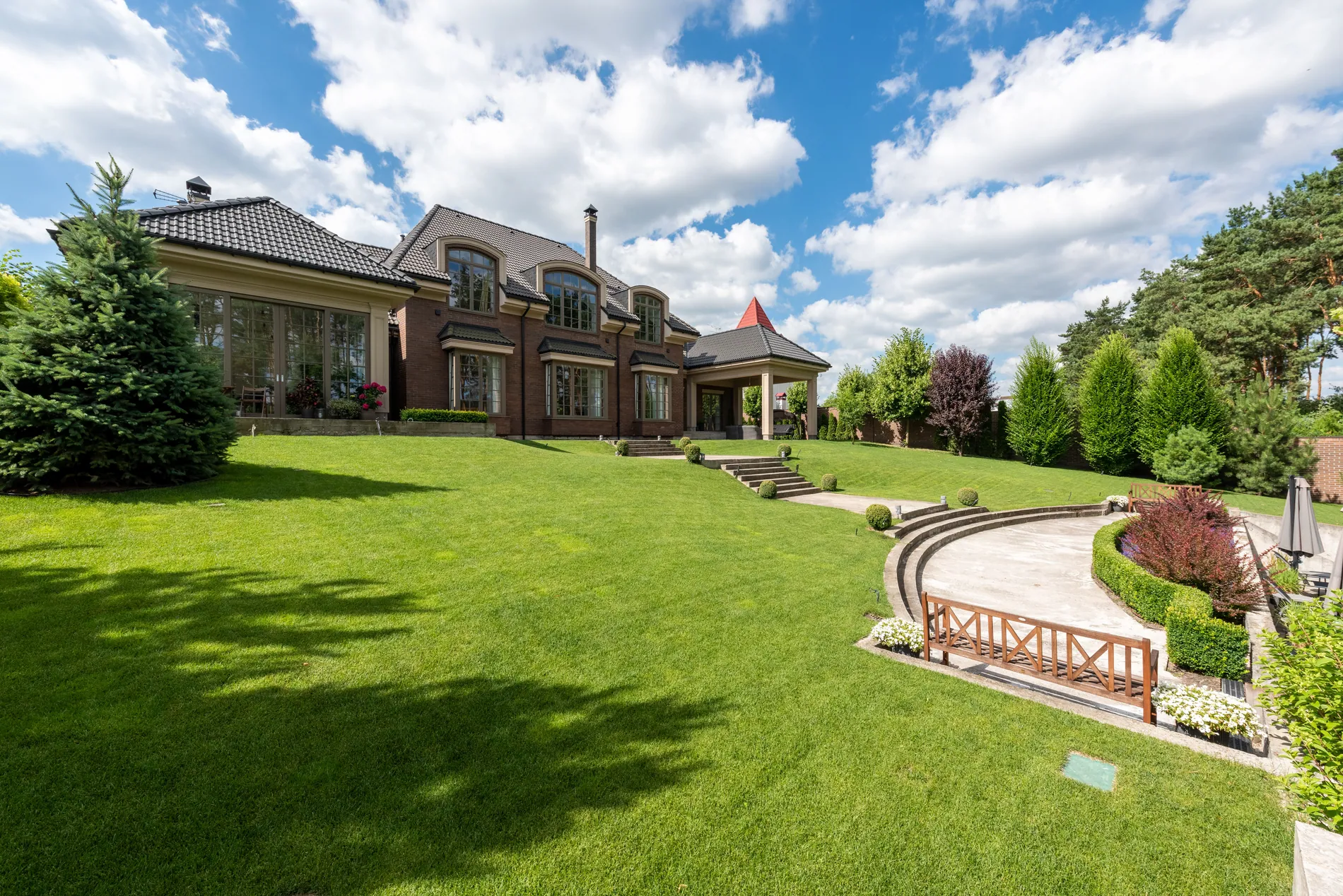
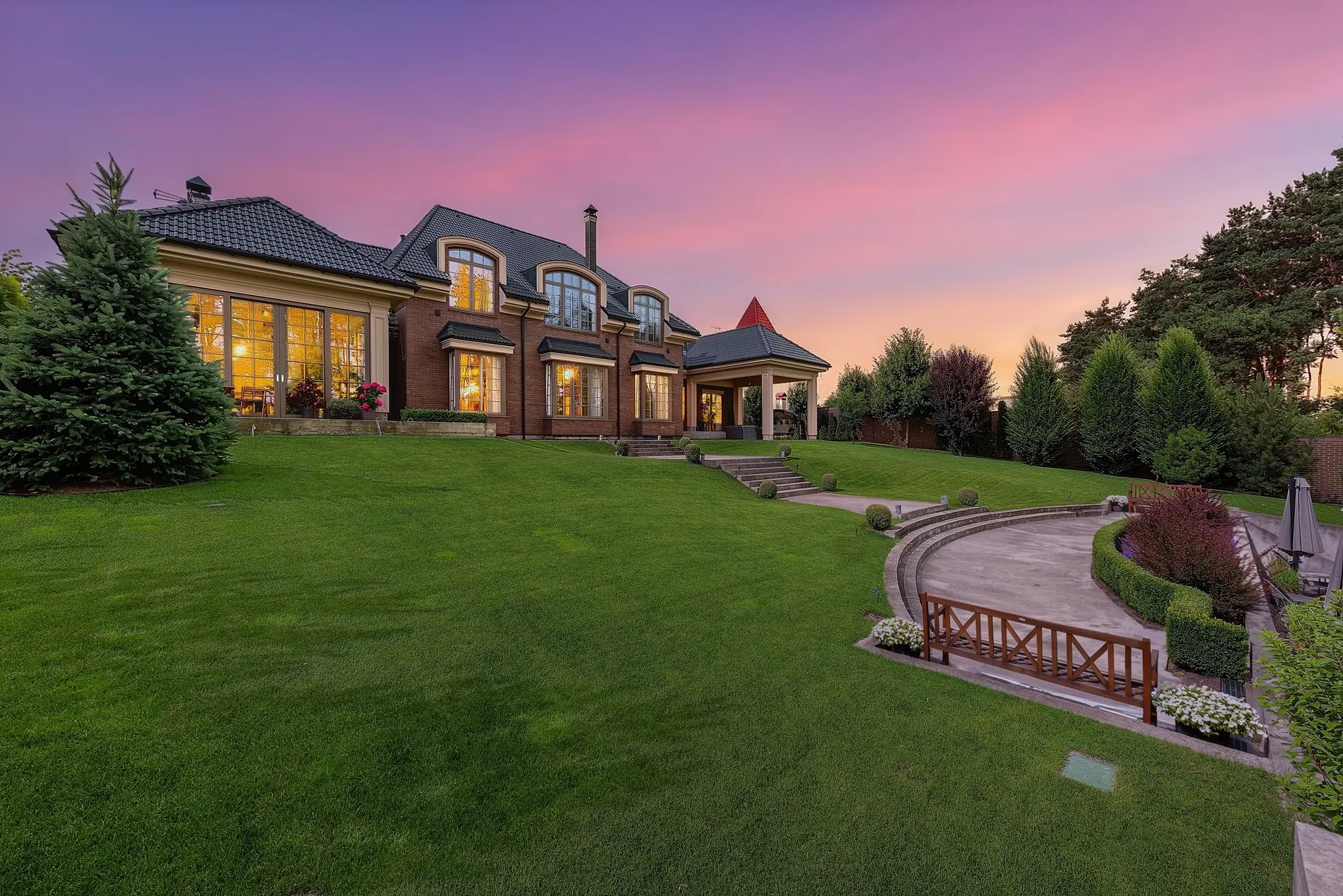
Pro tips
Start from a daylight exterior
Front facades, gardens and pools in clear daylight give the cleanest twilight.
Middle for most listings
Middle gives balanced dusk colors. Save Dramatic for the hero shot or a social post.
Want more glow in the windows?
How strongly the windows light up depends on the photo. Try another intensity or re-render.
Keep it honest
Twilight shows a mood, not a different property. Label edited photos where your MLS or portal asks for it.
Quick check
Three quick questions to check you've got it.
1.Which twilight intensity suits most listings?
2.Where do you turn a whole shoot into twilight at once?
3.The windows don't glow as much as you'd like. What can you do?
FAQ
No. The result comes back at your photo's full resolution, the same pixel size you uploaded.
Yes. The sky and the light change; the architecture, garden and pool keep their shape, and fine detail like roof tiles and window frames stays sharp.
Each photo uses 1 credit and includes 9 free re-renders, so you can try every intensity.
Yes. In the HDR editor, the Sky Replacement & Twilight panel applies twilight to every selected exterior.
Use it to show a home's evening atmosphere, not to hide its condition. Label edited photos where your MLS or portal asks for it.
Try it on your next exterior.
Upload a daytime exterior and see it at dusk, at full resolution.
Open Day-to-Dusk