On this page
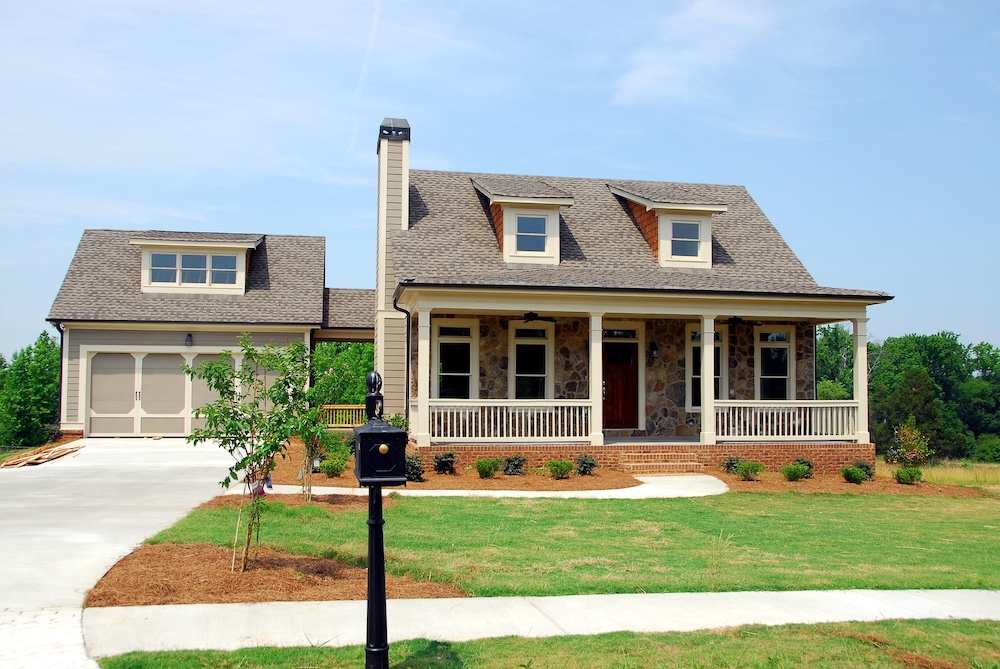
In real estate, first impressions happen online. When a buyer scrolls a listing portal, the main thumbnail, usually the front exterior, has to stop the scroll. A dull, overcast gray sky works against you from the first glance.
Scheduling every shoot around golden hour is impossible for busy teams, so AI sky replacement has gone from an occasional retouching trick to a production standard. But automated sky tools have also produced a wave of artificial-looking images. Better results come from looking past simple masking and applying the edit with restraint.
AI sky replacement: from creative choice to standard expectation
Listing agents now expect clear skies or a soft twilight as a standard part of every marketing package. Flat, featureless white cloud cover no longer passes.
When automation handles the sky carelessly, it distracts from the property itself. A sky that feels disconnected from its surroundings hurts the credibility of the whole listing. A good sky swap blends into the building, matching the direction and color of the light.
The three mistakes that reveal an artificial sky
To keep your exteriors looking premium, your editing process has to catch and remove these three giveaways:
1. Light and shadows that point different ways
The most common failure is a bright, dramatic sunset with a low western sun dropped behind a house photographed in flat midday light. The building's shadows fall forward, while the sky says the sun is right behind the roof. Viewers sense the conflict immediately, even if they can't say why.
2. Halo fringes around fine edges
Look closely at complex edges: thin branches, chimneys, TV antennas and roof vents. Basic sky tools can't blend these fine transitions cleanly and leave a thin, ghostly fringe of the original white or gray sky around the structure.
3. Oversaturated horizons
Real skies are gradients. They are deepest overhead and fade to a soft, hazy white or light blue near the horizon. A sky that stays intensely saturated all the way down to the roofline or fence looks flat and cuts the image into hard, stylized slices.
Best practices for seamless architectural integration
Clean, high-end exteriors come from a few clear rules:

The environmental glow: beyond simple masking
A professional sky replacement is more than a clean cutout. It's a relighting problem. When an AI model puts a twilight or golden-hour sky behind a building, that light has to spill across the whole foreground.
This whole-scene harmonization is what Stager AI sky replacement is built for. Instead of only cutting out the old sky, the model reads the colors of the entire scene. It adds a subtle color spill across the facade, adjusts lawn highlights to the new light and neutralizes overcast shadows, so the new sky matches the natural light of the setting. For an evening look, day to dusk turns a daytime exterior into a twilight shot.
The exterior photo editing quality checklist
Check your exterior edits against this baseline:
| Check | Typical automation flaws | Stager AI result |
|---|---|---|
| Edge masking | White ghost fringes around trees or gutters | Pixel-level separation with sharp edges |
| Foreground relighting | The building keeps cold overcast tones under a warm sky | Color relighting across the facade and lawns |
| Reflections | Windows keep their original gray reflections | Reflection colors matched across pools and glass |
| Horizon gradient | Flat, heavy saturation down to the edges | Natural light falloff toward the horizon |
The verdict: add polish, protect credibility
Real estate photos exist to build buyer trust while showing a property at its best. When a sky looks heavy-handed or artificial, that trust erodes. Realism should stay your production standard.
With a cloud tool built for real estate media, like Stager AI, you skip manual color painting and fiddly tree masks. You get clean, well-blended and realistic exteriors automatically, so your listing hero shots stand out in every feed. Also read why HDR real estate photos can look fake.
Frequently asked questions
Three things give it away: light and shadows that point in different directions, halo fringes around fine edges like branches and chimneys, and a sky that stays heavily saturated all the way down to the horizon.
Pick soft, graded skies with gentle, scattered clouds and a desaturated horizon rather than dramatic, high-contrast storm clouds.
No. The new light also has to spill across the scene: reflections in windows and pools, the color temperature of the facade and the lawn highlights should all match the new sky.