On this page
A listing photo travels further than the listing. It sits on portals, gets shared in group chats and stays in search results long after the sale. Real estate photo privacy means making sure those photos sell the space without also telling strangers who lives there, what they own or how to get in.
This is a practical checklist from behind the camera: what to hide in listing photos, what to clear on site and what to fix in post. License plates are the one item you can hand off completely, because Stager AI blurs license plates automatically in every HDR edit.
Why real estate photo privacy matters
A listing publishes an address, often a floor plan, and photos of what's inside. That's useful for buyers. Combined with a family photo, a name on a letter or the car in the driveway, it's also useful to people you'd rather not help.
- Seller safety. Photos can show which rooms hold valuables, where the alarm panel is and which door has a key safe.
- Neighbors who didn't sign up. Their car, their garden and their windows can end up in your frame.
- Portal rules. Portals and MLSs can have their own rules on what may appear in listing photos. Check the ones you publish on.
- Data protection. In Europe, license plates and faces can be considered personal data under GDPR. This isn't legal advice, so check your local rules. Blurring is the safe default.
There's a simpler reason too. A photo with mail on the counter and kids' drawings on the fridge looks like someone else's home. Buyers need room to picture their own life there.
What to hide in listing photos: the checklist
Walk through the property with this list before you shoot. Most items take seconds to clear.
| What to look for | Why it matters | Best fix |
|---|---|---|
| License plates | A plate links a car, and often a person, to the address | Blur in post |
| Faces and people in frame | Can identify owners, tenants or passers-by | Ask them to step out, or wait and re-shoot |
| Family photos and kids' names | Show who lives there | Put away on site, erase in post if missed |
| Mail, documents and calendars | Names, account details, daily routines | Put away on site |
| Alarm panels, key safes and labeled keys | Show how to get in | Close, cover or keep out of frame |
| Valuables | Advertise what's worth taking | Put away, or reframe around safes and collections |
| House number | Some sellers prefer to keep it off the photos | Reframe or erase when the seller asks |
| Neighbors' property | Their cars, gardens and windows aren't for sale | Reframe, and blur plates in post |
Fix it on site first
The best privacy edit is the one you never need. A few minutes with the seller before you shoot can save an hour of retouching later.
- 1Send a prep note before the shoot. Ask the seller to put away mail, framed photos, medication, jewelry and anything with a name on it.
- 2Do a privacy walk-through. Check fridge doors, desks, noticeboards and the hallway table. That's where personal details collect.
- 3Clear the frame of people. Ask owners and kids to wait in another room. On the street, wait for passers-by to move on.
- 4Close the security details. Shut the alarm panel cover, take sticky notes with codes off the wall and move labeled keys out of sight.
- 5Check reflections. Mirrors, TV screens and glass doors can show a family photo, a document or you.
Agents can send the same list to sellers when they book the shoot, so the home is ready when the photographer arrives.
What to fix in post
Some things can't be moved. The cars belong to the neighbors, the street is the street, and sometimes a framed photo only shows up when you review the shoot at your desk. That's where editing takes over.
For small objects, the Stager AI magic eraser removes what you mark. Paint over a stack of letters or a framed photo, or describe it in a few words, and it fills the space behind in about 10 to 20 seconds.
People are different. If someone is clearly in the shot, re-shooting is usually cleaner than editing. A blurred figure on the sidewalk still pulls the eye away from the house.
License plates: blurred in every HDR edit
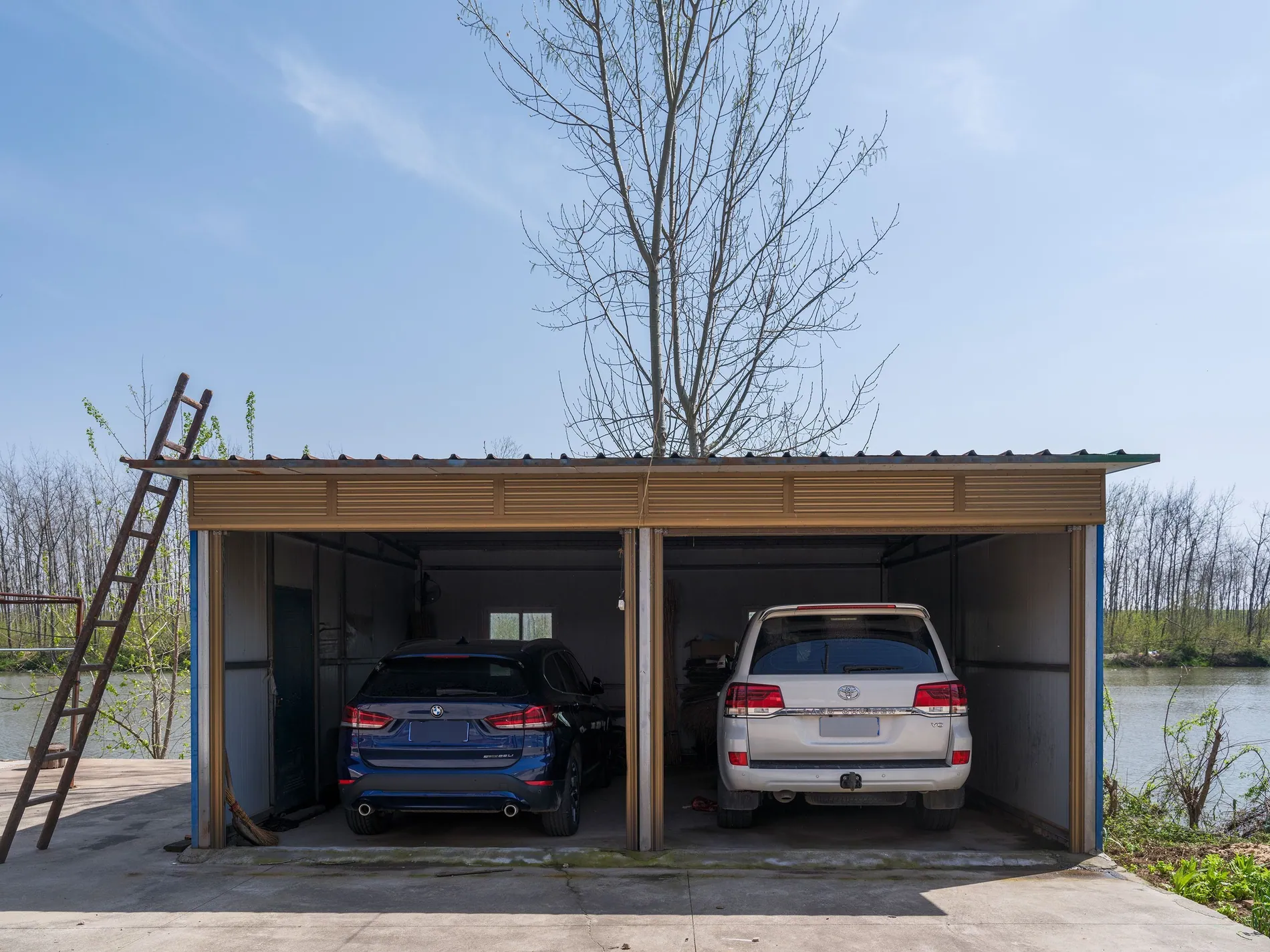
Plates are easy to miss because they're small and they're everywhere: in the driveway, on the street, in an open garage. They're also the item you don't need to handle yourself.
In Stager AI, Blur License Plates is a setting of Auto HDR. Switch it on once and every photo in the shoot is checked for visible plates. Each plate found is masked and blurred inside its own outline before the photo is styled. The car, the street and the house keep your original pixels.
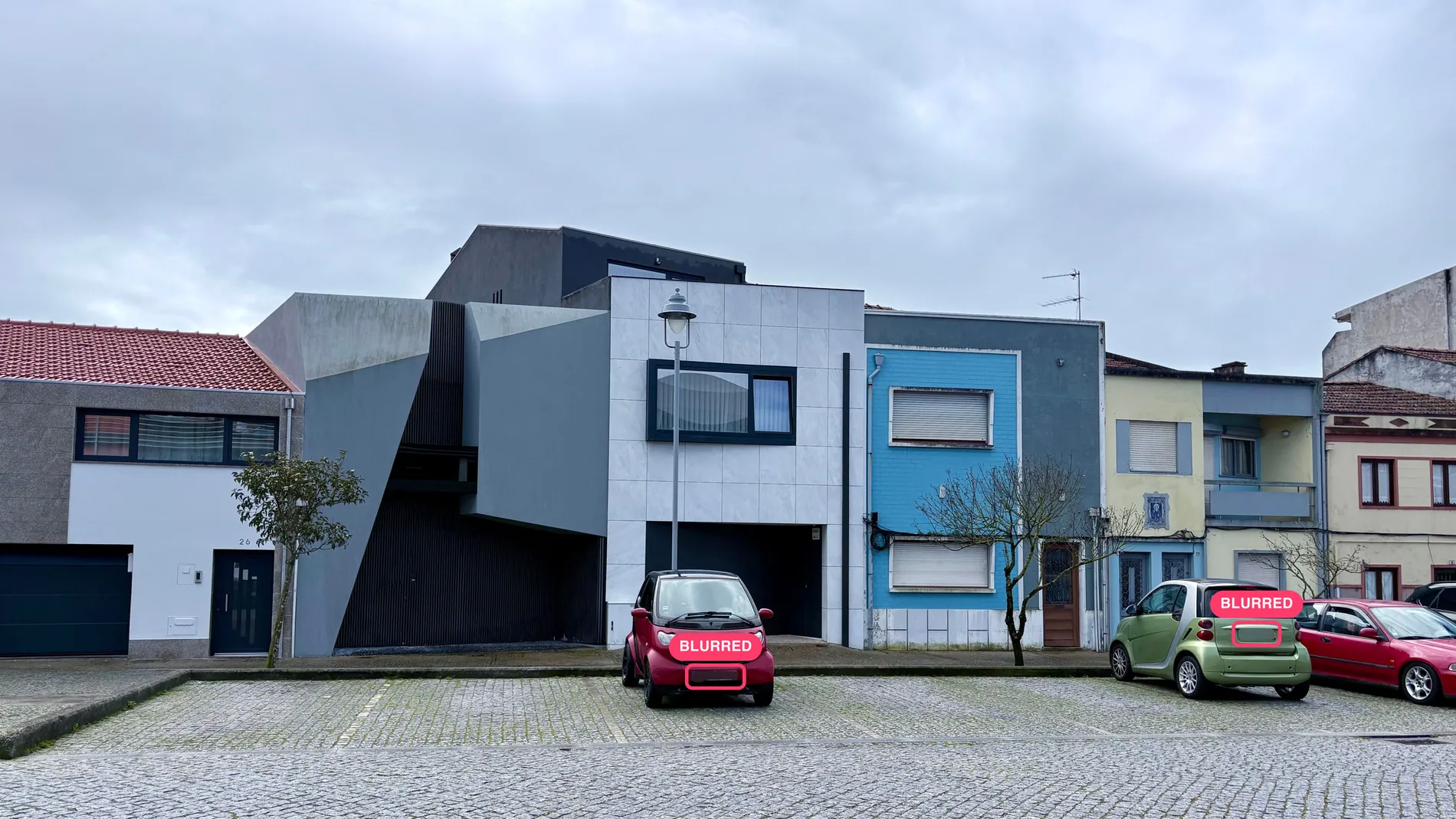
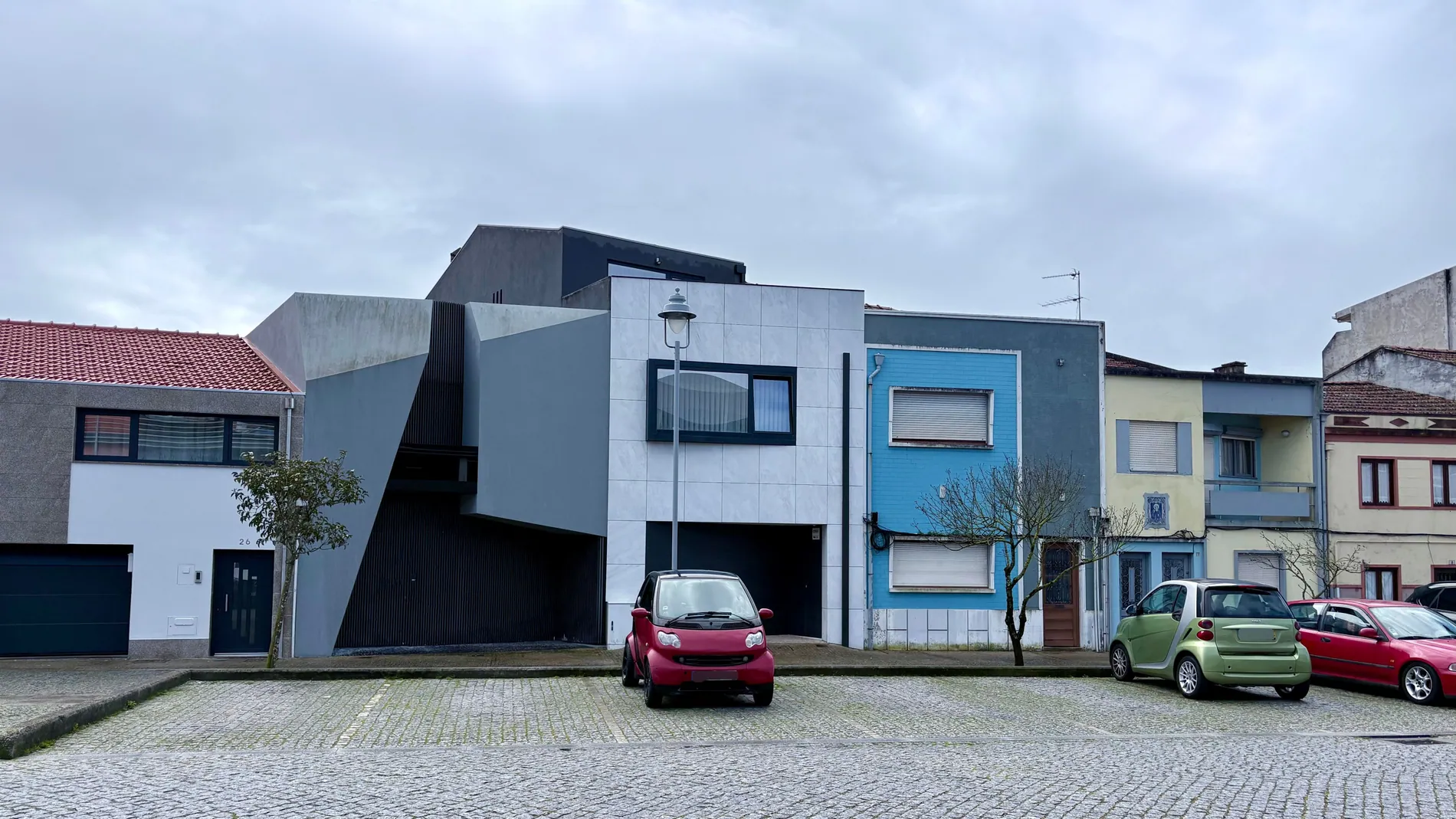
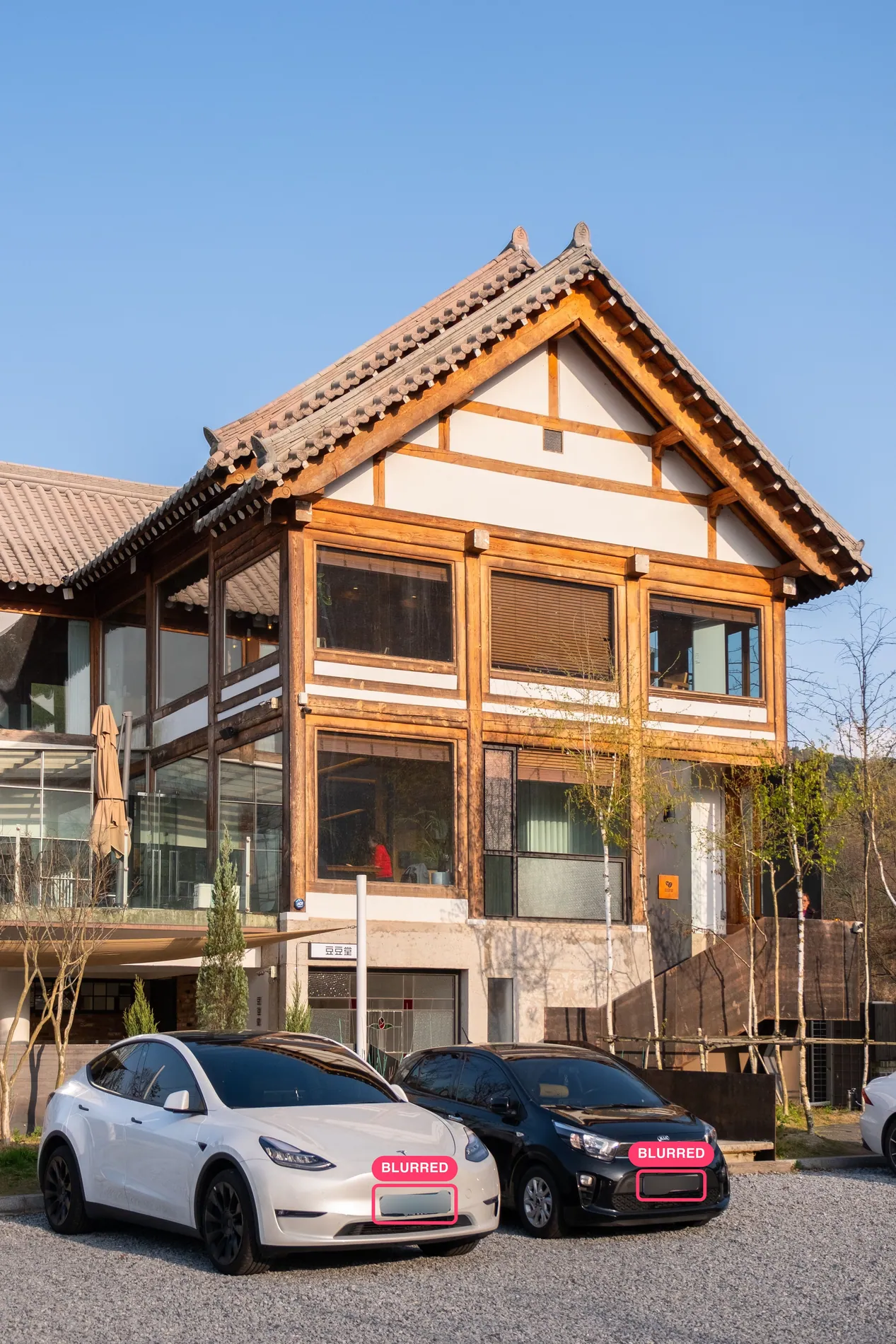
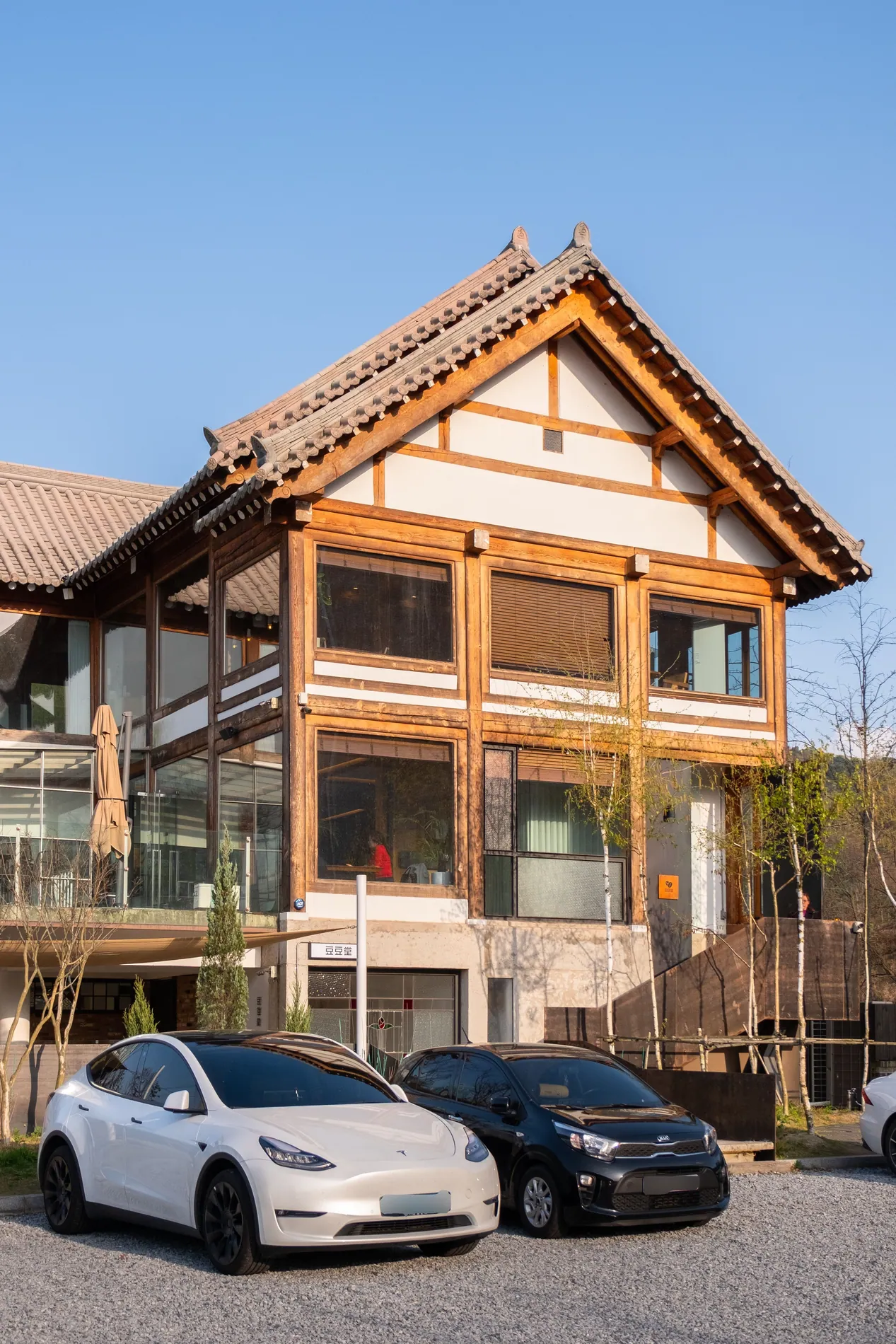
It runs inside the edit you were already making, so there's no extra step and no extra cost. The HDR edit takes about 1 to 5 minutes per photo, and a whole shoot is processed in parallel in about the same time. Media companies can turn it on for Dropbox auto-import, or set blurLicensePlates to true on each HDR request in the API, so every photographer's shoots get the same treatment.
To see what else an HDR edit fixes along the way, read about the HDR problems AI solves automatically.
Hide privacy risks, not defects
Privacy edits and honest edits follow the same rule: remove what won't be there when buyers visit, and keep everything that will. A neighbor's car, a stack of mail or a family portrait is temporary. A crack in the wall, a power line or a damaged roof is not.
Erasing a letter or a framed photo is fine. Erasing a problem that a buyer will find at the viewing costs trust that's hard to win back. We cover where that line sits for staging in the dos and don'ts of AI virtual staging.
A final check before the listing goes live
Real estate photo privacy is mostly preparation: a prep note, a walk-through and a final check. Let Stager AI blur the plates in every HDR edit, use the magic eraser for what slipped through, and spend your time on the shots that sell the home.
Plate blur costs nothing on top of the HDR edit. Plans start at 10 photos a month, unused photos roll over and you can cancel anytime. Or ask us in the chat about paying per photo, as low as $0.25 depending on volume. See pricing.
Frequently asked questions
License plates, faces and people in frame, family photos and kids' names, mail and documents, alarm panels, key safes and labeled keys, valuables, the neighbors' property, and the house number if the seller asks.
It depends on where you publish. In Europe, license plates can be considered personal data under GDPR, so check your local rules. Blurring them is the safe default, and Stager AI does it automatically in every HDR edit.
It's better to keep them out. Faces can identify owners, tenants or passers-by and can be considered personal data under GDPR. Ask people to step out of the frame, or wait and re-shoot.
On site whenever you can: put away mail, photos and valuables, and close security details before you shoot. Fix in post what can't be moved, like license plates, or anything you only spot when reviewing the shoot.
Switch on Blur License Plates in the Auto HDR settings. Every photo in the shoot is checked for visible plates, and each plate found is masked and blurred inside its own outline. It costs nothing on top of the HDR edit.
Yes, if they won't be there when buyers visit, like a neighbor's car, mail or a family portrait. Don't remove defects or permanent features such as cracks, power lines or a damaged roof.