On this page
The market for automated real estate media has shifted. The era of experimental algorithms is behind us, and AI-driven processing is now a core production standard. Yet as platforms multiply, photographers face a new challenge: looking past near-identical landing pages to find an AI engine capable of professional-grade architectural output.
A good HDR AI editor for real estate should not simply compress brackets. It must think like a retoucher. This guide gives you a practical framework for evaluating the current landscape, so your automated partner handles structural precision as well as it handles time.
The 2026 landscape: beyond the marketing noise
Almost every modern real estate editing platform claims "instant" bracket merging and "flawless" window views. However, most generic AI models are built on generalized datasets. They understand global brightness, but they fail at local architectural truth.
When you evaluate a tool, the goal isn't just finding something that makes an image brighter. You are looking for an engine developed specifically for real estate: one that respects spatial boundaries, controls color temperature contamination and delivers clean results across a whole listing without manual oversight.
The four pillars of architectural AI evaluation
A professional-grade AI HDR engine must solve four complex problems at the same time, without human intervention:
- 1Intelligent window integration. Generic tools treat windows like global highlights, which leaves dull gray exterior views. A real estate-native engine performs a precise local window pull, keeping the outside view saturated while the indoor frame stays seamless.
- 2Local color control. Interiors suffer from color-cast conflicts: orange tungsten bulbs clashing with crisp blue daylight from the windows. The best editors isolate these zones to remove unnatural tint shifts.
- 3Structural line straightening. Wide-angle lenses distort geometry. Professional solutions read the architectural lines of walls and frames and straighten verticals automatically.
- 4Motion de-ghosting. Wind in the trees outside or moving water in a pool creates artifacts across exposures. Top-tier tools detect the movement and take sharp data from a single anchor frame.
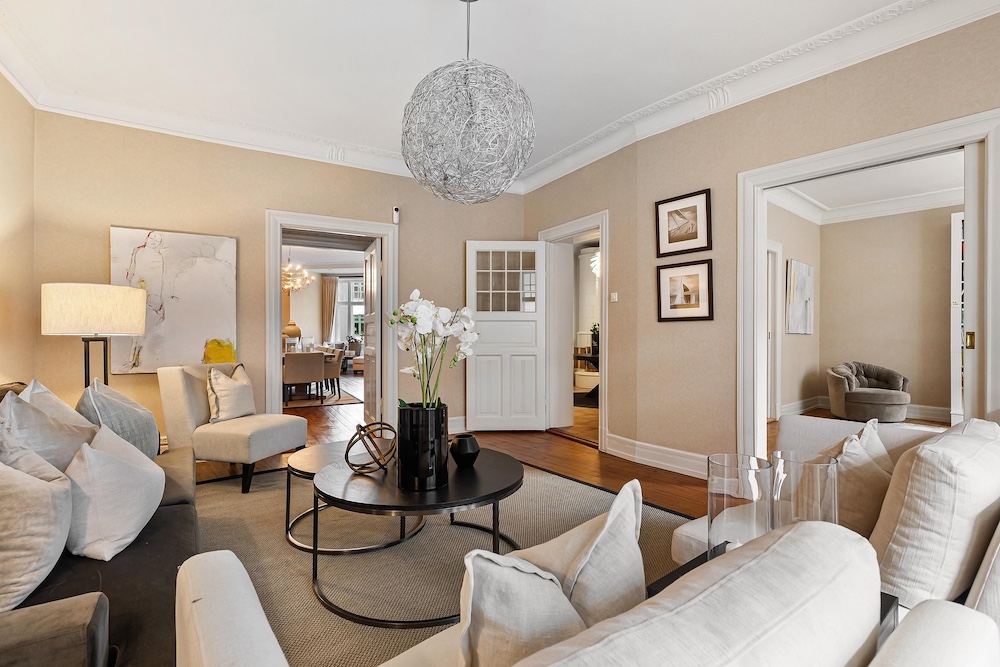
The artifact test: spotting over-cooked processing
To separate premium software from mediocre utilities, look closely at high-contrast transitions. Low-tier merging tools create unmistakable halos where dark objects meet bright ceilings or windows.
When you run test brackets through an editor, zoom into the corners of window frames and ceiling trim. If you see a gray glow or neon-like over-saturation, the model is using basic global tone mapping (more on this in why HDR real estate photos look fake). A refined platform like Stager AI preserves micro-contrast, so shadows stay deep and highlights keep their natural shape. The goal is subtle, realistic exposure enhancement, not surreal, hyper-real flat geometry.
Workflow integration: batch delivery
An editing engine is only as good as its real-world throughput. If you have to sort, name and upload individual bracket sets one by one, the bottleneck remains.
The ideal editor supports intelligent batch grouping. You should be able to drop an entire folder of 150 unsorted RAW or JPEG images from a multi-exposure shoot into the interface. The system should identify the brackets, group them, merge them in parallel in the cloud and deliver your finished listing ready for review in minutes. Our guide to AI HDR merging walks through that workflow step by step.
The evaluation framework: a comparison rubric
Use this baseline rubric to measure and rank your options during a trial run:
| Benchmark | Standard AI tools | Architectural engines (e.g. Stager AI) |
|---|---|---|
| Window realism | Flat gray views, loss of outside contrast | Clean window pulls with natural contrast |
| Vertical correction | None, or manual sliders required | Automatic structural line straightening |
| Color-cast fixes | Global white balance changes only | Local neutralizing of mixed light tints |
| Batch automation | Manual bracket grouping required | Automatic bracket detection and grouping |
The verdict: choosing the best HDR AI editor for real estate
Speed matters, but consistent quality is what keeps real estate clients. Choosing the right AI HDR partner means finding an engine that respects natural light and structural balance. Platforms built specifically for high-volume real estate photography, like Stager AI's Auto HDR, turn editing into a background task. They protect the integrity of your image and give you your evenings back without compromising your style.
Frequently asked questions
Test four things: window integration (a clean local window pull), local color control of mixed light, automatic vertical straightening, and de-ghosting of movement between exposures. Also check that it can group brackets automatically in a batch.
Zoom into the corners of window frames and ceiling trim. A gray glow or neon-like over-saturation means the model is using basic global tone mapping.
You should be able to drop a whole folder of unsorted RAW or JPEG brackets. The system should detect and group the brackets, merge them in parallel in the cloud and deliver the finished listing in minutes.