On this page
Every real estate professional knows the look: flat, crunchy textures, gray halos around window frames and ceilings glowing with an orange color cast. It's the signature of a badly processed HDR merge, often called the "over-cooked" look.
Blending bracketed exposures is necessary for high-contrast interiors, but the automated tools photographers rely on often overcompensate. The result is fake-looking HDR real estate photos. Buyers stop looking at the house and notice the editing instead. To fix it, you need to know where traditional tone mapping fails and apply deliberate restraint.
Diagnosing bad tone mapping in HDR real estate photos
The root cause of a fake-looking HDR photo isn't the exposure brackets themselves. It's a failure in global tone mapping. When software squeezes a huge range of highlights and deep shadows into a standard 8-bit image, it loses micro-contrast boundaries.
To win back clarity, standard software automatically dials up local contrast. That heavy-handed correction creates an artificial texture: soft drywall looks like rough concrete, matte finishes look metallic, and the depth of the room collapses into a single flat plane.
The three mistakes that destroy photographic realism
A high-end architectural result means recognizing and removing three specific editing errors.
1. The high-contrast border glow
Look closely where a dark wall meets a bright window. If a basic algorithm handles the blend, it leaves a white or gray outline around the frame. This halo appears because the local filter can't tell structural edges from changes in light, so it blends pixels across the boundary.
2. Total shadow death
Shadows aren't errors. They are structural anchors that give a room depth and three-dimensional form. When an HDR tool brightens corners, the gaps under furniture and recessed ceilings to match the center of the room, it destroys the natural falloff of light. The image loses its weight.
3. Hyper-saturated transitions
Forcing an extreme dynamic range into a single frame shifts color channels. Wooden floors suddenly glow neon amber, and the green of the lawn outside bleeds into the window edges.
The science of light contamination
Architectural photography has to handle several light sources with very different color temperatures. Daylight registers as a cool blue (~5500K), while interior fixtures lean toward a deep orange tungsten (~2700K).
We go deeper into masking and mixed lighting in window pulls, color casts and lens correction: the HDR problems AI solves automatically.
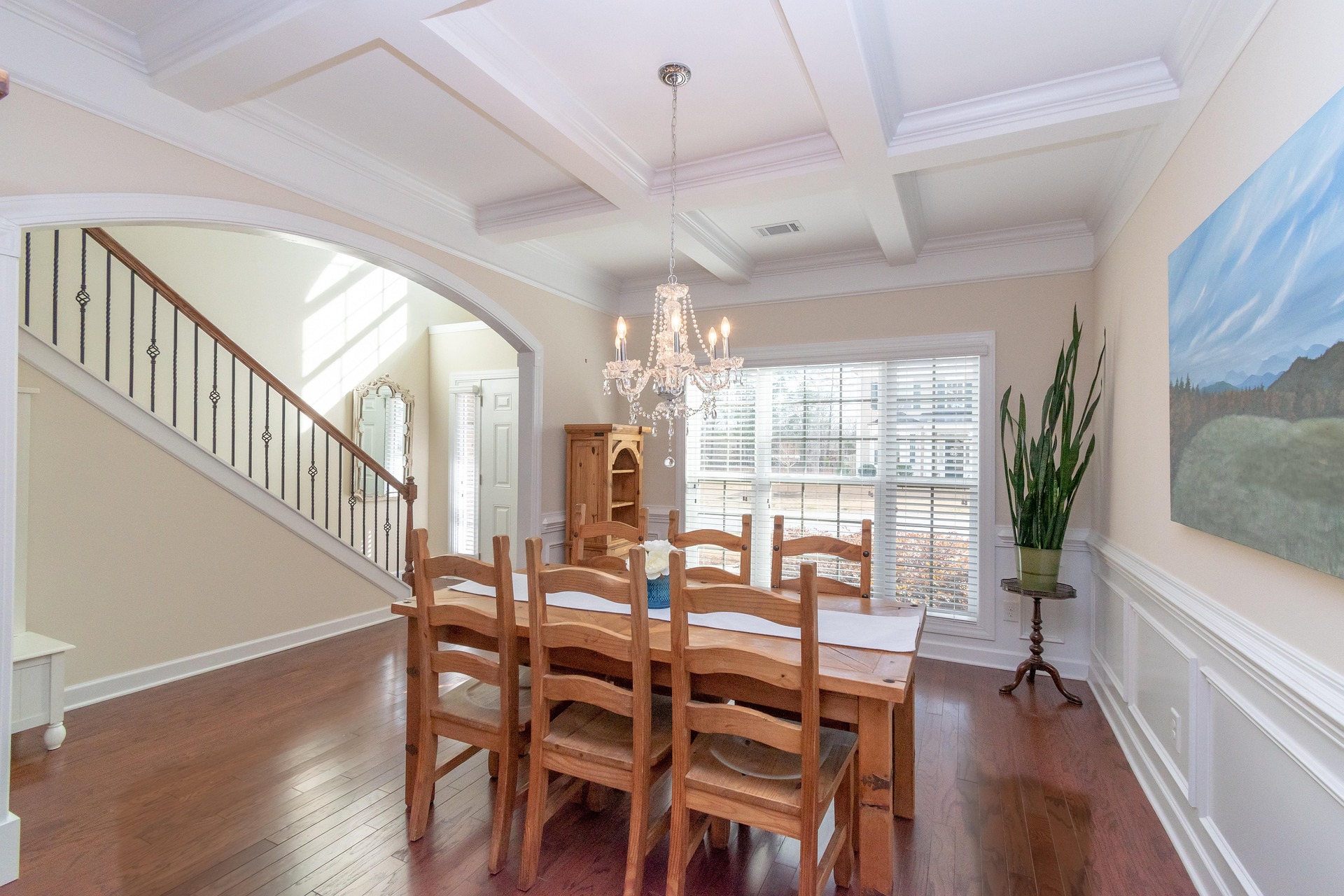
Algorithmic restraint: the fix for fake-looking HDR
To fix the fake HDR look without adding hours of manual brush work to your evenings, choose tools built with restraint.
Instead of aggressive tone-mapping presets, Stager AI Auto HDR blends exposures with subtle, balanced luminance. It isolates the high-frequency edges, so window frames keep sharp transitions without gray halos.
It follows the workflow of high-end manual editors: natural light falloff, deep shadows that ground the room, and accurate local color. You get the look of an expert manual blend automatically, in about 1 to 5 minutes per photo. If you're new to the category, start with what an HDR AI editor is.
The realism benchmark check
Check your current portfolio against this list to make sure your work looks natural and high-end.
| What to check | The over-cooked tell | The professional baseline |
|---|---|---|
| Recessed ceiling lights | Bright orange burns bleed across the drywall | Desaturated, natural light transitions |
| Window edges | Visible gray or white glow around the frame | Clean, sharp edge contrast |
| Shadow depth | Corners are artificially bright and flat | Gradual, soft falloff that adds dimension |
| View outside | Washed-out skies or oversaturated greens | Accurate, realistic light balance |
The verdict: protect your photographic style
Real estate photos exist to build buyer trust from the first glance. When photos look heavily altered, that trust erodes. Realism isn't a limitation. It's a premium design language.
Moving from flat global adjustments to automated cloud processing with Stager AI gives you clean exposure control without the manual work. You keep the character of every listing and deliver professional architectural quality while the editing runs in the background.
Frequently asked questions
Usually because of global tone mapping. To squeeze a huge range of light into one image, standard software dials up local contrast. That creates halos around windows, flat shadows, crunchy textures and oversaturated colors.
The local filter can't tell structural edges from changes in light, so it blends pixels across the boundary between a dark wall and a bright window, leaving a white or gray outline.
Daylight is cool blue (~5500K) and interior fixtures are warm tungsten (~2700K). A single global white balance can't fix both, so you need local white balance masking that treats windows and the interior separately.
About 1 to 5 minutes per photo, with a natural blend that keeps shadows, sharp window edges and accurate color.