On this page
- The micro-labor tax: where retouching stalls
- Window pulls: skipping the manual masking assembly line
- Color casts: neutralizing mixed lighting tints
- Lens correction: restoring straight architectural lines
- Manual vs. AI: the HDR problems AI solves automatically
- The verdict: automate the labor, elevate the curation
From the outside, real estate photo editing looks like a one-click merge. Photographers know better. The merge is only the start of a pipeline of micro-labor: the precise, tedious corrections that make a property look straight, clean and true to life.
The real hours disappear in those small adjustments. Painting masks around window frames, removing orange reflections from floors and fixing wide-angle barrel distortion all eat into post-production. These are exactly the HDR problems AI solves automatically, and moving them to AI changes how fast you can deliver.
The micro-labor tax: where retouching stalls
Lost time rarely comes from style decisions. It comes from corrective repairs. A standard bracket merge just stacks the exposures together, often flattening contrast or exaggerating flaws in the ambient light.
So an editor has to make several local corrections photo by photo. Across a 35-photo listing, those five-minute fixes add up to a multi-hour queue, and that caps how many listings a studio can book in a week.
Window pulls: skipping the manual masking assembly line
The window pull is probably the most repetitive task in real estate photography. You take a clean, correctly exposed view from a darker flash or ambient frame and blend it into the overexposed window.
Done by hand, that means tracing window panes, mullions and sheer curtains with a pen or magnetic selection tool. Modern AI models skip this with semantic segmentation: the model recognizes the window geometry and isolates it precisely. It then blends the view in from your darker brackets, keeping the exterior colors realistic and avoiding the bright border glow and gray fringing of a rough mask.
Color casts: neutralizing mixed lighting tints
Interiors are rarely lit by one light source. Color temperatures clash: warm tungsten ceiling lights throw orange pools across wooden floors and white walls, while cool daylight pours in through the windows.
For mixed-light fixes on photos you've already merged, see real estate photo color correction.
Lens correction: restoring straight architectural lines
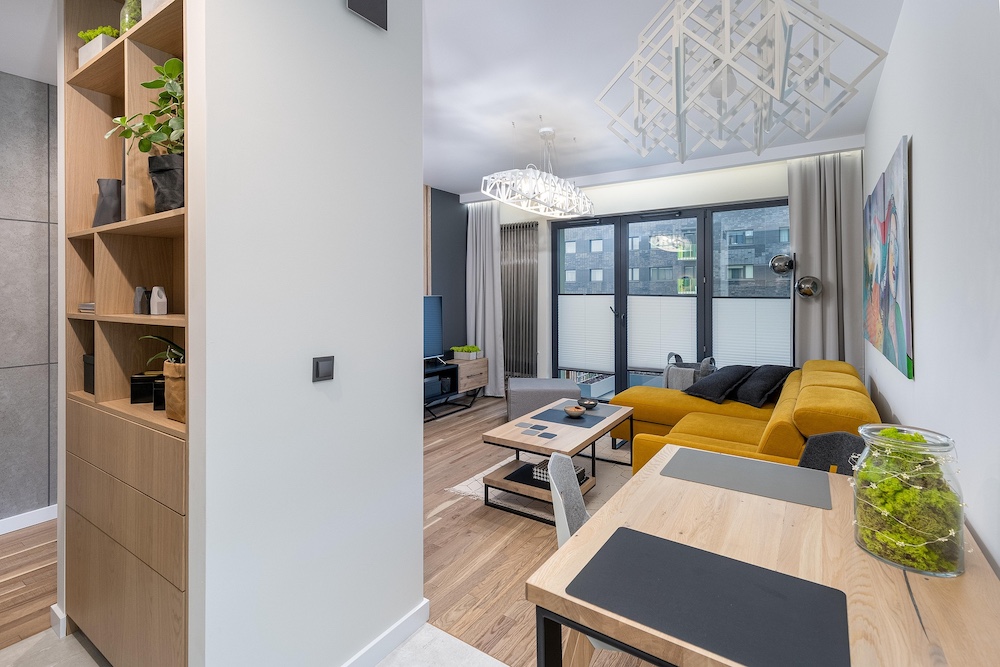
Wide-angle lenses are a must for tighter rooms, but they bend geometry. Walls lean in, door frames bow out and lines curve away from the center of the frame. In professional real estate media, leaning verticals look careless and break the sense of a solid, stable space.
Instead of manual perspective grids or eyeballing sliders in Lightroom, Stager AI detects the structural vertical and horizontal edges and corrects the geometry automatically. Walls straighten, horizons level and the room gets back a precise, magazine-ready look.
Manual vs. AI: the HDR problems AI solves automatically
Here is how much manual work disappears when you move these core corrections to an AI built for real estate.
| Technical challenge | Traditional manual fix | What Stager AI does |
|---|---|---|
| Window pull blending | Pen tool selections and luminosity brush layers | Automatic semantic masking and natural multi-exposure blending |
| Mixed-light neutralization | Manual local brush strokes to desaturate tints | Automatic surface color balancing across conflicting light sources |
| Vertical straightening | Manual transform slider adjustments per photo | Automatic alignment of all structural lines |
| Ghosting and artifacts | Clone tool repairs where things moved between frames | Anchoring moving areas, like wind-blown leaves, to a single frame |
The verdict: automate the labor, elevate the curation
A great real estate photographer's signature style doesn't live in drawing mask lines or nudging perspective sliders for hours. It lives in their composition, their reading of the space and their eye on site.
Handing the tedious technical corrections to Stager AI Auto HDR changes your workflow. It handles window pulls, color casts and leaning lines in the background and gives you a consistent, professional baseline across the whole listing folder in about 1 to 5 minutes, since all photos in a shoot are processed in parallel. To see what else causes unnatural results, read why HDR real estate photos look fake.
Frequently asked questions
It's blending a clean, correctly exposed window view from a darker flash or ambient frame into the overexposed window of the main image, so the view outside is visible.
Warm tungsten ceiling lights throw orange light on floors and walls while cool daylight comes in through the windows. Fixing it by hand means painting color-balance masks; AI balances the surfaces automatically.
Yes. Stager AI detects the structural vertical and horizontal edges and corrects the geometry automatically, so walls stand straight without manual perspective sliders.
About 1 to 5 minutes. All photos in a shoot are processed in parallel, so the whole listing folder is ready in about the same time as one photo.