On this page
Most listings show the main rooms from more than one corner. Stage each photo separately and the sofa can change shape, the rug can change color and the room stops making sense. Buyers notice, and it undermines the whole gallery. Multi-angle virtual staging for real estate solves that: every angle of a room gets the same furniture.
This guide explains how it works in Stager AI, how to shoot for it, and when it's worth using.
Why consistent staging matters
Buyers use photos to build a mental map of a home. When the same room shows different furniture from two angles, that map breaks, and the staging starts to look like what it is. Consistent furniture keeps the gallery believable and helps buyers understand the layout.
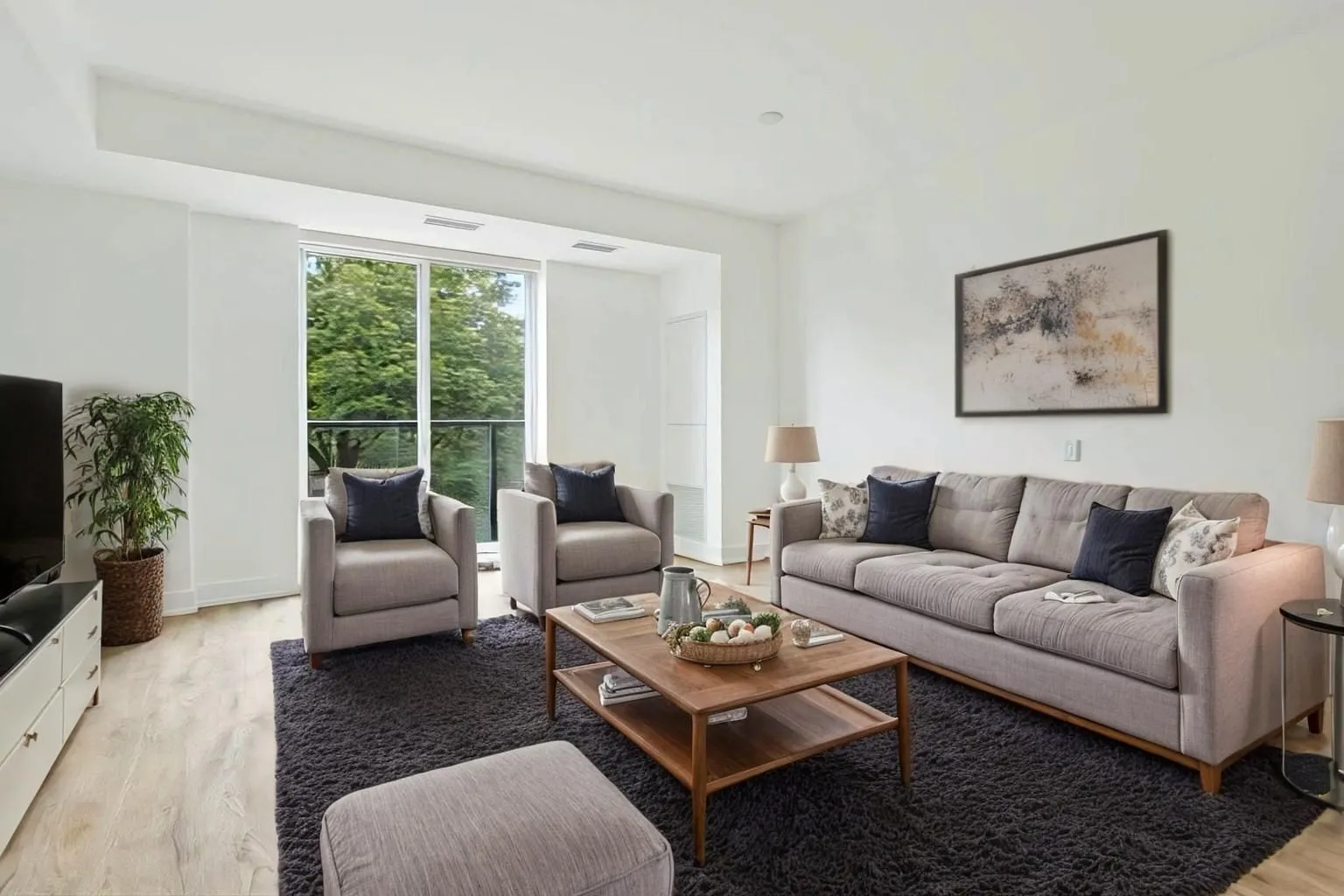
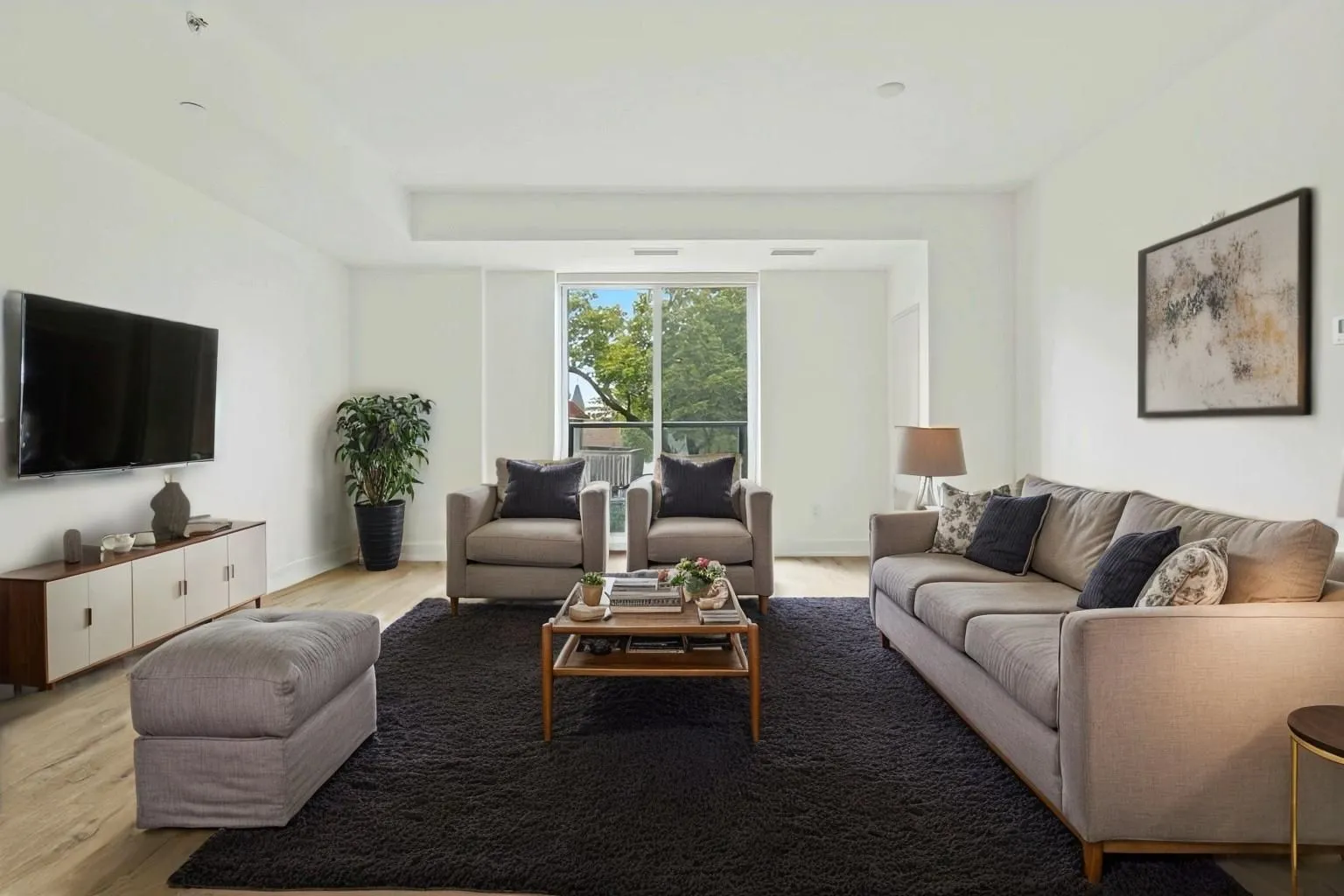
How multi-angle virtual staging works
- 1Add the angles: 2 to 4 photos of the same room.
- 2Choose stage or reference for each photo. Empty rooms get staged. A photo that's already furnished can be a reference: its furniture is copied into the other angles and the photo itself isn't changed.
- 3Pick the room type and style, as with normal virtual staging.
- 4Stage them together. Every staged angle gets matching furniture; it takes about a minute per angle.
- 5Compare and download. With Keep angles in sync on, choosing a version on one angle switches every angle to the same set.
For a single photo of a room, use regular virtual staging instead. Multi-angle staging needs at least two photos of the same room.
How to shoot for multi-angle staging
- Shoot from opposite corners, so together the photos cover the whole room.
- Keep something shared in frame, such as a wall, a window or the floor. It helps match the furniture between angles.
- Use the same camera height for every angle.
- Keep the room empty and clear in every photo you want staged.
See best camera settings for real estate photography for the rest of the setup.
Where it helps most
- Open-plan living and dining areas, usually shown from two or three corners.
- Primary bedrooms shown from the door and from the window.
- Large or luxury listings, where buyers study every room closely.
- Virtual tours and brochures, where the same room appears more than once.
Cost and limits
Each staged angle counts as one photo, the same as staging it on its own, and reference photos are free. The feature is in beta: furniture is matched as closely as possible, but small differences can appear between photos, so check each set before delivering. As with any staging, label staged photos where your portal asks and keep the originals in the listing; see full vs subtle virtual staging for choosing the right mode, and multi-angle staging to try it.
Frequently asked questions
It stages 2 to 4 photos of the same room taken from different corners, with the same furniture in every photo.
Between 2 and 4 photos of one room. For a single photo, use regular virtual staging.
Yes. Mark it as a reference and its furniture is copied into the other angles. The reference photo itself isn't changed, and it's free.
Each staged angle counts as one photo, the same as staging it on its own. Reference photos are free.
It's matched as closely as possible, but the feature is in beta and small differences can appear between photos, so check each set.